Feature Summary
The Application Scope feature is used to apply the current slide's transition settings to all slides, achieving a uniform transition effect.
Feature Description
| Feature Dimension | Description |
|---|---|
| Membership Restriction | No membership restriction |
| Version Restriction | No version restriction |
Operation Steps
Apply Transition Settings to All Slides
Feature Entry
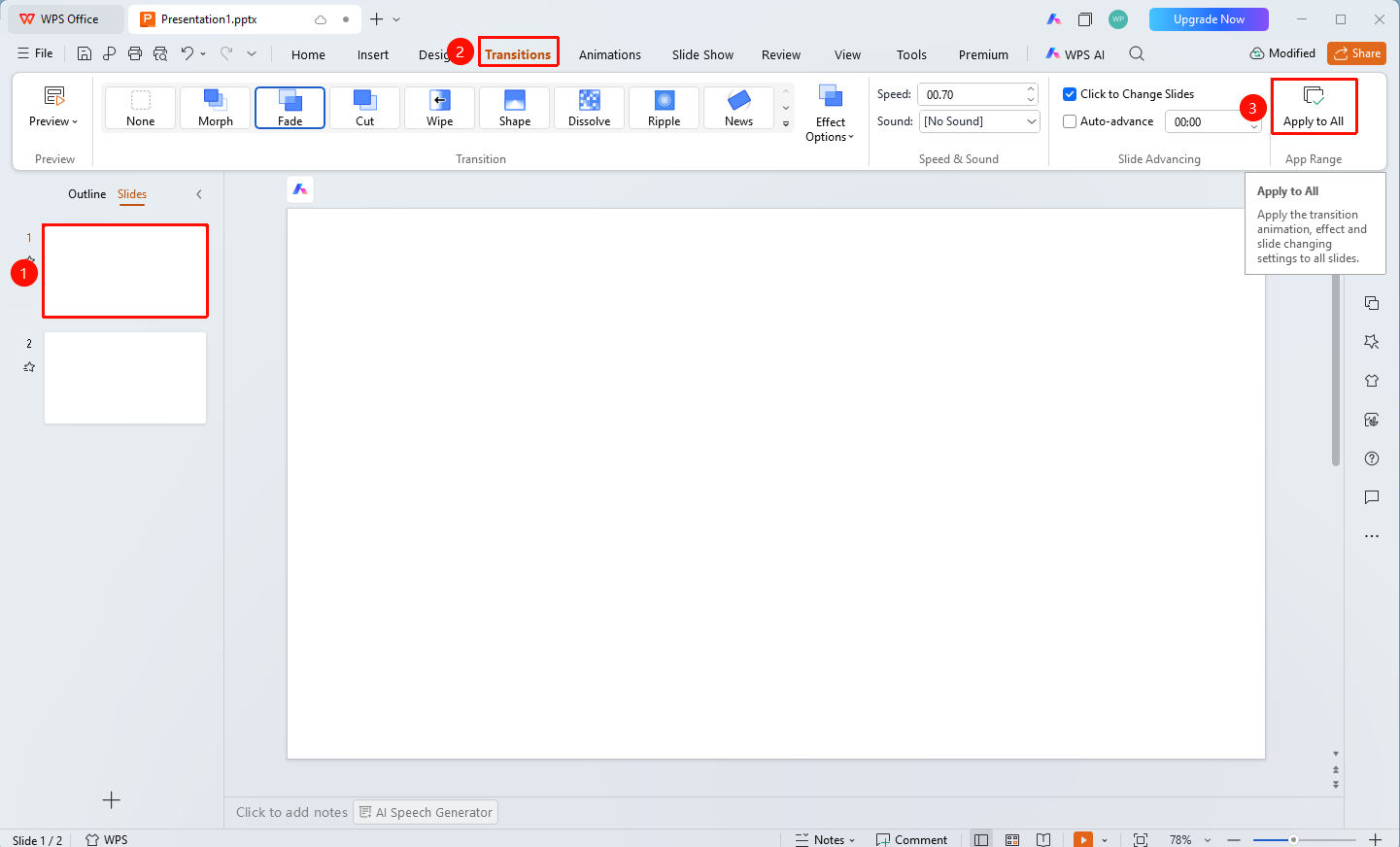
"Transitions" tab → "Apply to All" button
- First set the transition effect, speed, sound, etc. for the current slide
- Click the top "Transitions" tab
- Click the "Apply to All" button
- The current slide's transition settings will be applied to all slides in the presentation
Notes
- Applying to all will overwrite the existing transition settings of all slides
- It is recommended to confirm the current settings are correct before applying