Feature Summary
The AI image generation feature uses artificial intelligence technology to automatically generate images based on text descriptions entered by users, allowing you to quickly create various image materials needed and improve the efficiency of presentation creation.
Feature Description
| Feature Dimension | Description |
|---|---|
| Membership Restriction | Requires membership subscription to use |
| Version Restriction | No version restriction |
Operation Steps
Generate AI Images via the Insert Tab
Feature Entry
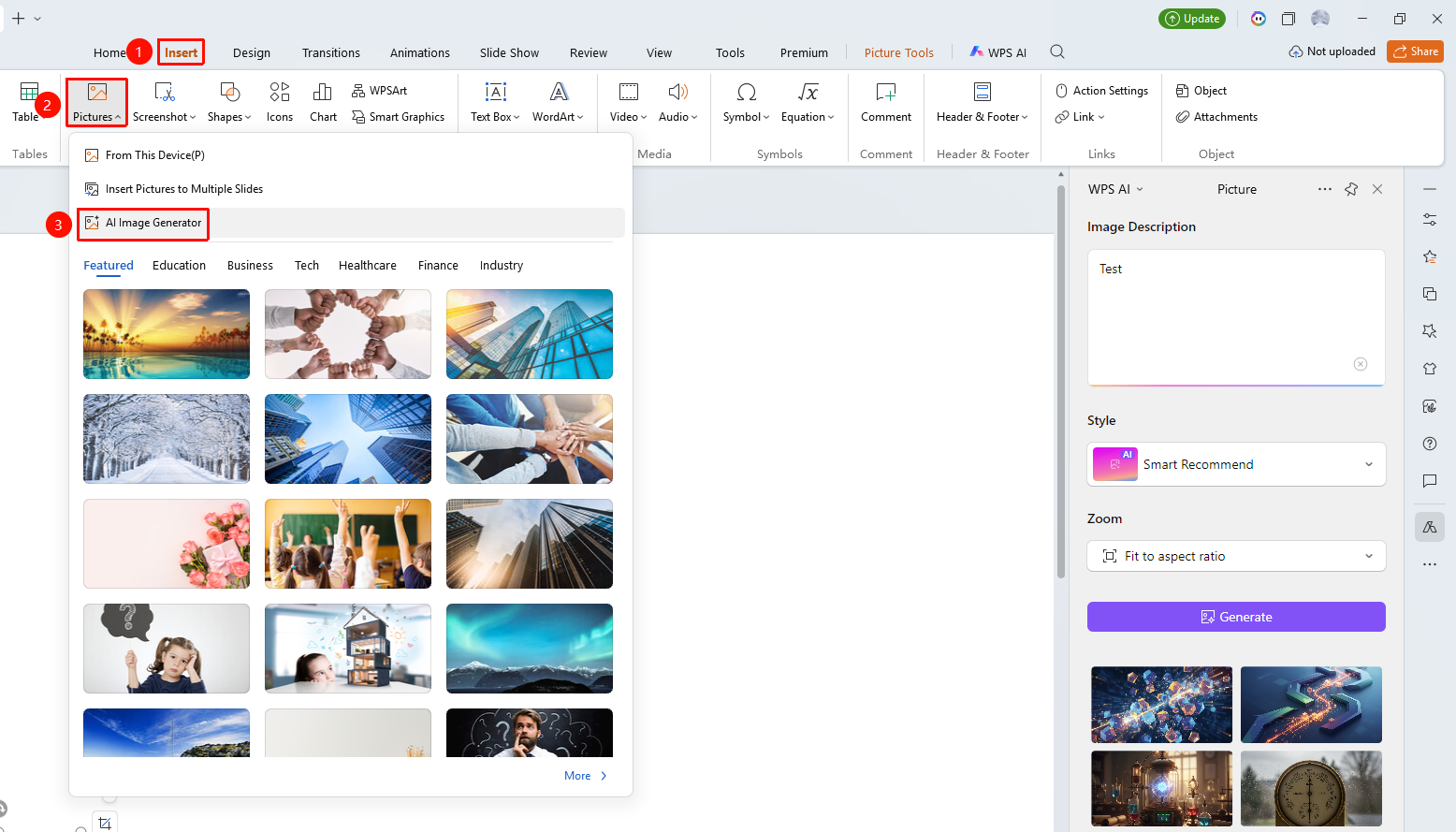
"Insert" tab → "Picture" → "AI Image Generation"
- Click the "Insert" tab
- Click the "Picture" drop-down menu
- Select "AI Image Generation" to open the WPS AI sidebar
- Enter the image description and set parameters
- Generate the image and insert it into the slide
Generate AI Images via the Picture Tools Tab
Feature Entry
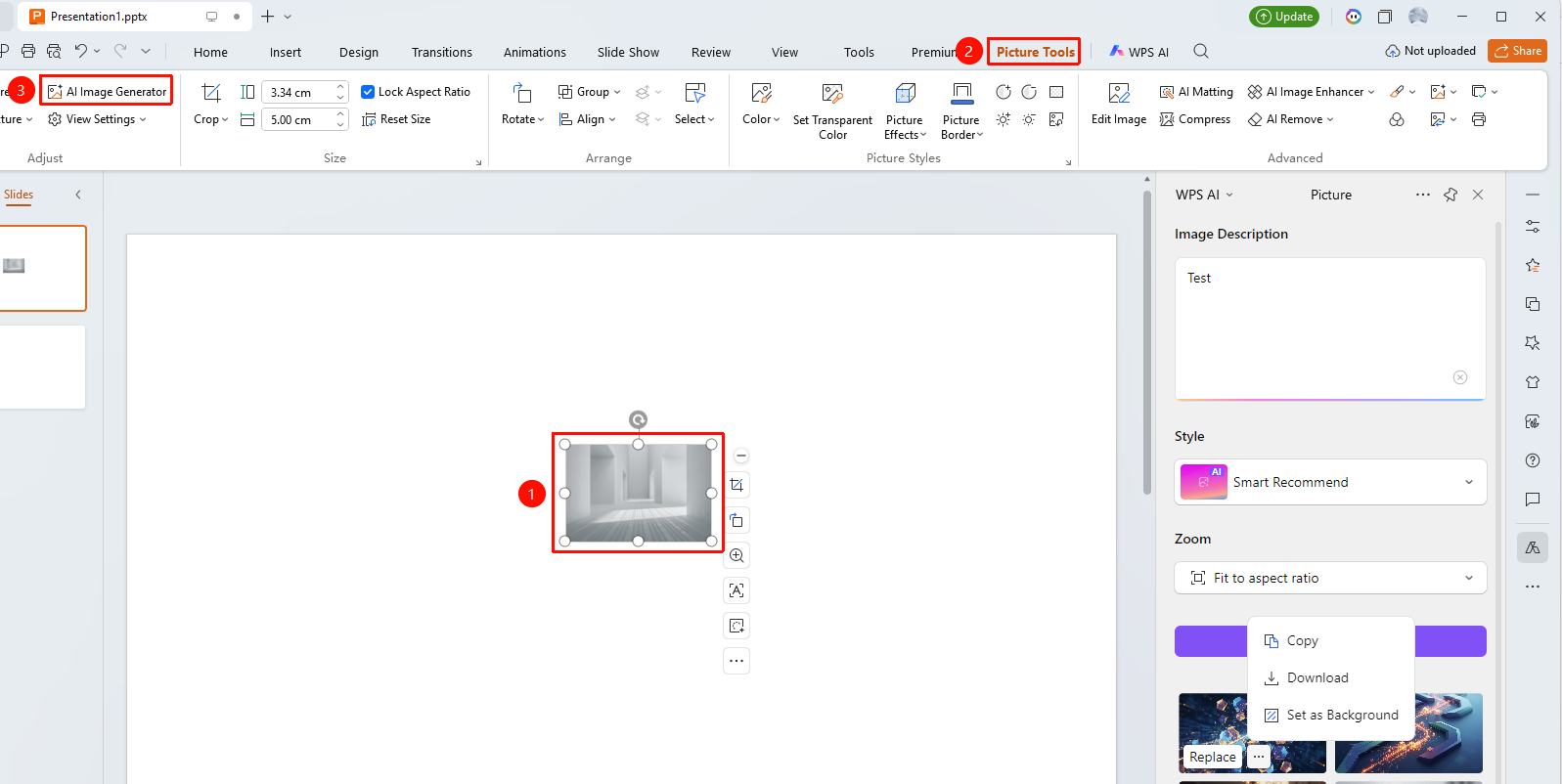
"Picture Tools" tab → "AI Image Generation" button
- Click an existing image in the slide, then click the "Picture Tools" tab at the top
- Find and click the "AI Image Generation" option
- Enter the image description text in the pop-up dialog box
- Select the image "Style" and "Aspect Ratio"
- Click the "Start Generation" button
- Wait for the AI to generate the image. Click the "..." button on the right side of the generated image to copy the image, download the image, or set the image as the background
Frequently Asked Questions
Q1: Does AI image generation require payment?
- Solution: The AI generation feature is exclusive to members and requires a WPS membership subscription to use. Free users can use other image insertion methods.
Q2: How can I improve the quality of AI-generated images?
- Solution: Enter more detailed and specific description text, including elements such as theme, style, color, and scene, to generate images that better meet your expectations.
Notes
- The AI generation feature requires an internet connection to use
- Generated images will be automatically inserted into the current slide
- AI-generated images can be edited and adjusted further
- The AI image generation entry can also be found in the top "WPS AI" tab or task pane