Feature Summary
The batch straightening feature is used to automatically correct the tilt angle of multiple images in slides. With a single click, tilted images can be automatically adjusted to a horizontal or vertical state.
Feature Description
| Feature Dimension | Description |
|---|---|
| Membership Restriction | Premium feature |
| Version Restriction | No version restriction |
Steps
Batch Straighten Images
Premium feature, please note the membership identifier before use
Feature Entry
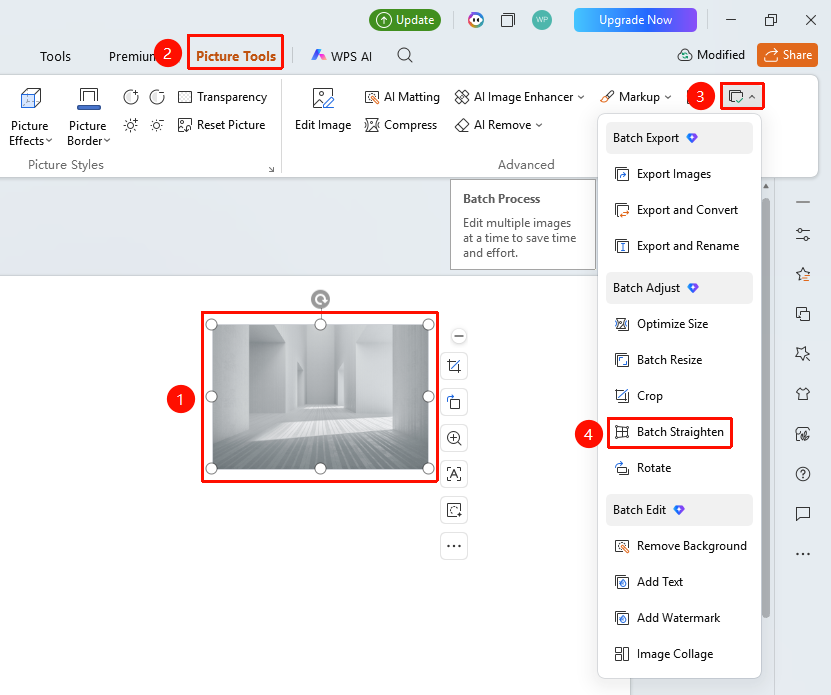
"Picture Tools" tab → "Batch Processing" → "Straighten"
- Select the images to be straightened (multiple selections allowed)
- Click the top "Picture Tools" tab
- Find and click the "Batch Processing" button
- Select "Straighten"
- Open the straighten page
Execute Straightening
Feature Entry
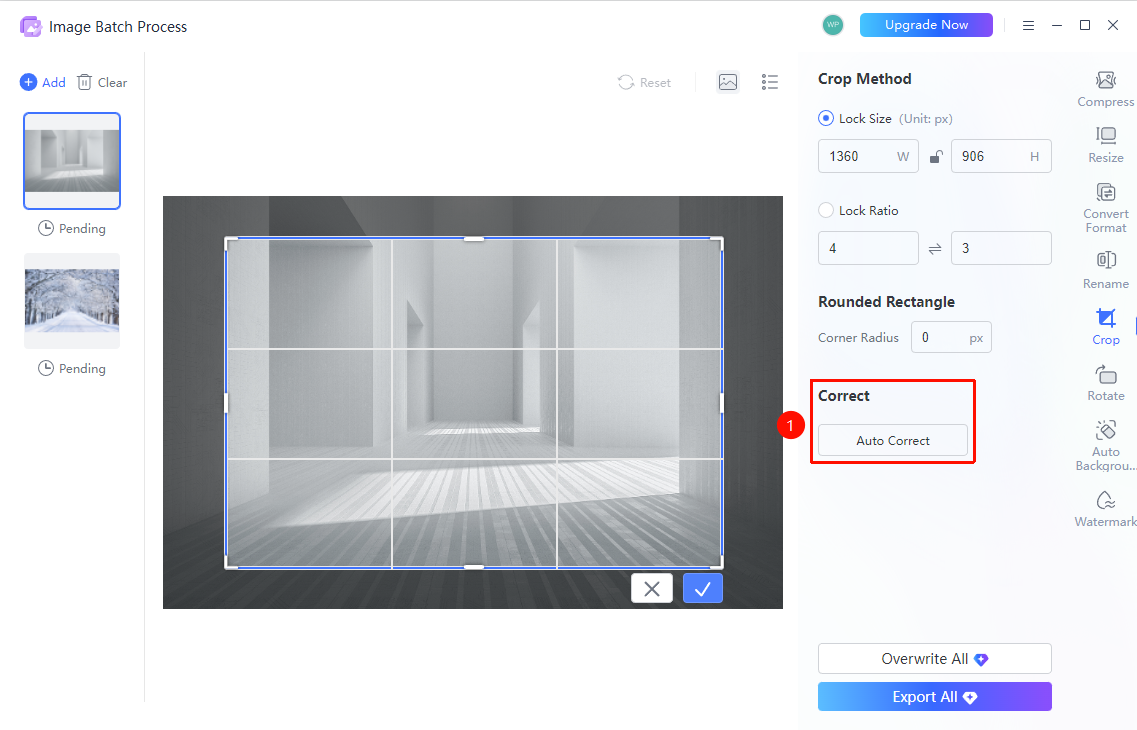
Straighten page → "Auto Straighten" button
- Click the "Auto Straighten" button on the page
- The system will automatically identify and correct the tilt angle of the images
- Click "Export All" / "Overwrite All" to complete batch straightening
FAQ
Q1: What is the principle of auto straightening
- Solution: The system automatically identifies horizontal or vertical lines in the image, then rotates the image to restore it to a horizontal or vertical state.
Q2: Will the image be deformed after straightening
- Solution: Auto straightening only rotates the image, without changing its size or aspect ratio, and will not cause deformation.
Q3: What if the straightening result is unsatisfactory
- Solution: You can first manually rotate to adjust the approximate angle, then use the auto straightening feature for fine-tuning.