Feature Summary
The 3D Format feature is used to add three-dimensional effects to images. You can set parameters such as depth, bevel, material, and lighting to give flat images a stereoscopic visual effect.
Feature Description
| Feature Dimension | Description |
|---|---|
| Membership Restrictions | No membership restrictions |
| Version Restrictions | No version restrictions |
Steps
Customize 3D Format Settings
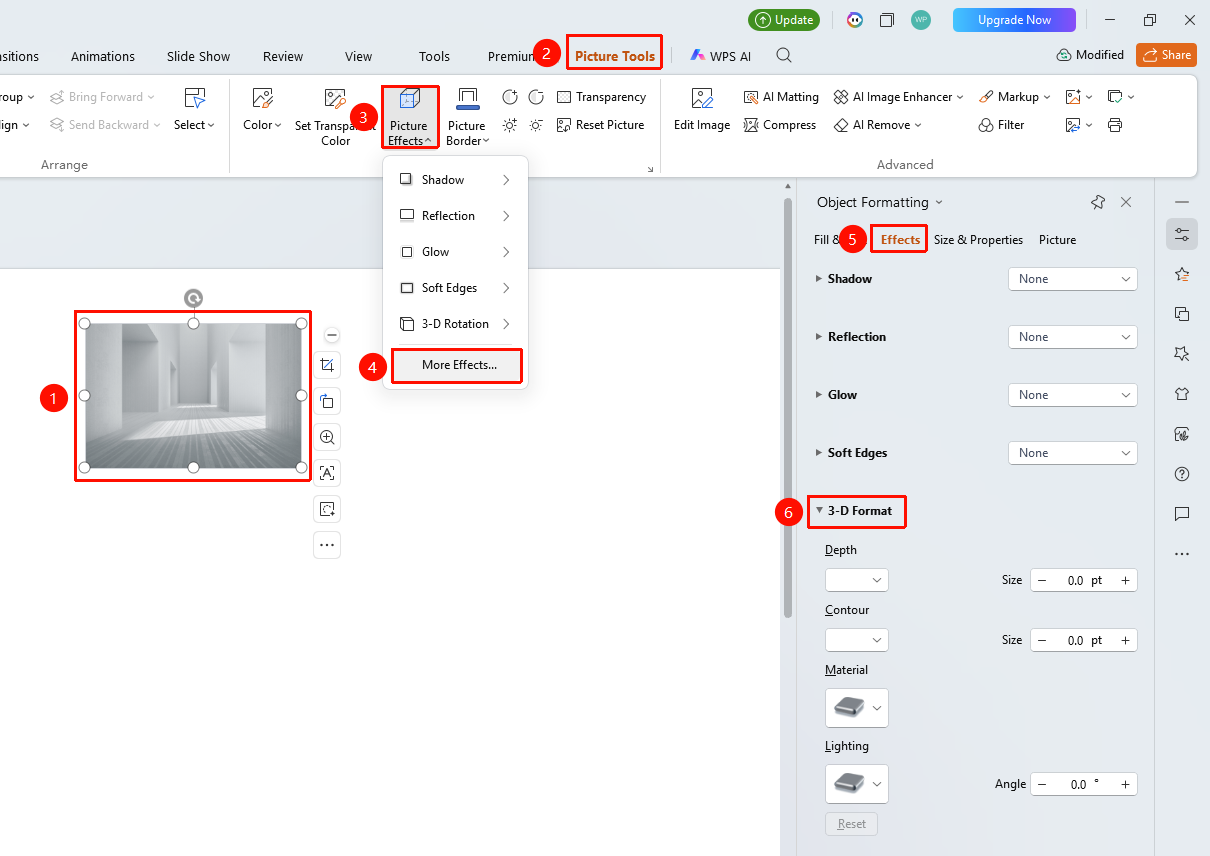
Feature Entry ①
"Picture Tools" tab → "Effects" → "More Settings" → "Object Properties" → "Effects" → "3D Format"
- Select the image you want to set, and click "Effects" under the "Picture Tools" tab.
- Click the "More Settings" option to expand the "Object Properties" sidebar.
- Under the "Effects" option, click "3D Format" to expand the settings menu.
- Adjust the following in the task pane on the right:
- "Depth": Set the color and depth (in points) of the 3D effect.
- "Bevel": Set the bevel color and effect (in points).
- "Material": Select a material effect.
- "Lighting": Set the lighting angle.
Feature Entry ②
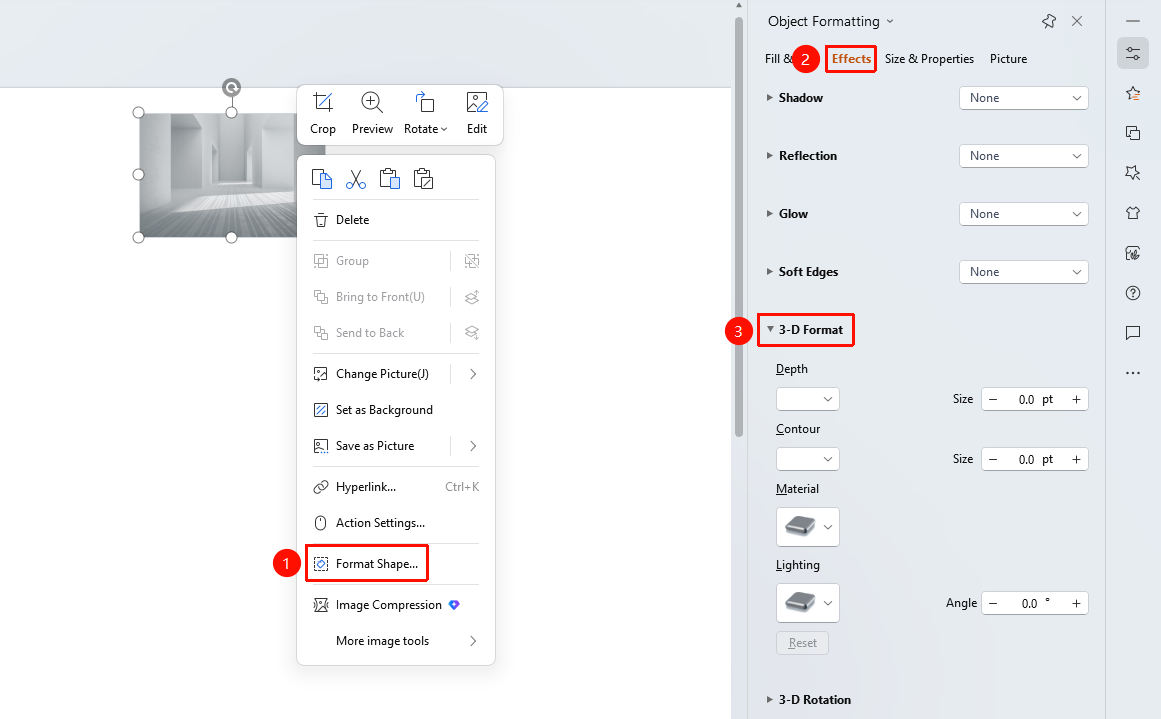
Right-click menu on image → "Format Object"
- Select the image and right-click.
- Select "Format Object".
- In the "Object Properties" panel on the right, click the "Effects" tab.
- Expand "3D Format" to configure settings.
Feature Entry ③
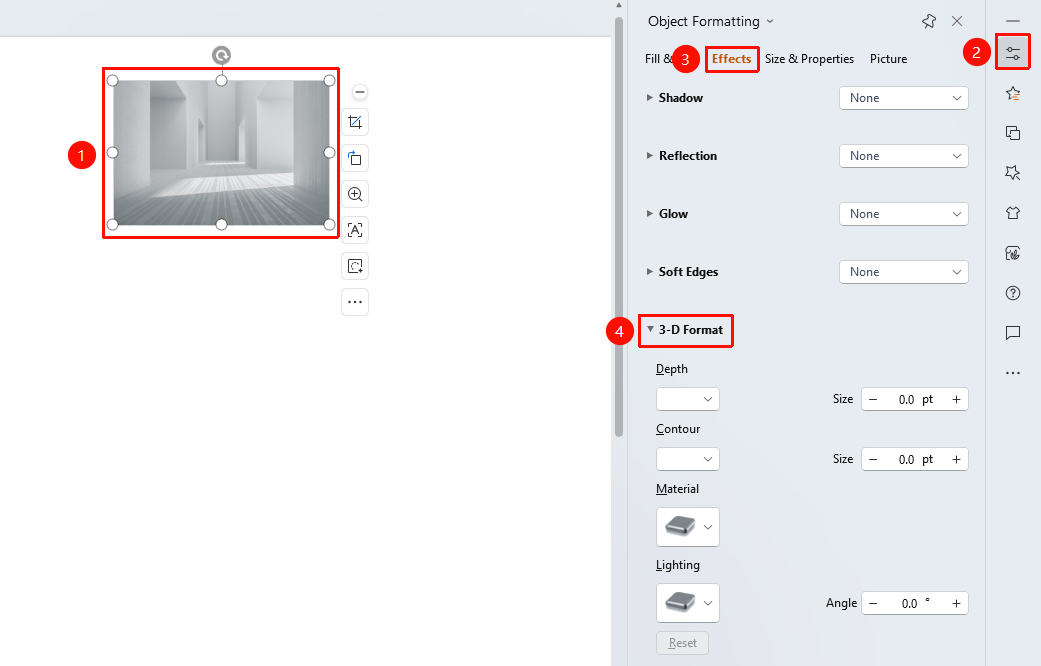
Task Pane → "Properties" button
- Select the image.
- Click the "Properties" button in the task pane on the right.
- Click the "Effects" tab.
- Expand "3D Format" to configure settings.
FAQ
Q1: What is the difference between 3D Format and 3D Rotation?
- Solution: 3D Format sets the stereoscopic effect of the image (such as depth and material), while 3D Rotation sets the spatial angle of the image. The two can be used together.
Q2: How to make an image look metallic?
- Solution: Select a metal material in the material options, and pair it with appropriate lighting settings to achieve a metallic look.
Q3: How to remove 3D effects?
- Solution: Reset parameters such as depth and bevel to 0, or click Reset to clear all effects.
Notes
- 3D effects will increase the rendering load of the image.
- It is recommended to choose an appropriate 3D style based on the image content.
- Excessively large depth values can cause image distortion.