Feature Summary
The Reflection feature is used to add a mirror reflection effect to images. You can set the transparency, size, and distance of the reflection to give the image a specular reflection visual effect.
Feature Description
| Feature Dimension | Description |
|---|---|
| Membership Restriction | No membership restriction |
| Version Restriction | No version restriction |
Operation Steps
Using Preset Reflections
Feature Entry
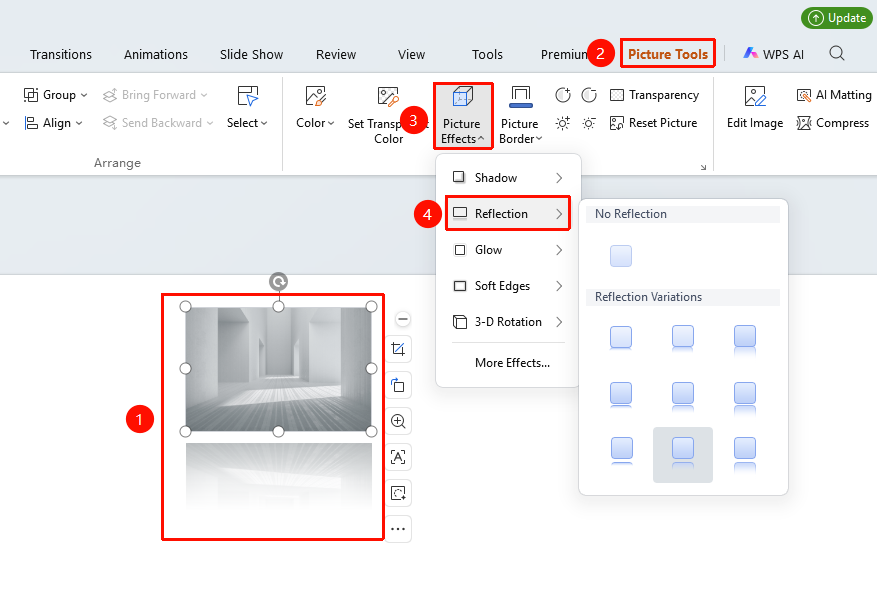
"Picture Tools" tab → "Effects" → "Reflection"
- Select the image you want to add a reflection to
- Click the "Picture Tools" tab
- Click the "Effects" button
- Select "Reflection"
- Choose a preset reflection style:
- "No Reflection": Remove the reflection effect
- "Reflection Variations": Choose reflection effects with different distances and transparency
Customizing Reflection Settings
Feature Entry ①
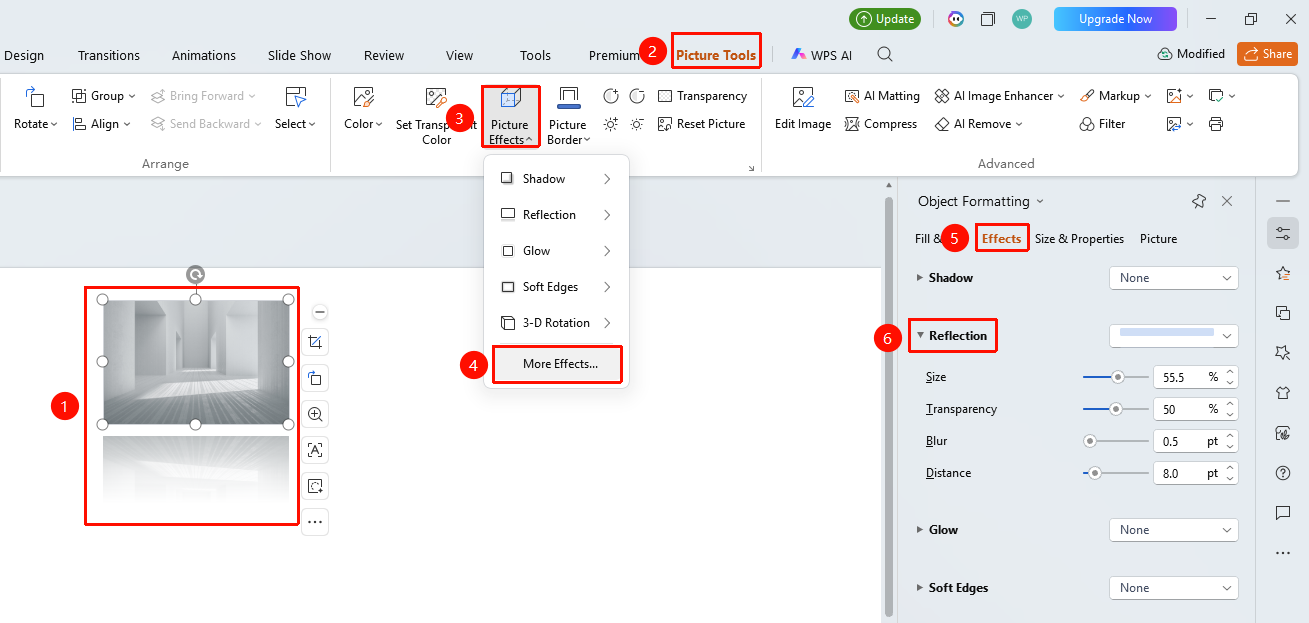
"Picture Tools" tab → "Effects" → "More Settings" → "Object Properties" → "Effects" → "Reflection"
- Select the image you want to set, click "Effects" under the "Picture Tools" tab
- Click "More Settings" to open the "Object Properties" task pane
- Under the "Effects" option, click "Reflection" to expand the settings menu
- Adjust in the right task pane:
- "Transparency": Adjust the transparency level of the reflection
- "Size": Adjust the display ratio of the reflection
- "Blur": Adjust the blurriness of the reflection edge
- "Distance": Adjust the distance between the reflection and the image
Feature Entry ②
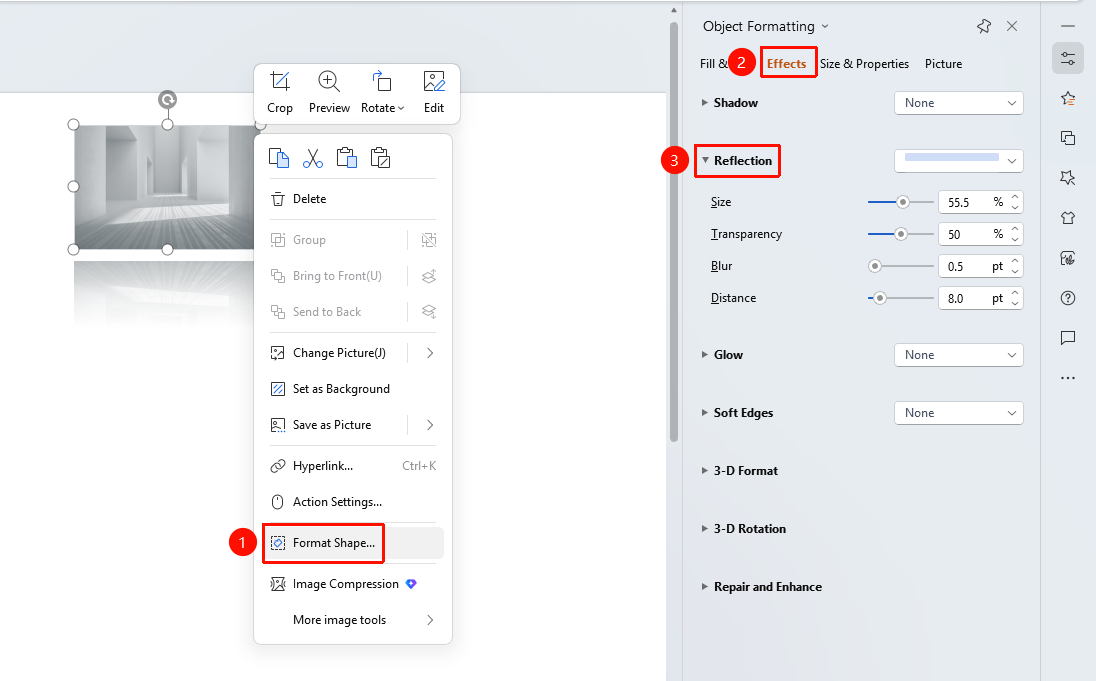
Image right-click menu → "Format Object"
- Select the image, right-click
- Select "Format Object"
- In the right "Object Properties" panel, click the "Effects" tab
- Expand "Reflection" to configure
Feature Entry ③
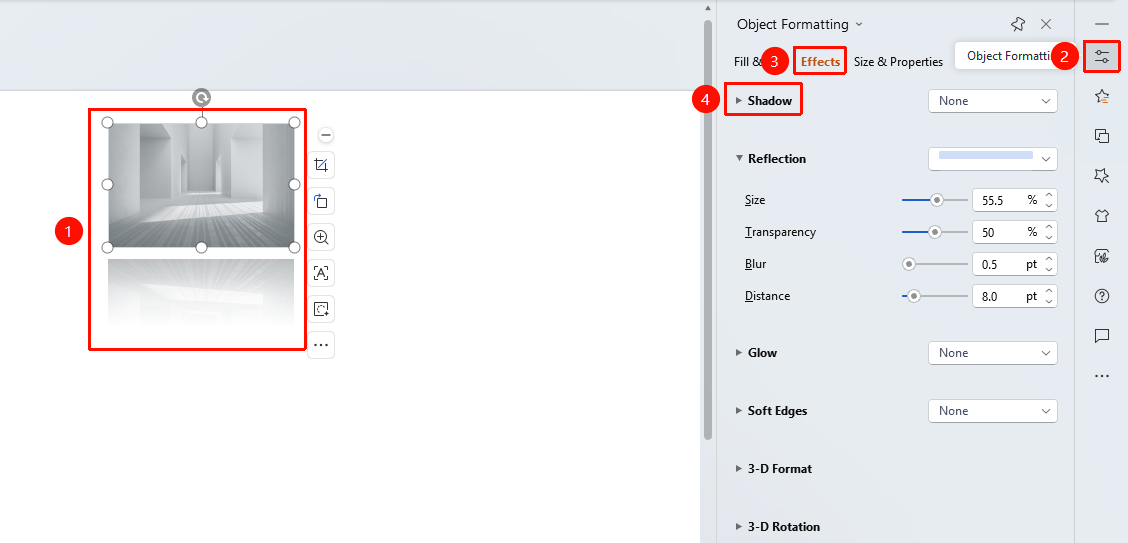
Task Pane → "Properties" button
- Select the image
- Click the "Properties" button in the right task pane
- Click the "Effects" tab
- Expand "Reflection" to configure
FAQ
Q1: Which images are suitable for adding a reflection effect?
- Solution: Images with clear subjects, such as portraits, product photos, and architecture, have better reflection effects. The reflection effect may not be obvious for images with complex backgrounds.
Q2: How to make the reflection clearer?
- Solution: Lower the transparency value and decrease the blur value to display a clearer reflection.
Q3: How to remove the reflection effect?
- Solution: Select No Reflection in the reflection options, or click Reset Style to clear all effects.
Notes
- The reflection effect will occupy space below the image, ensure there is enough room
- Reflection is suitable for display-oriented images, not for content-dense images