Summary
The Soft Edges feature is used to make the edges of an image gradually transparent, blending naturally with the background. It can eliminate harsh image borders and create a soft visual transition effect.
Feature Description
| Feature Dimension | Description |
|---|---|
| Membership Restriction | No membership restriction |
| Version Restriction | No version restriction |
Steps
Using Preset Soft Edges
Feature Entry
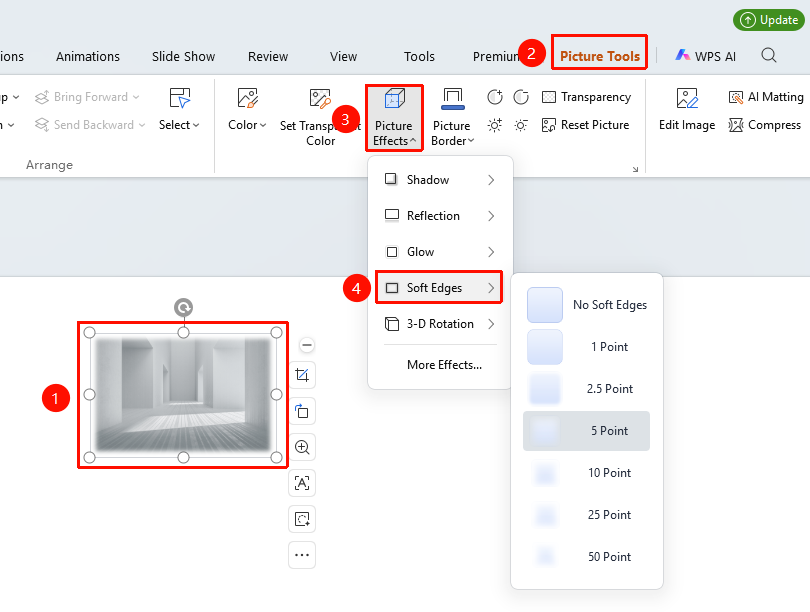
"Picture Tools" tab → "Effects" → "Soft Edges"
- Select the image you want to apply soft edges to
- Click the "Picture Tools" tab
- Click the "Effects" button
- Select "Soft Edges"
- Choose a preset soft edge level
Custom Soft Edges Parameters
Feature Entry ①
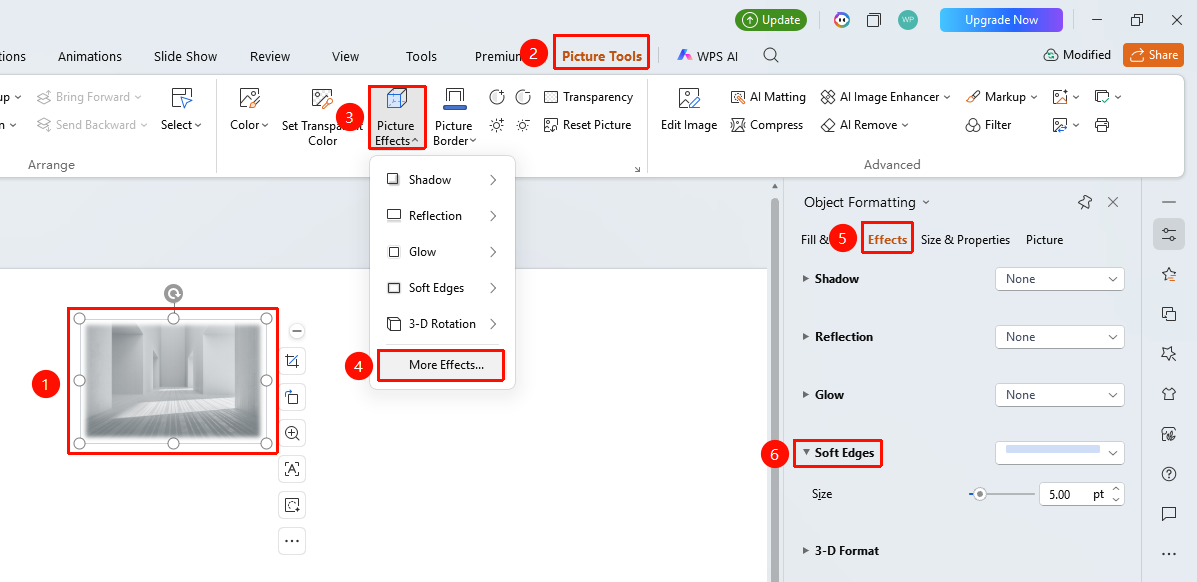
"Picture Tools" tab → "Effects" → "More Settings" → "Object Properties" → "Effects" → "Soft Edges"
- Select the image you want to set, click "Effects" on the "Picture Tools" tab
- Click the "More Settings" option to expand the "Object Properties" sidebar
- Under the "Effects" option, click "Soft Edges" to expand the settings menu
- Customize the soft edge parameters in the task pane on the right:
- "Size": A customizable value (in points) that defines the soft edge range.
Feature Entry ②
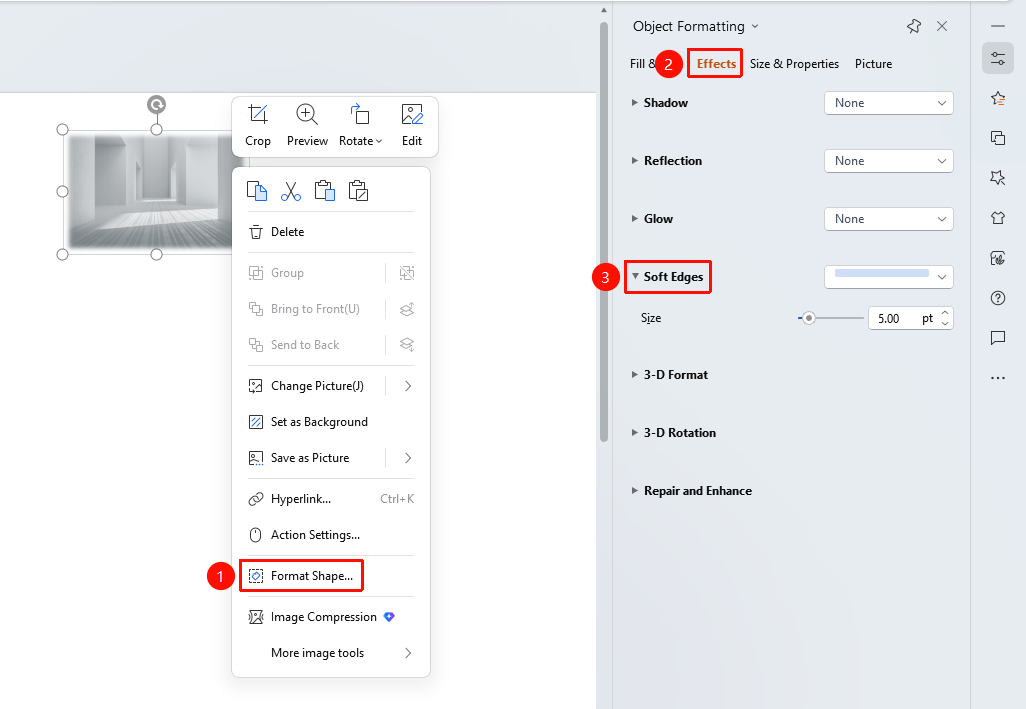
Right-click menu on image → "Format Object"
- Select the image, right-click
- Select "Format Object"
- In the "Object Properties" panel on the right, click the "Effects" tab
- Expand "Soft Edges" to configure
Feature Entry ③
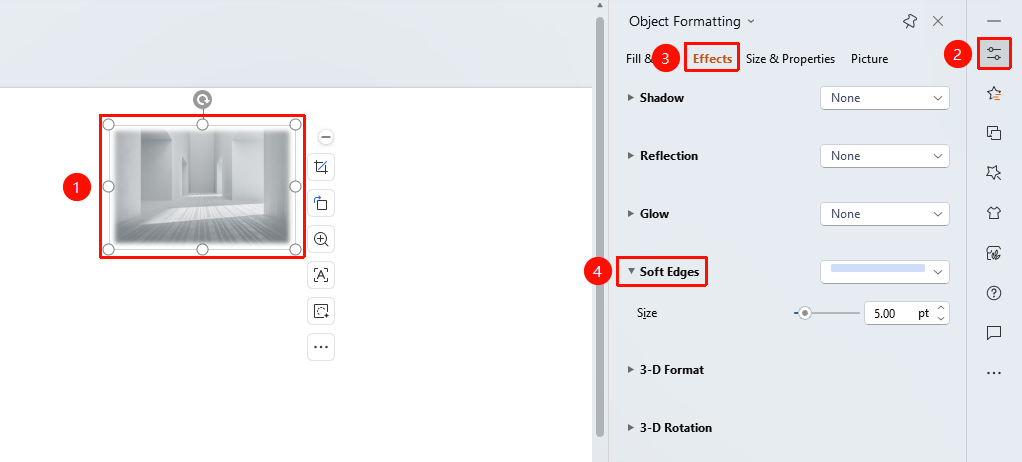
Task Pane → "Properties" button
- Select the image
- Click the "Properties" button in the task pane on the right
- Click the "Effects" tab
- Expand "Soft Edges" to configure
FAQ
Q1: What is the difference between Soft Edges and Crop?
- Solution: Cropping directly hides part of the image area, while Soft Edges makes the edges gradually transparent, achieving a more natural transition effect.
Q2: How to make two images blend naturally?
- Solution: Apply the Soft Edges effect to both images, then adjust their positions so that the softened edges overlap to achieve a natural blend.
Q3: How to remove the Soft Edges effect?
- Solution: Select No Soft Edges in the Soft Edges options, or click Reset Style to clear all effects.
Notes
- Soft Edges will occupy the outer space of the image, so ensure there is enough room.