Feature Summary
The image-to-text feature is used to recognize and extract text content from images. The recognized text can be copied or directly inserted into the current document.
Feature Description
| Feature Dimension | Description |
|---|---|
| Membership Restriction | Member-exclusive feature |
| Version Restriction | No version restriction |
Operation Steps
Extract Image Text
Member-exclusive feature. Please note the membership identifier before use.
Feature Entry
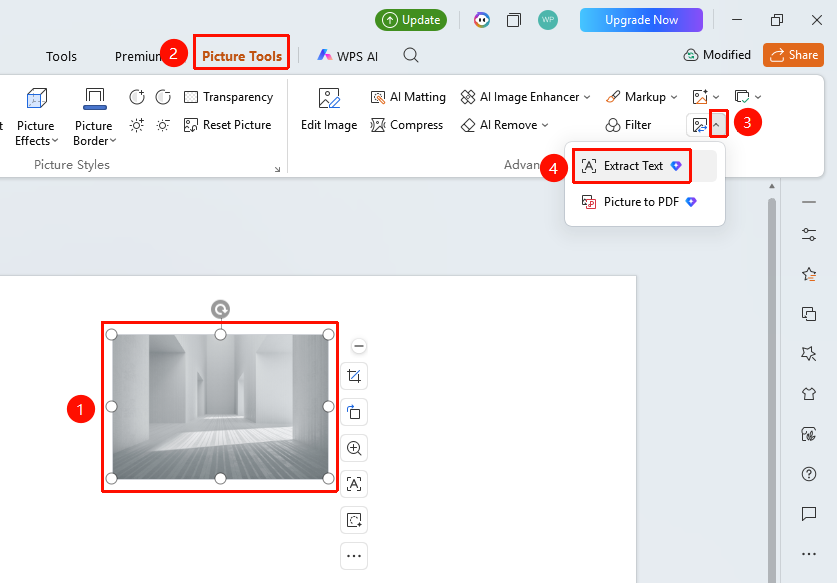
"Picture Tools" tab → "Convert" → "Extract Plain Text"
- Select the image to be recognized
- Click the top "Picture Tools" tab
- Locate and click the "Convert" drop-down button
- Select "Extract Plain Text"
- Open the Extract Plain Text page
Edit and Adjust Image
Feature Entry
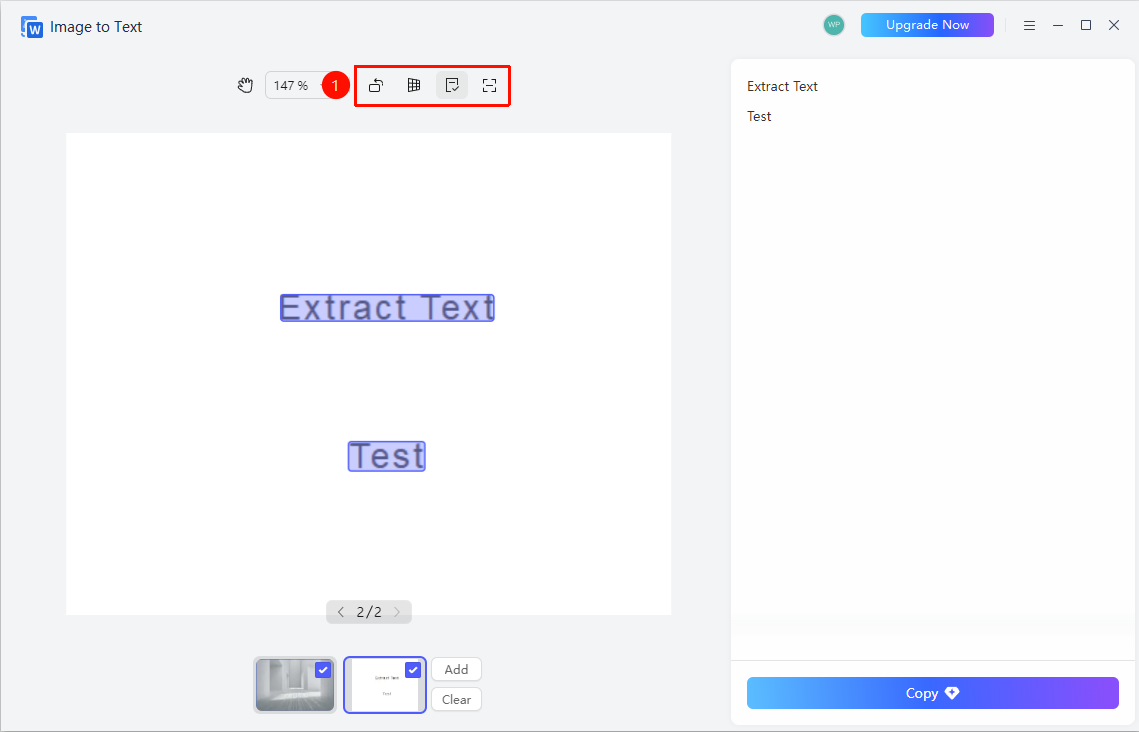
Extract Plain Text page → Top toolbar
- Use the following tools on the Extract Plain Text page
- "Rotate" : Rotate the image angle
- "Straighten" : Straighten skewed images
- "Deselect All" : Deselect all recognition areas
- "Select Recognition Area" : Manually select the area to be recognized
Manage Images
Feature Entry
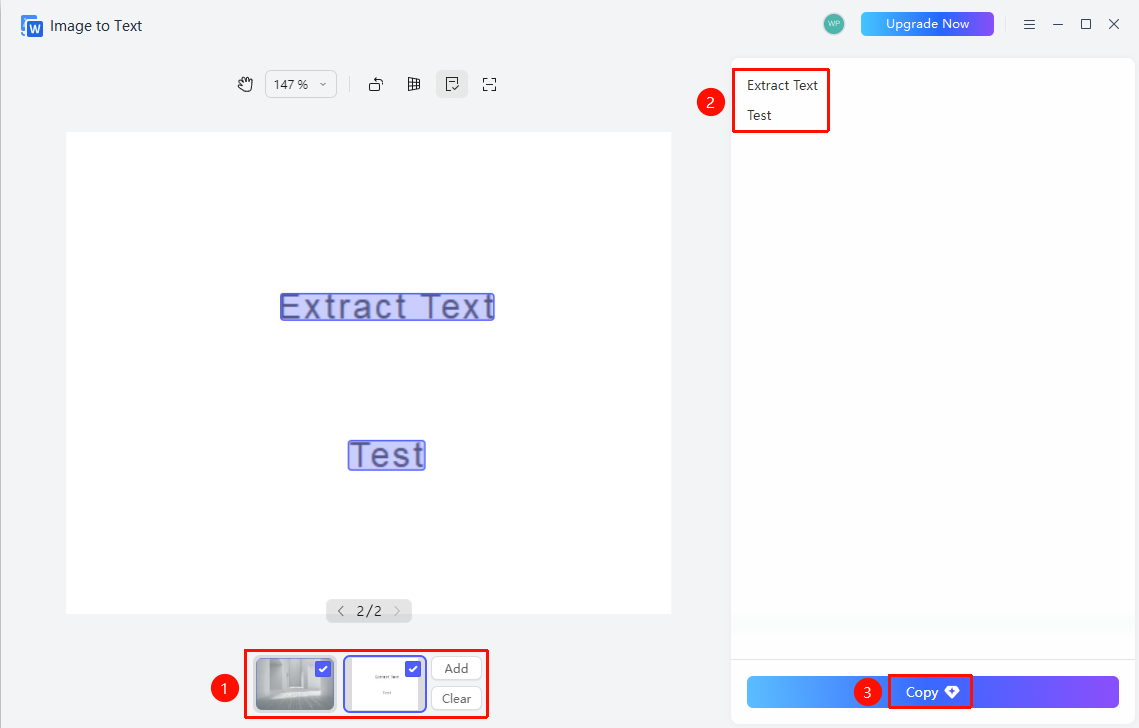
Extract Plain Text page → Bottom image list
- Manage images at the bottom of the page
- Click "Add" : Add more images for recognition
- Click "Clear" : Clear the current image list
- Use the page navigation buttons to browse multiple images
- View and use recognition results on the right side of the page
- Display the recognized text content
- Manually edit and correct recognition results
- Click "Copy" : Copy the recognized text to the clipboard
FAQ
Q1: How to improve text recognition accuracy
- Solution: Use the "Straighten" function to re-recognize, or use "Select Recognition Area" to manually specify the recognition range.
Q2: Can multiple images be recognized simultaneously?
- Solution: You can add multiple images via the "Add" button, and the system will recognize the text in each image sequentially.
Q3: Can the text be edited after recognition?
- Solution: You can directly edit and correct misrecognized text in the recognition result area on the right side.
Notes
- Image-to-text is a member-exclusive feature
- The higher the image clarity, the higher the recognition accuracy