Feature Summary
WPS Slides local mode supports using preset styles to quickly beautify charts, offering multiple color schemes and style options.
Feature Description
| Feature Dimension | Description |
|---|---|
| Membership Restriction | No membership restriction |
| Version Restriction | No version restriction |
Operation Steps
Apply Chart Preset Styles
Feature Entry
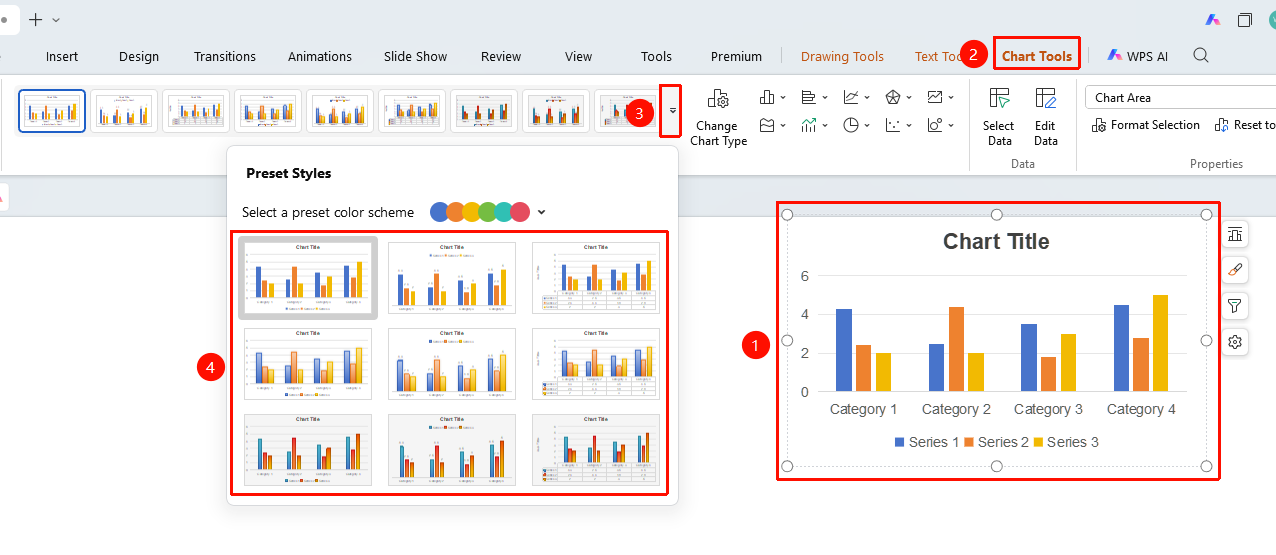
"Chart Tools" tab → Chart preset style list
- Click to select the chart
- Click the "Chart Tools" tab in the top menu bar
- Select a preset style from the style list
- Click the style to apply it to the chart
Change Preset Color Scheme
Feature Entry
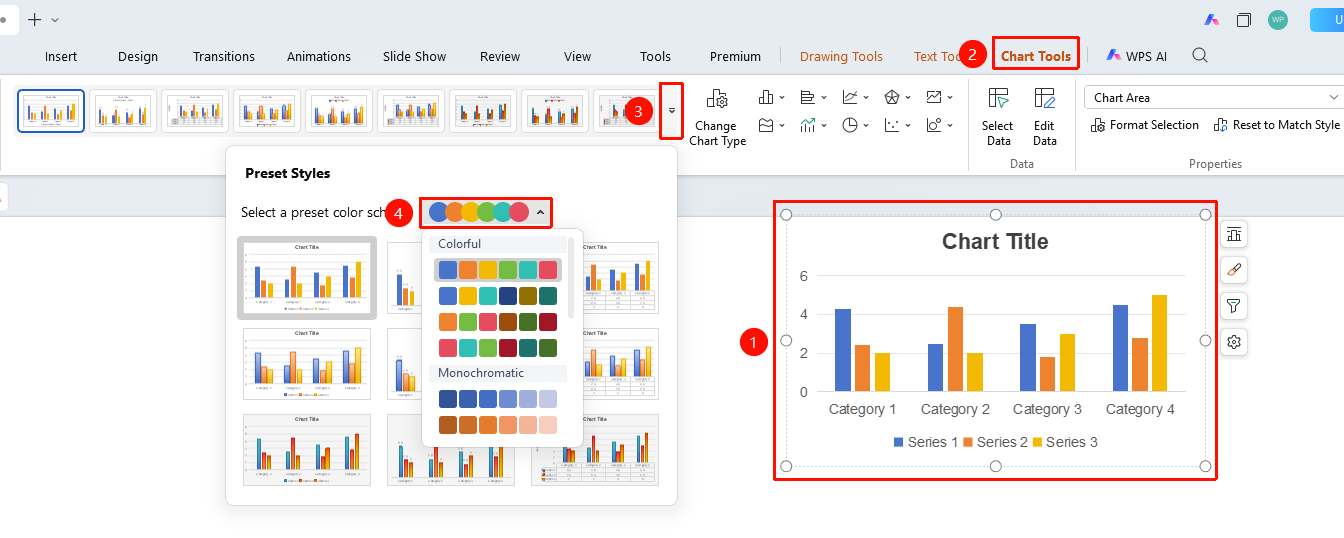
"Chart Tools" tab → Color scheme dropdown box
- Click the color dropdown arrow in the Chart Tools tab
- Select a preset series color scheme
- The color scheme will be applied to the entire chart
FAQ
Q1: Will preset styles overwrite existing formatting?
- Solution: Some formatting will be overwritten. It is recommended to apply the preset first and then fine-tune the details.
Q2: How to view all preset styles?
- Solution: Click the dropdown arrow on the right side of the style list to expand and view more styles.
Q3: Can I save custom styles?
- Solution: Saving custom styles is currently not supported, but you can use the Format Painter to copy formatting.
Notes
- Preset styles are suitable for quickly beautifying charts
- It is recommended to apply the preset and then fine-tune as needed