Feature Summary
The macro security feature is used to control the execution permissions of macros, preventing malicious macro code from running, and protecting document and system security.
Feature Description
| Feature Dimension | Description |
|---|---|
| Member Limitation | No member limitation |
| Version Limitation | No version limitation |
Operation Steps
Set Up Macro Security
Feature Entry ①
Tools tab > Macro Security
Click the Tools tab at the top.
Select Macro Security.
In the dialog box that opens, set the security level:
- Very High: Only allows digitally signed macros to run.
- High: Only runs macros from trusted sources.
- Medium: Prompts the user when opening a document that contains macros.
- Low: Allows all macros to run (not recommended).
Trusted Publishers: Set to trust or remove macros from trusted publishers.
Click OK to save the settings.
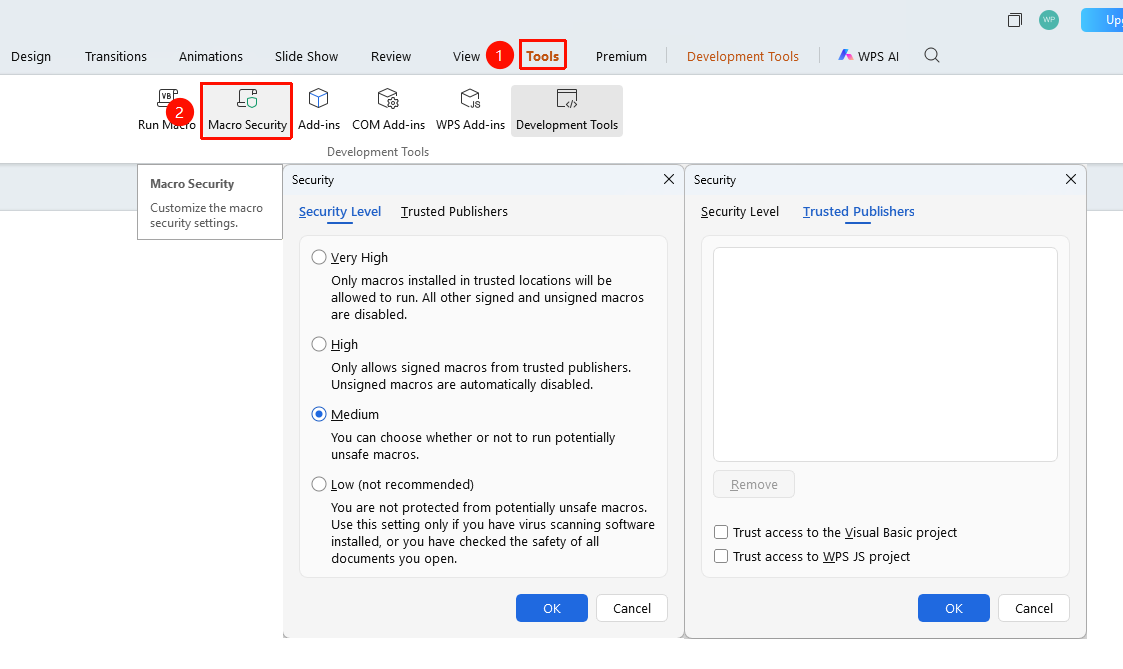
Developer Tools Tab
Feature Entry ②
Developer Tools tab > Macro Security
- Click the Developer Tools tab at the top.
- Find and click the Macro Security button.
- Set the security level in the dialog box that opens.
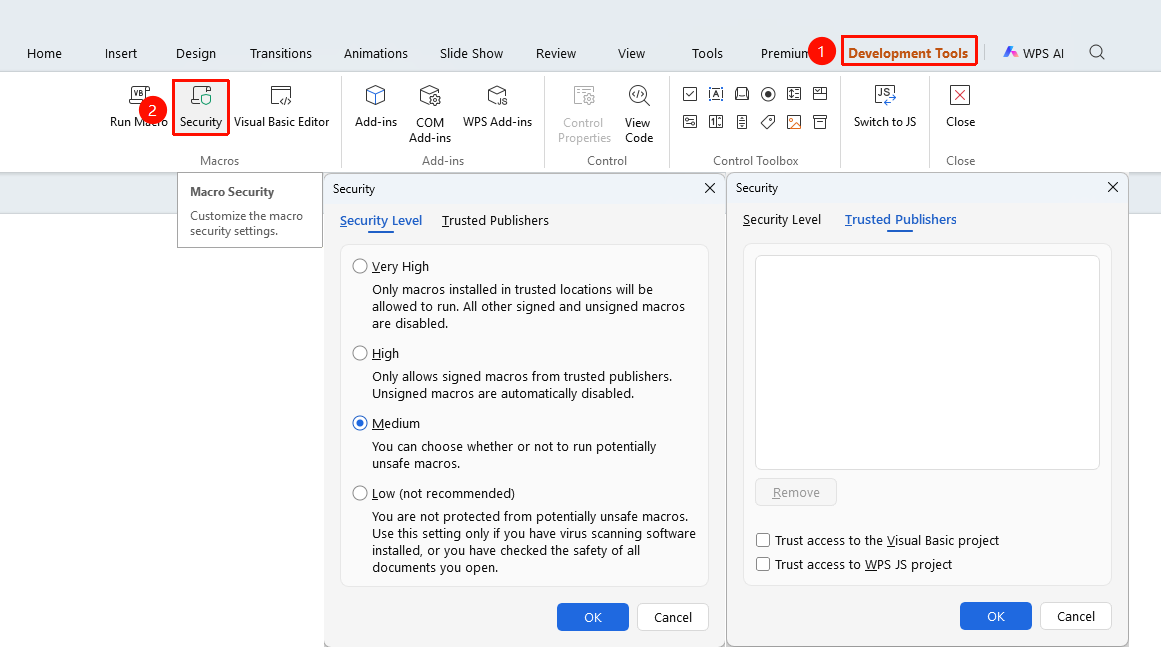
The 「Development Tools」 tab needs to be enabled by clicking the 「Development Tools」 option under the 「tools」 tab

Set Up Trusted Locations
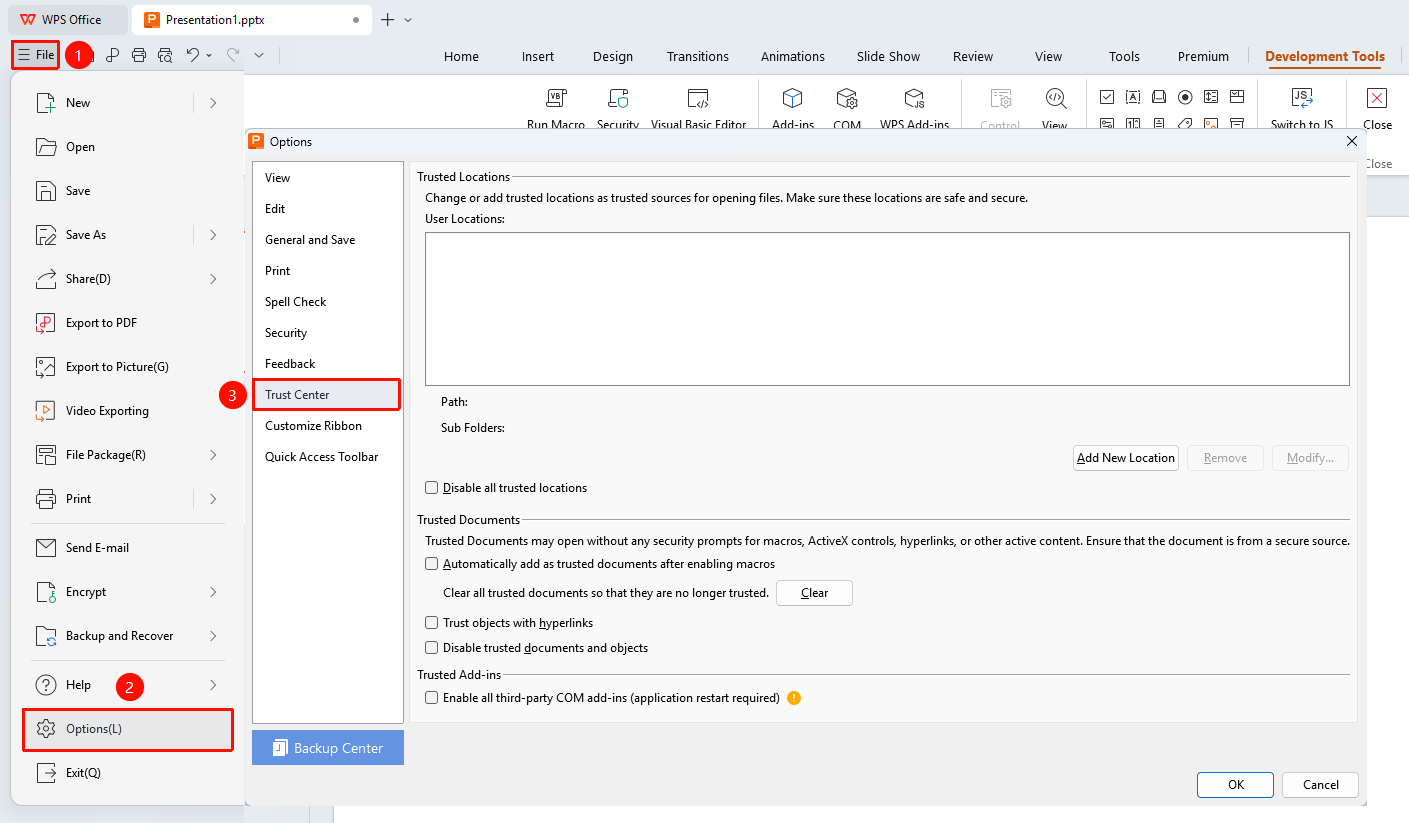
Feature Entry
File menu > Options > Trust Center tab
- Open the File menu in the upper left corner.
- Click Options and select the Trust Center tab.
- Click the Add New Location button and select the folder path.
- Select "Subfolders of this location are also trusted".
- Click OK to save.
Macros may contain security risks. Proceed with caution when adding trusted locations.
FAQ
Question 1: Where are the macro security settings located?
- Solution: Go to Tools > Macro Security or Developer Tools > Macro Security to open the settings dialog box.
Question 2: Which security level is recommended?
- Solution: It is recommended to set it to Medium or High so that you can confirm before running macros, preventing malicious code from executing automatically.
Notes
- It is recommended to keep macro security at the High or Medium level.
- Do not easily enable macros from unknown sources.
- Macros from unknown sources may contain security risks. Proceed with caution when adding trusted locations.