Feature Summary
The Switch to JS Environment feature is used to switch the development environment from VBA to JavaScript. You can write macro code in JavaScript to achieve cross-platform script development.
Feature Description
| Feature Dimension | Description |
|---|---|
| Member Restrictions | No member restrictions |
| Version Restrictions - VBA Macros | Windows requires the VBA add-in to be installed. macOS, Linux, and mobile versions are not supported. |
Steps
Switch to JS/VB Environment
Feature Entry
Developer tab > Switch to JS Environment / Switch to VB Environment
- Click the Developer tab at the top.
- Find and click the Switch to JS Environment button.
- The environment will switch from VBA to JavaScript.
- Click Switch to VB Environment to switch back to the VB environment.
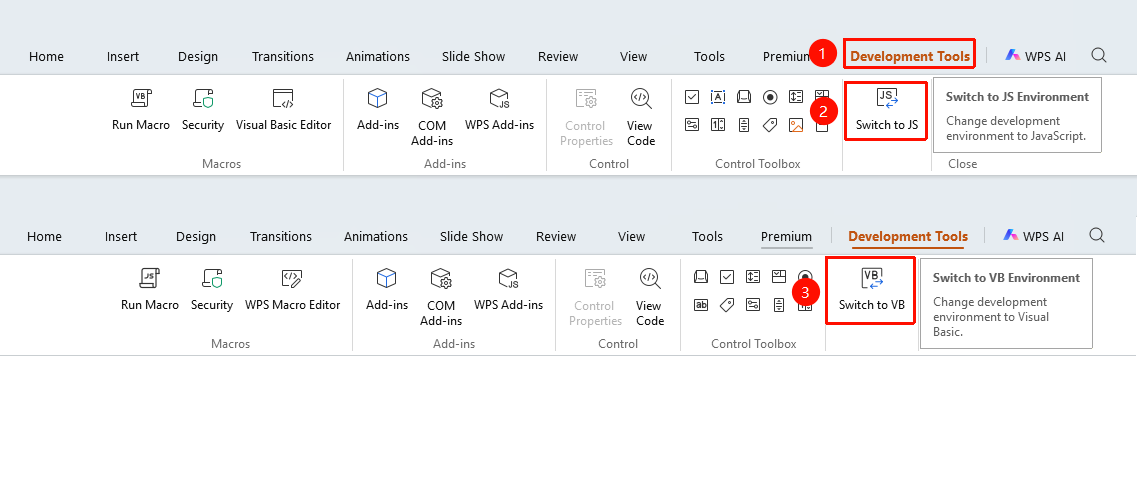
The 「Development Tools」 tab needs to be enabled by clicking the 「Development Tools」 option under the 「tools」 tab

Set Default JS Development Environment
Feature Entry
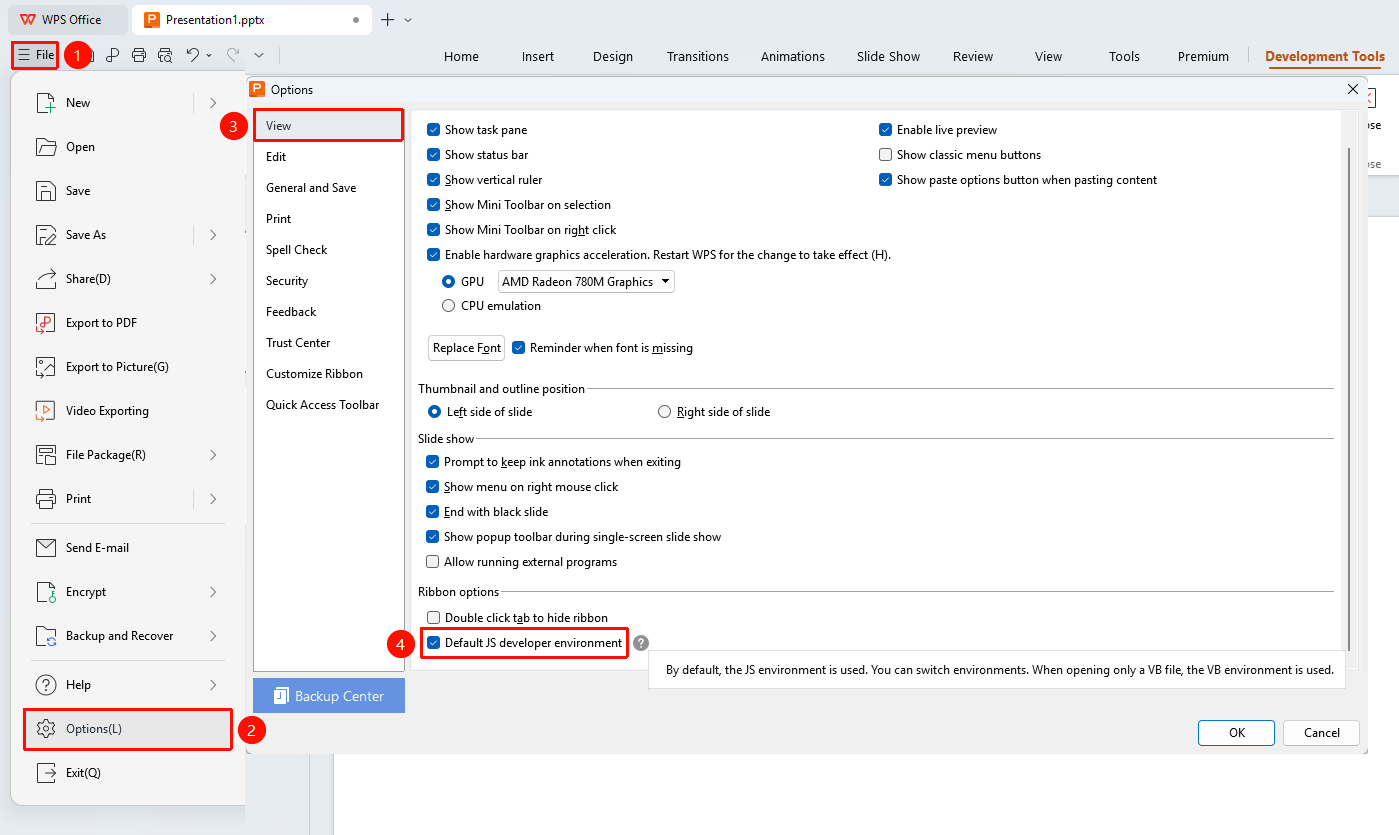
File menu > Options > View tab > Default JS Development Environment checkbox
- Click the File menu in the upper left corner.
- Choose Options to open the Options dialog box.
- Select the View tab in the left navigation bar.
- Find the Default JS Development Environment checkbox on the right.
- Select this option and click OK to save the settings.
- Restart WPS for the changes to take effect. The WPS Macro Editor (JS Environment) will open by default.
FAQ
Question 1: What is the difference between the JS environment and the VBA environment?
- Solution: The JS environment uses JavaScript, which offers better cross-platform compatibility. The VBA environment uses VBA, which is more traditional but limited to the Windows platform.
Question 2: Can I still use VBA code after switching?
- Solution: After switching to the JS environment, you must write code using JavaScript syntax. Existing VBA code must be converted before it can be used.
Question 3: Can existing macro code still run after switching environments?
- Solution: Switching the macro environment does not affect saved macro code. You can run it normally by switching back to the original macro code environment.
Notes
- Environment Independence: VBA and JS are two independent macro environments. Their code syntax and execution mechanisms are different and incompatible with each other.
- Cross-Platform Restrictions: VBA macros only support Windows, while JS macros support all platforms (Windows, macOS, and Linux).
- Security Recommendation: Before running a macro, ensure the security of the macro file. Do not run macro files from unknown sources.