Feature Summary
WPS Slides collaboration mode supports viewing collaboration records to track the operation history of collaborators.
Feature Description
| Feature Dimension | Description |
|---|---|
| Membership Restriction | No membership restriction |
| Version Restriction | No version restriction |
Operation Steps
View Collaboration Records
Feature Entry
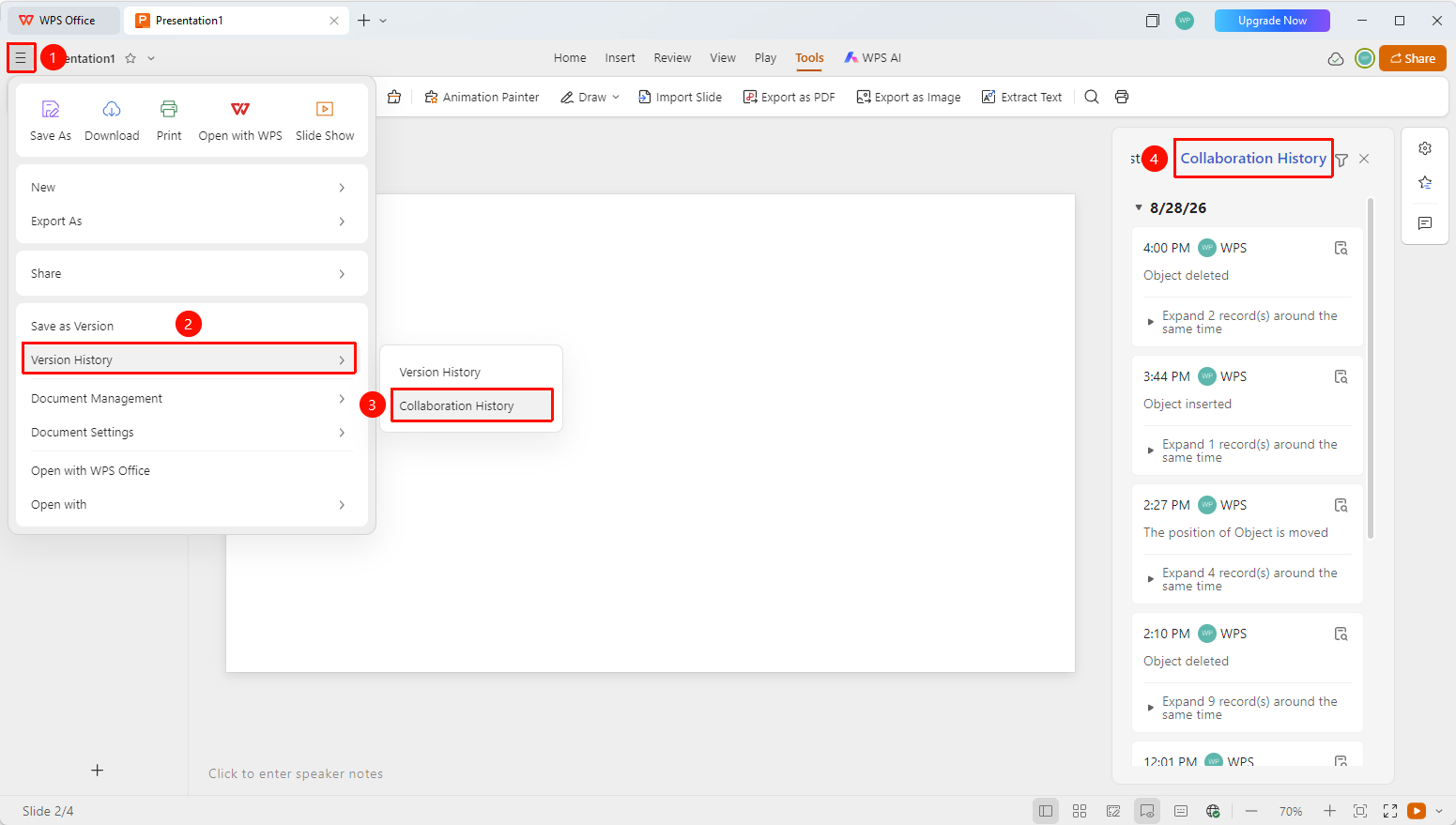
"File Operations" button → "History Versions and Records" → "Collaboration Records"
- Open an AirPage, click the "File Operations" button (☰ icon) at the top left
- Click "History Records" → "Collaboration Records" in sequence
- The collaboration record list pops up in the right panel, sorted in reverse chronological order
- Each record displays the operator, operation type, and operation time
Collaboration Record Filter
Feature Entry
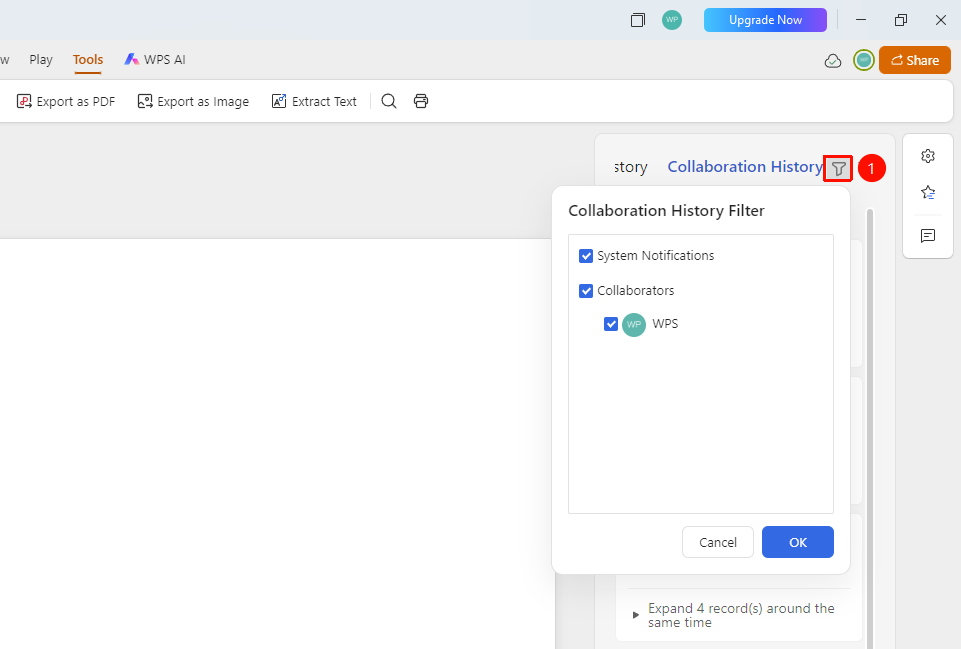
Right-side "Collaboration Records" panel → "Filter" button
- Find and click the filter button at the top of the collaboration record panel
- You can filter by operator: specify viewing a certain person's operation records
Restore Collaboration Content
Feature Entry
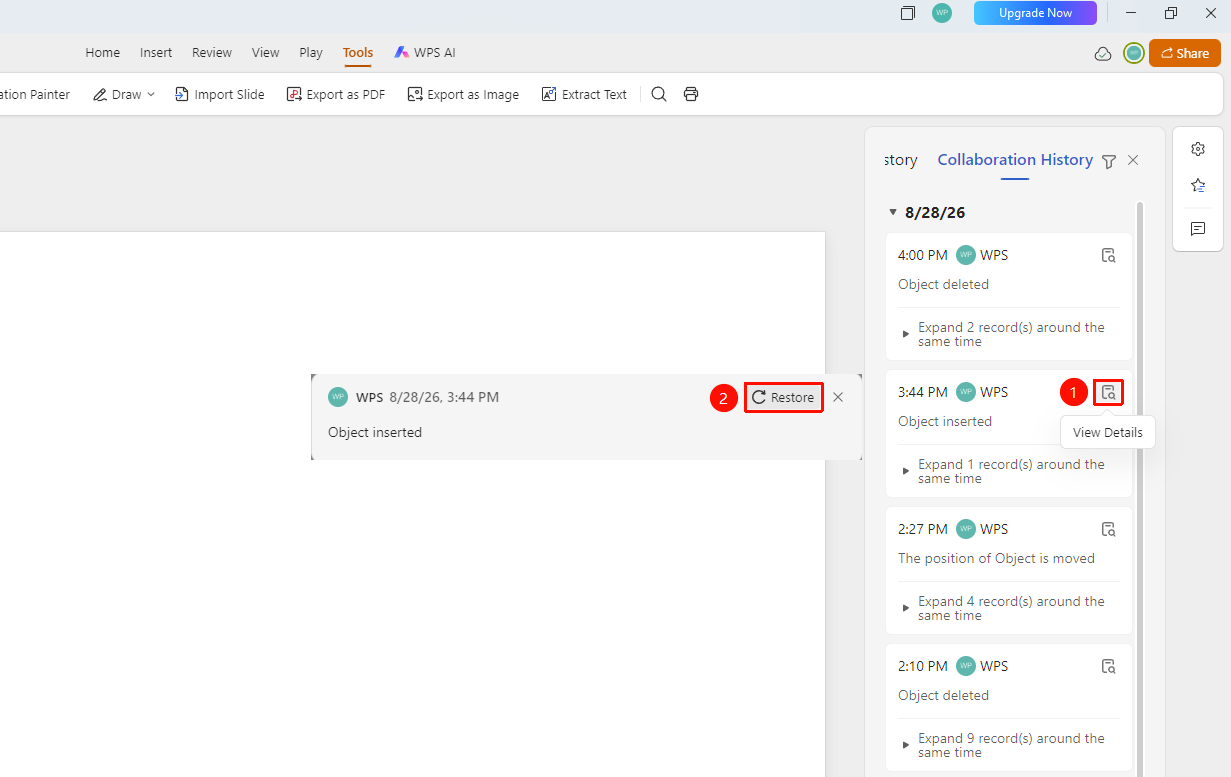
"Click Collaboration Record" → "Click Operation Content"
- Click the collaboration record you want to restore in the collaboration record panel
- Click "View Details" → "Content Restore"
- This content can then be restored to the Slides
Frequently Asked Questions
Question 1: What operations are recorded in the collaboration records?
- Solution: All editing operations are recorded, including adding content, deleting content, changing formatting, adding comments, etc.
Question 2: Can collaboration records be deleted?
- Solution: Collaboration records are automatically saved by the system and do not support manual deletion of individual records.
Question 3: Do collaboration records support permanent storage?
- Solution: There is an upper limit on the number of collaboration records, and they cannot be retained permanently. It is recommended to manually save the desired version as a copy or rename historical versions to set a long-term retention policy.
Question 4: Unable to locate when clicking a collaboration record?
- Solution: This is because the operation performed in that record has already been deleted from the document, so it cannot be located. You can view historical versions and roll the Document back to the version of that operation.
Notes
- Collaboration records are displayed in reverse chronological order by date
- Each record contains the operation time and operation content