Feature Summary
WPS Slides collaboration mode supports viewing history versions and restoring to a previous document state.
Feature Description
| Feature Dimension | Description |
|---|---|
| Membership Restriction | No membership restriction |
| Version Restriction | No version restriction |
Operation Steps
View History Versions
Feature Entry
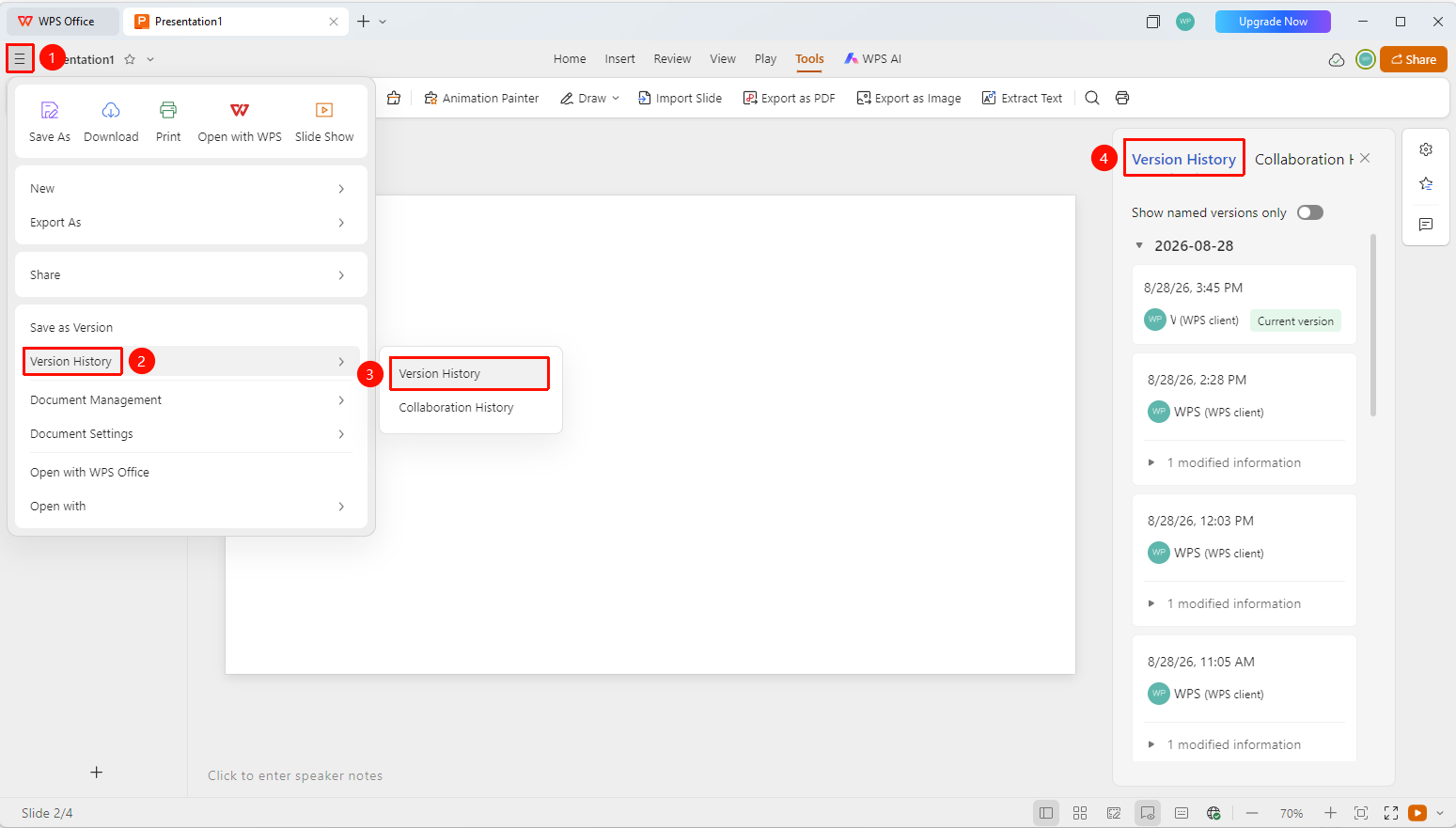
"File Operations" button → "History Record" → "History Versions"
- Click the "File Operations" button (☰ icon) at the top left
- Click "History Record" → "History Versions" in sequence
- The history version list pops up on the right panel, sorted in reverse chronological order
- Each record displays information such as version time, modifier, etc.
History Version Operations
Feature Entry
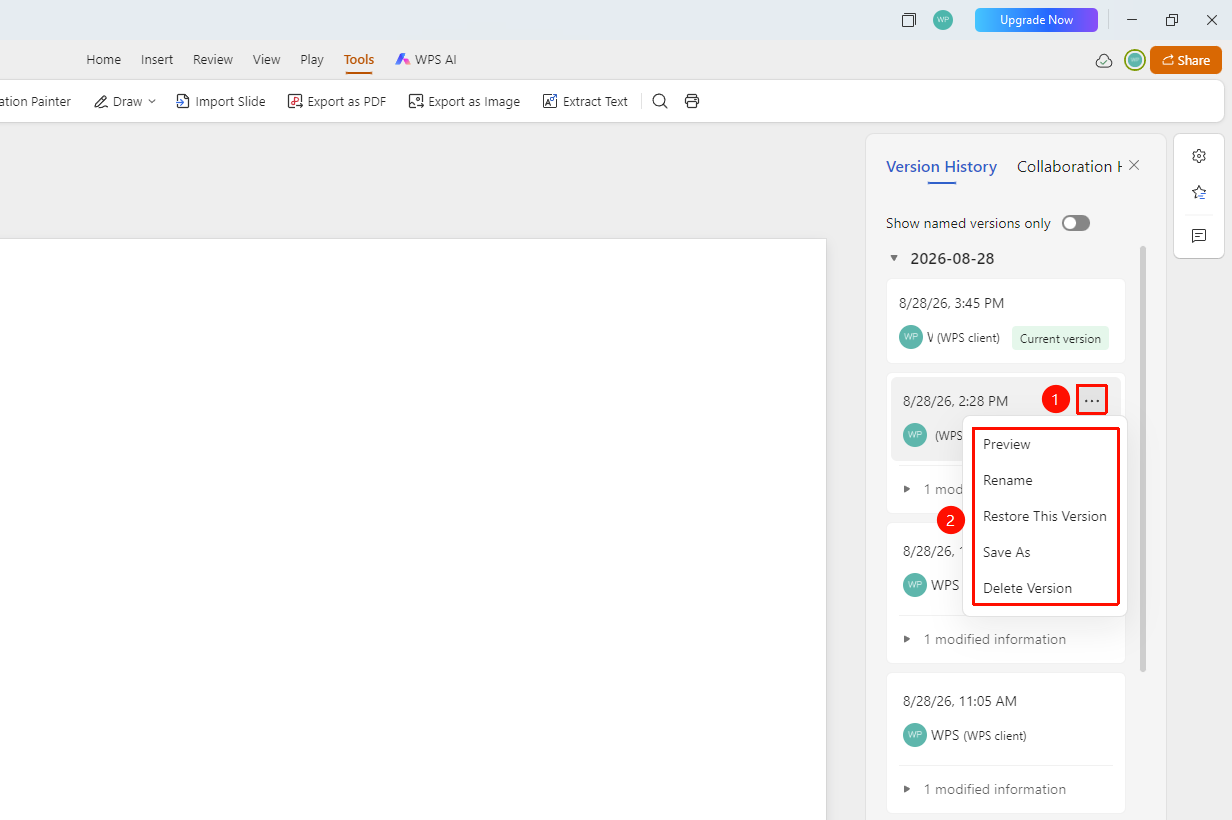
"History Versions Panel" → "More" button
- In the history versions panel, select the version you want to operate on and click the "More" button
- Choose from the following options in the menu that appears:
- Preview: Preview the history version
- Rename: Rename the history version
- Restore This Version: Revert the document content to this version
- Save As: Save the history version as a new file
- Delete Version: Delete this history version
FAQ
Q1: Do history versions take up storage space?
- Solution: History versions take up Drive storage space, and the size of history versions for large files can also be large.
Q2: Will restoring a history version cause the loss of current content?
- Solution: Restoring a version will revert the document to the selected history version, and the current content will be replaced. It is recommended to back up important modifications first.
Q3: Do history versions support long-term preservation?
- Solution: Yes. For history versions that need long-term retention, manually rename them or save them as new files.
Notes
- History versions automatically save document content from various editing stages
- Version preview, restoration, renaming, and saving as are supported
- Important versions can be renamed for easier identification later
- Regularly clean up file history versions to free up Drive space