Feature Summary
WPS Slides collaboration mode supports viewing document info to understand basic document properties and access data.
Feature Description
| Feature Dimension | Description |
|---|---|
| Membership Restriction | No membership restriction |
| Version Restriction | No version restriction |
Steps
View Document Info via File Operations
Feature Entry
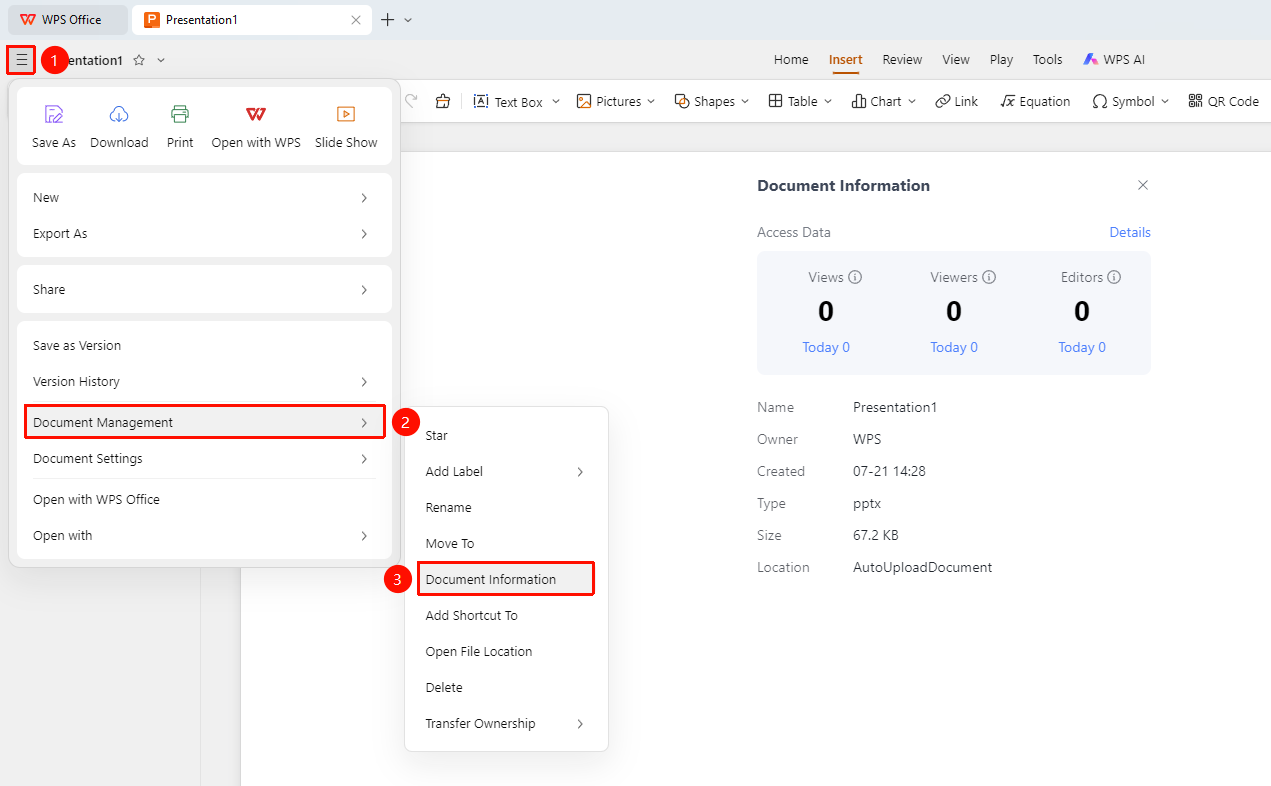
Top-left "File Operations" button → "Document Management" → "Document Info"
- Open AirPage
- Click the "File Operations" button (☰) icon in the top-left corner of the document
- In the expanded menu, select "Document Management" → "Document Info"
- You can then view "Access Data" and "Basic Info"
View Document Basic Info
Feature Entry
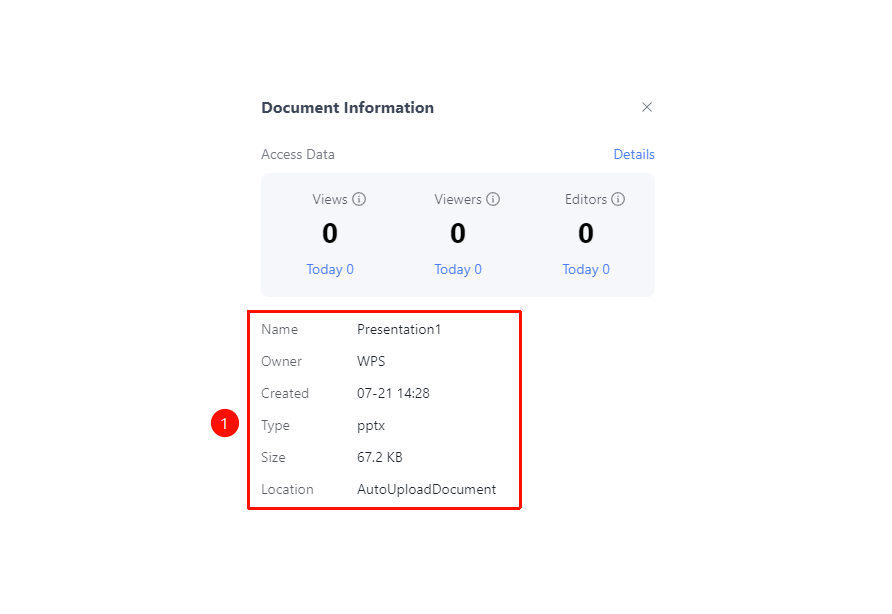
"Document Info Panel"
- The document info panel displays the file name, owner, creation time, document type, document size, and storage location
View Document Access Data
Feature Entry
"Document Info Panel" → "Access Data" tab
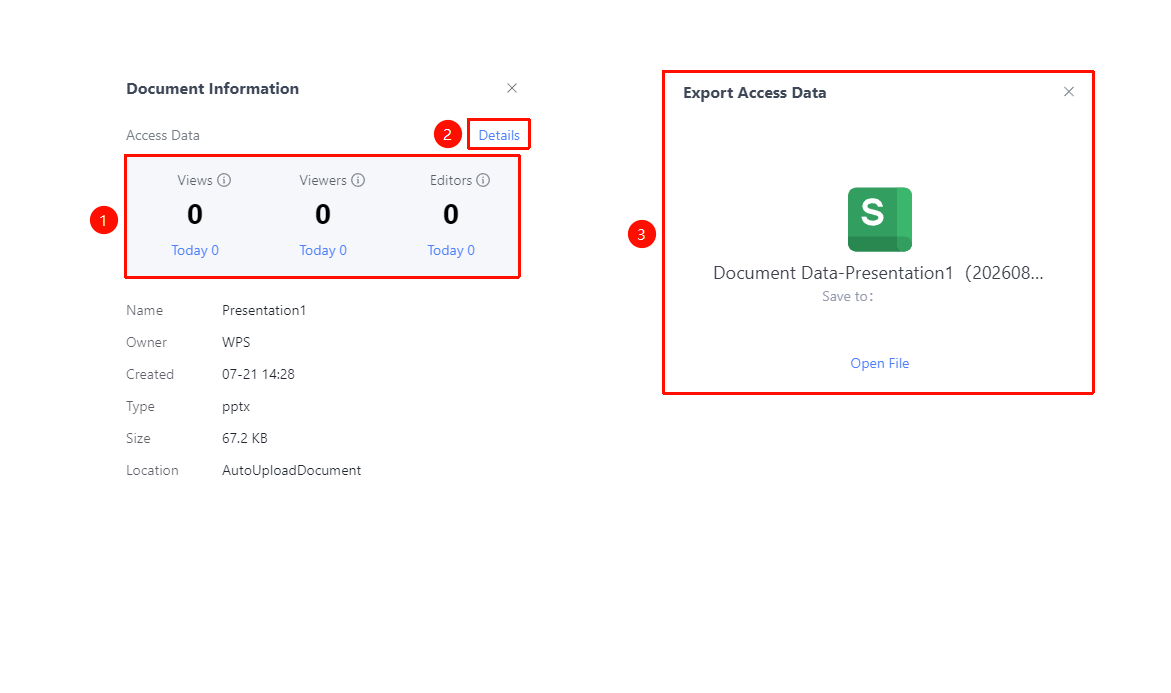
- View the view count, viewer count, and editor count for the current document
- Supports viewing cumulative totals and today's totals
- Click "Detailed Record" to export detailed access data
Notes
- The document info panel retrieves the latest data each time it is opened
- Access data helps gauge the document's popularity
- Supports data export for further analysis