Feature Summary
WPS Add-ins are used to manage and use WPS-specific plugin extensions, supporting the addition of official and third-party WPS add-ins to enhance spreadsheet functionality.
Feature Description
| Feature Dimension | Description |
|---|---|
| Membership Restriction | No membership restriction |
| Version Restriction | No version restriction |
Operation Steps
Opening WPS Add-ins
Feature Entry
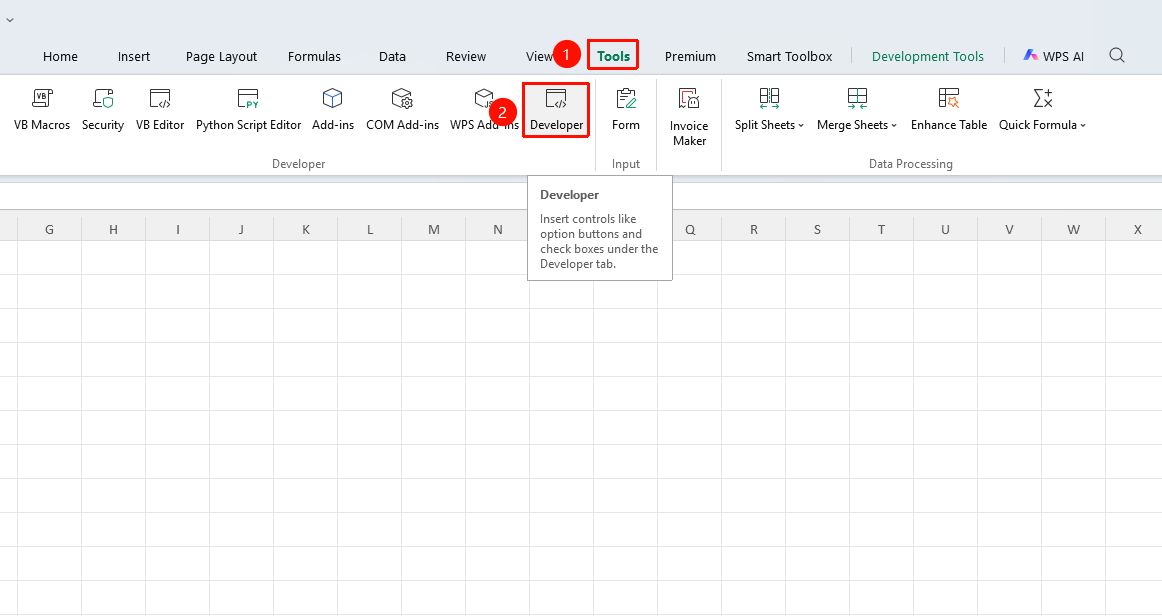
"Tools" tab → "Developer" tab button → Developer tab → "COM Add-ins" button
- Click the Tools tab at the top, find and click the Developer button to open the Developer tab at the top.
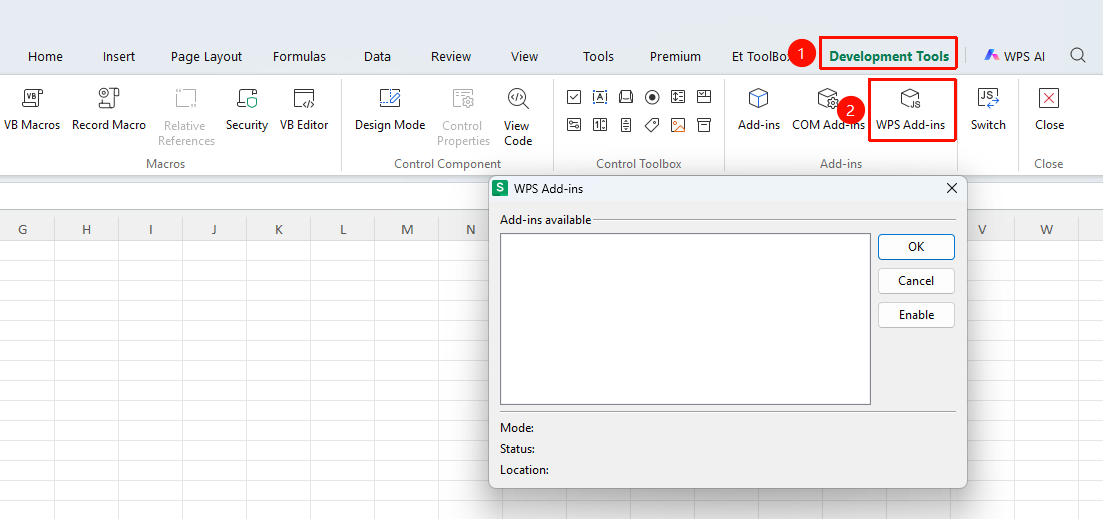
- Click the Developer tab
- Click the "WPS Add-ins" button
- Add and manage WPS add-ins
Frequently Asked Questions
Question 1: What is the difference between WPS Add-ins and COM Add-ins?
- Solution: WPS Add-ins are a plugin format natively supported by WPS, offering better compatibility; COM Add-ins are extensions based on Windows COM technology and require system component support.
Notes
- WPS Add-ins support both JS and VBA development methods