Feature Summary
The list box feature is used to insert a drop-down list control in a presentation. Users can select an item from preset options, and it is commonly used for creating selection-type forms.
Feature Description
| Feature Dimension | Description |
|---|---|
| Membership Restriction | No membership restriction |
| Version Restriction | No version restriction |
Operation Steps
Insert List Box
Feature Entry
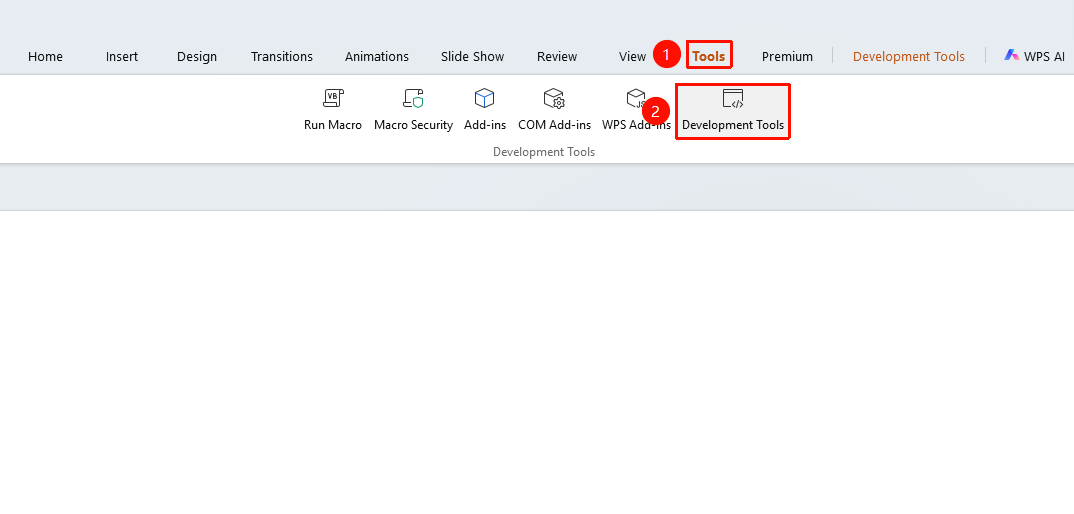
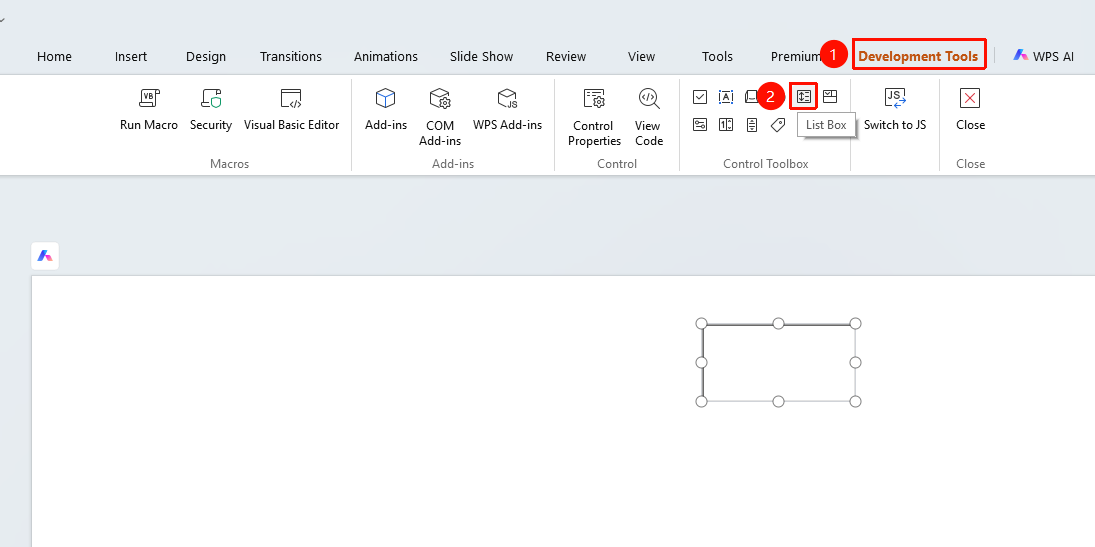
"Tools" tab → "Developer Tools" button → "Developer Tools" tab → "List Box"
- Click the "Tools" tab at the top, locate and click the "Developer Tools" button to bring up the "Developer Tools" tab at the top
- Click the top "Developer Tools" tab
- Select the "List Box" control
- Drag the mouse on the slide to draw the list box
Notes
- Options need to be added dynamically via code