Feature Summary
The Import Template feature is used to import existing presentation templates from external files and quickly apply them to the current presentation.
Feature Description
| Feature Dimension | Description |
|---|---|
| Membership Restriction | No membership restriction |
| Version Restriction | No version restriction |
Operation Steps
Import Template
Feature Entry
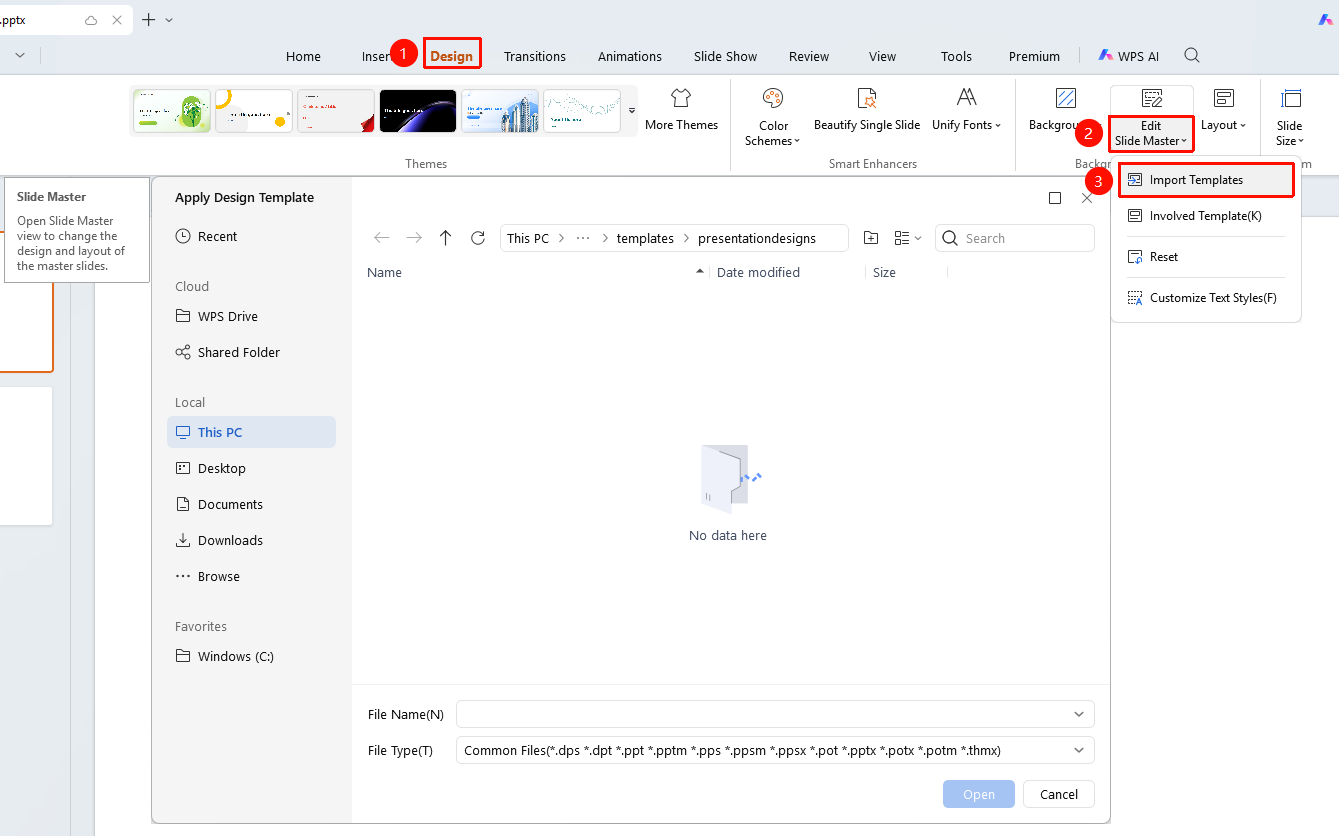
"Design" tab → "Slide Master" dropdown button → "Import Template"
- Click the top "Design" tab
- Click the "Slide Master" dropdown button
- Select the "Import Template" option to expand the Import Template dialog
- Select a local or cloud file to import
- Click "Open" to complete the import
FAQ
Q1: What template formats are supported
- Solution: Common presentation formats such as .dps, .ppt, .potx are supported.
Q2: How to apply after importing
- Solution: The template will be automatically applied to the current presentation after importing.
Notes
- Importing a template will replace the current slide master settings
- It is recommended to back up the current presentation first