Feature Summary
Insert SmartArt is a core feature under the Graphics and Images category, helping users complete related operations conveniently and efficiently.
Feature Description
| Feature Dimension | Description |
|---|---|
| Membership Restriction | Some charts require a membership to use |
| Version Restriction | No version restrictions |
Operation Steps
Using Insert SmartArt
Feature Entry
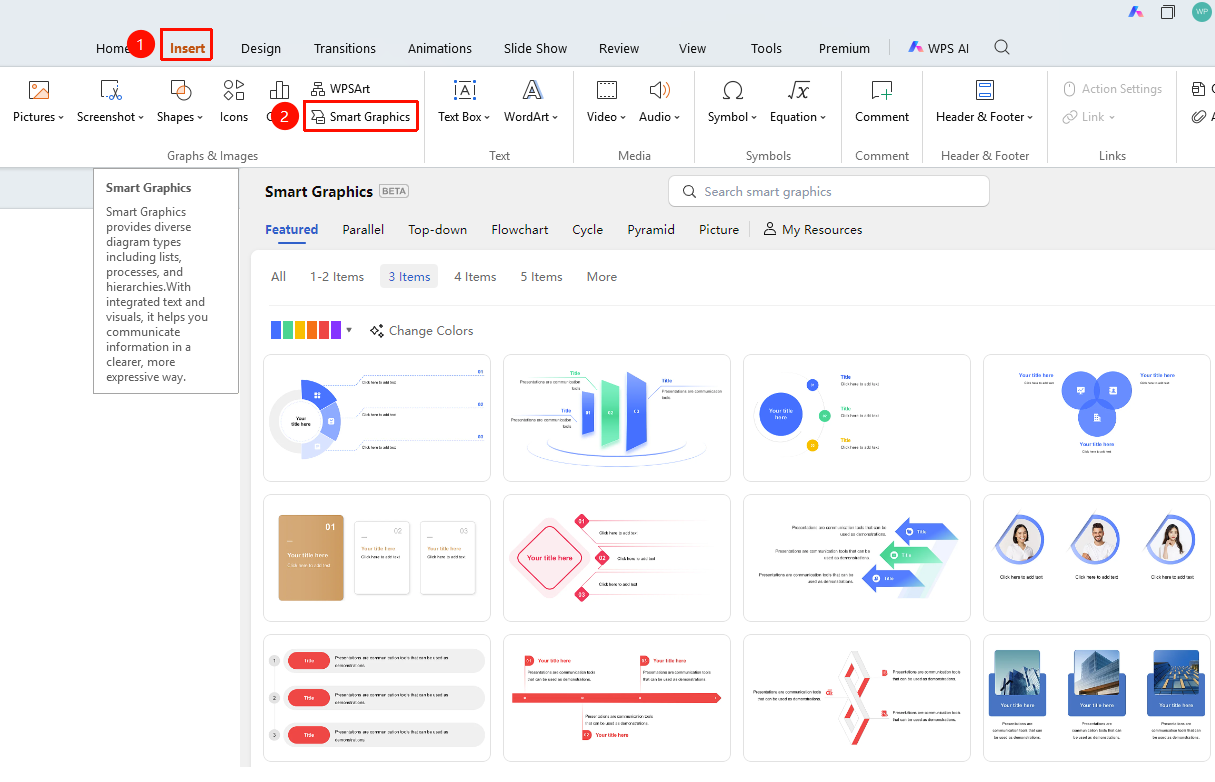
"Insert" tab → "SmartArt"
- Open the target presentation and navigate to where you want to insert the SmartArt
- Click the "Insert" tab at the top of the page
- Locate and click the "SmartArt" button to expand the SmartArt menu
- Browse and preview the desired graphic, then click to insert it into the document