Feature Summary
WPS Slides local mode supports multiple ways to create new slides, including creating from layout, AI generation, importing from outline, etc.
Feature Description
| Feature Dimension | Description |
|---|---|
| Membership Restriction | Includes some membership features |
| Version Restriction | No version restriction |
Operation Steps
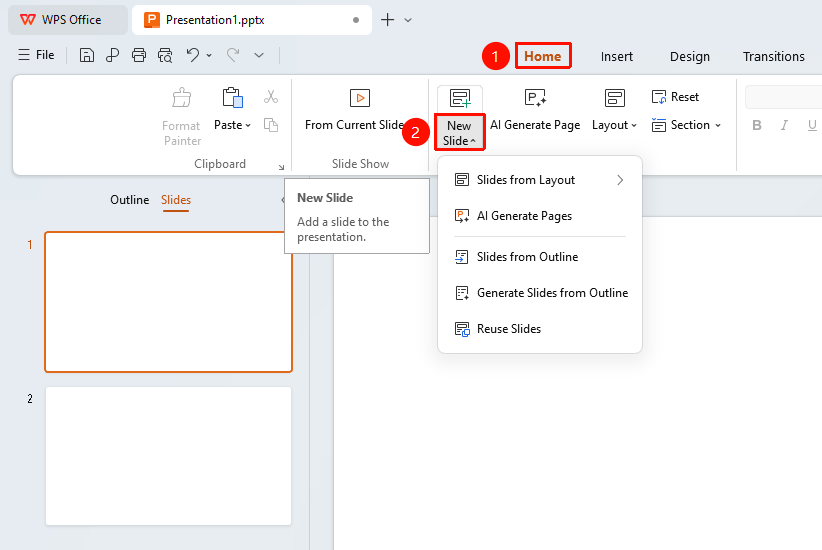
Create via the Home Tab
Feature Entry
"Home" tab → "New Slide" button
- Click the "Home" tab in the top menu bar
- Click the "New Slide" button
- Select a layout or creation method from the drop-down menu
- The new slide will be added at the current position
Create via Right-Click Menu
Feature Entry
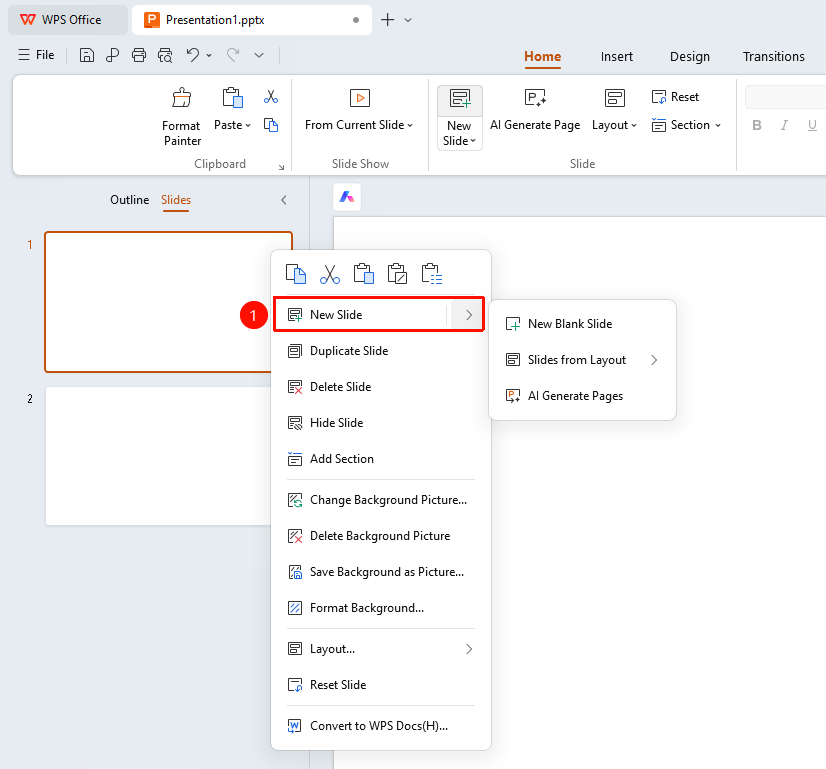
Left thumbnail pane → Right-click → "New Slide"
- Right-click in the slide thumbnail area on the left
- Select the "New Slide" option
- Choose a slide layout from the submenu
- The new slide will be inserted at the current position
Create from Layout
Feature Entry
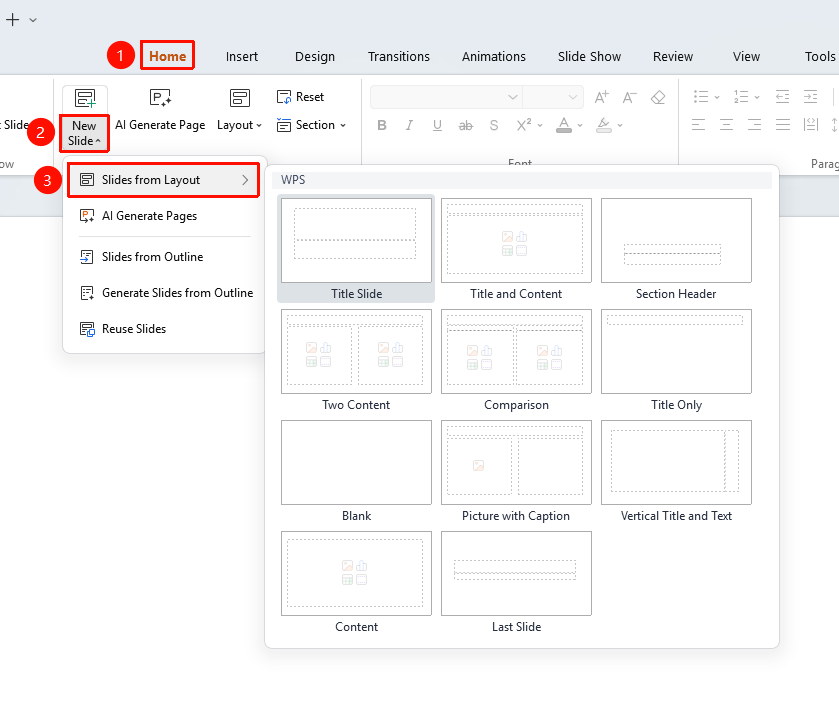
"Home" tab → "New Slide" → "Create from Layout"
- Click the "New Slide" button
- Select the "Create from Layout" option
- Choose the desired layout in the layout panel
- Click the layout to create a new slide
FAQ
Q1: How to create a blank slide?
- Solution: Click the New Slide button and select the "Blank" layout.
Q2: How to reuse slides from another presentation?
- Solution: Select the "Reuse Slides" option in the New Slide menu.
Q3: How to generate slides using AI?
- Solution: Click the "AI Generate Single/Multiple Pages" option in the New Slide menu.
Notes
- Using slide layouts appropriately can improve creation efficiency
- The AI generation feature requires a network connection