Feature Summary
The Master Background Export feature is used to export the background of the current master as an independent image file for easy saving and reuse.
Feature Description
| Feature Dimension | Description |
|---|---|
| Membership Restriction | No membership restriction |
| Version Restriction | No version restriction |
Operation Steps
Export Master Background as Image
Feature Entry
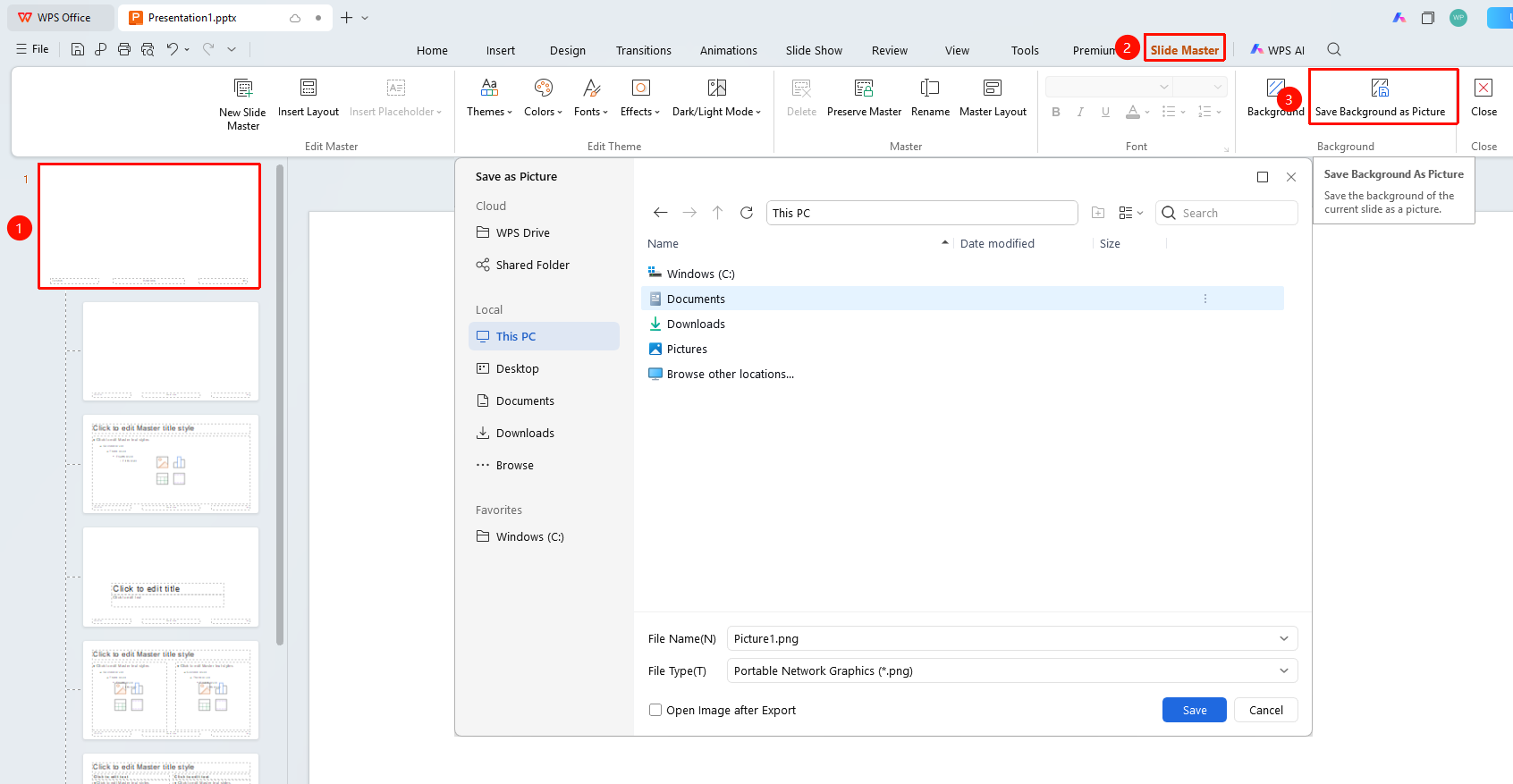
"Slide Master" tab → "Save Background"
- Switch to the "Slide Master" tab
- Select the master whose background you want to export in the left thumbnail pane
- Click the "Save Background" button
- Set the save location in the pop-up dialog box
- Enter the file name and select the save format
- Click "Save" to complete the export
The "Slide Master" tab needs to be enabled first by clicking the "Slide Master" option under the "View" tab
Notes
- Only the background of the current master is saved, excluding other objects
- The exported image contains only the background content