Feature Summary
The pen feature allows you to use a mouse or stylus to annotate and draw on slides during a presentation, making it easy to highlight key points and explain content.
Feature Description
| Feature Dimension | Description |
|---|---|
| Membership Restriction | No membership restriction |
| Version Restriction | No version restriction |
Steps
Enabling the Pen Feature
Feature Entry
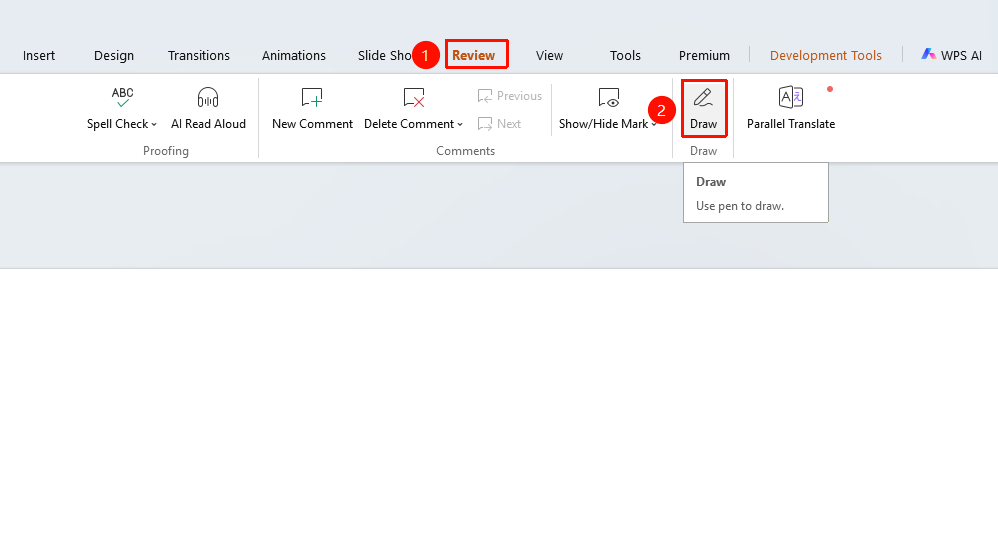
"Review" tab → "Pen"
- Click the "Review" tab in the top menu bar
- Click the "Pen" button to enable pen mode
- The "Pen" tab appears on the ribbon
- The cursor changes to a pen shape and you can start drawing
Selecting a Pen Type
Feature Entry
"Review" tab → "Pen" → "Pen Toolbar"
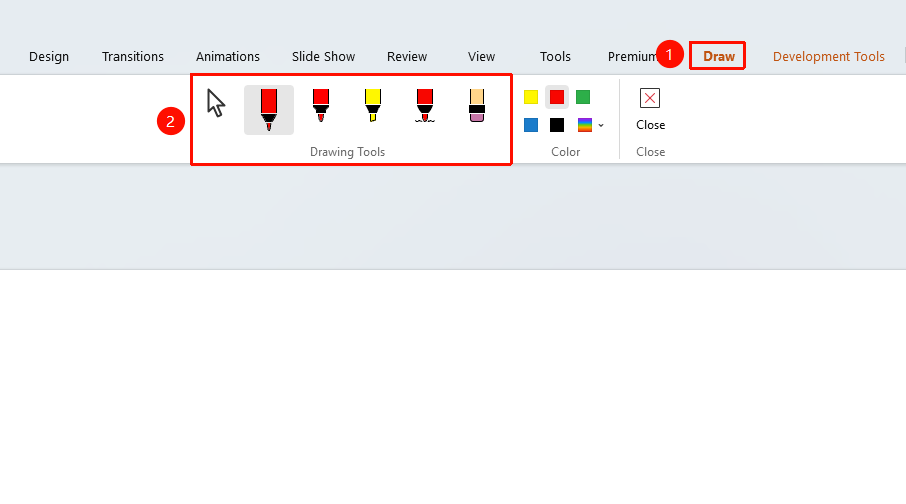
- After enabling the pen, the pen toolbar appears at the top
- You can select different pen types:
- Selection Mode: Select text and objects, including ink and shapes
- Ballpoint Pen: Standard pen for handwriting and drawing
- Highlighter: Semi-transparent highlighting marker
- Watercolor Pen: Ink with a watercolor effect
- Shapes: Draw desired shapes
- Eraser: Erase drawn content
Setting Pen Color
Feature Entry
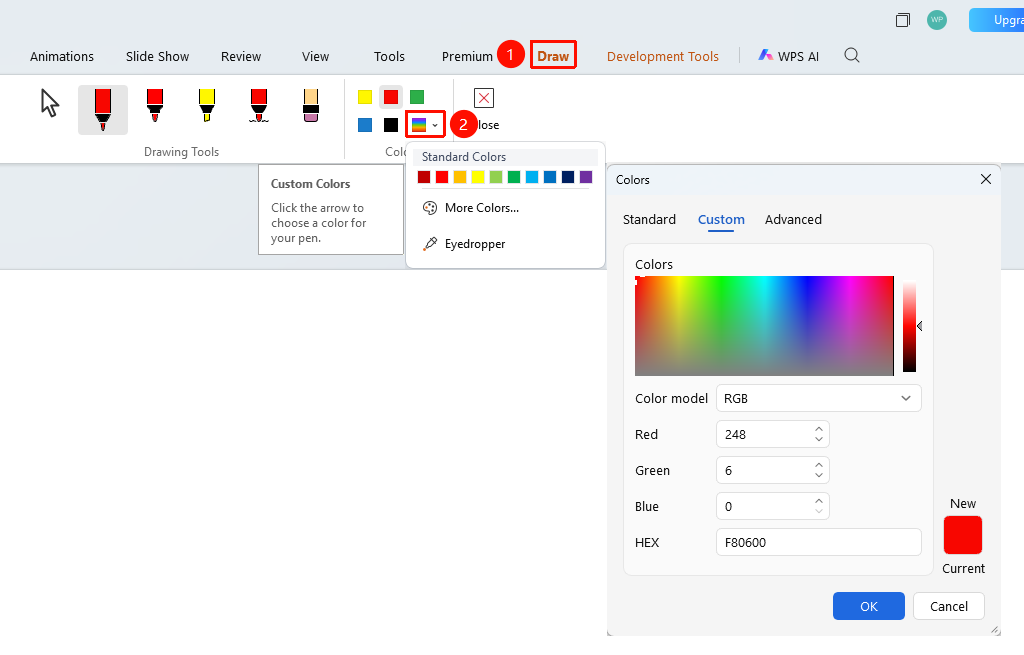
"Review" tab → "Pen" → "Pen Toolbar"
- Click the color picker to select a preset color or use the eyedropper to pick a color
- Once set, you can start drawing
Drawing with the Pen
Feature Entry
Document editing area
- Hold down the left mouse button and draw on the document
- Release the mouse button to complete a stroke
- You can draw multiple strokes continuously
Exiting Pen Mode
Feature Entry
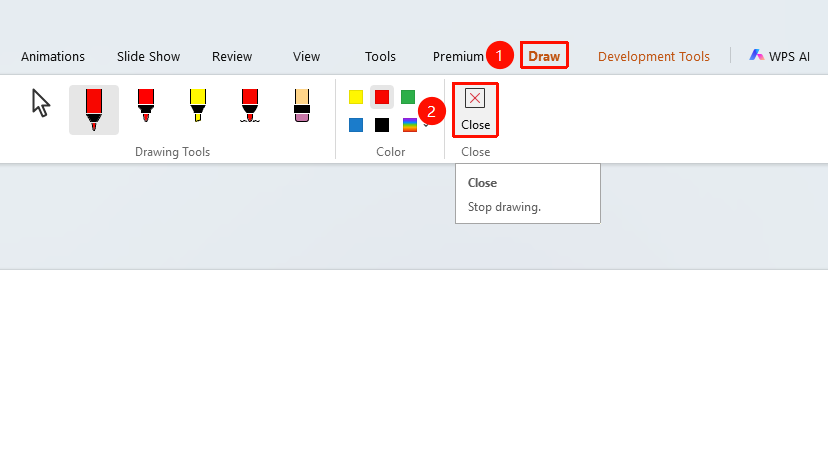
"Pen" → "Close", or press the Esc key
- Click the "Close" button on the "Pen" tab
- Or press the
Esckey to exit pen mode - The cursor returns to the normal selection state
FAQ
Q1: Can I use the pen during a slideshow?
- Solution: In slideshow mode, right-click and select "Ink Pen" from the context menu, or click "Ink Pen" in the toolbar to enable it.
Q2: Will the ink be retained when exiting the slideshow?
- Solution: When exiting the slideshow, you will be prompted whether to keep the ink. If you choose to keep it, the ink will be added to the slide.
Notes
- Pen ink can be retained or cleared