Feature Summary
The Reset feature is used to restore the formatting of the current slide to the master format.
Feature Description
| Feature Dimension | Description |
|---|---|
| Membership Restriction | No membership restriction |
| Version Restriction | No version restriction |
Operation Steps
Reset Master
Feature Entry
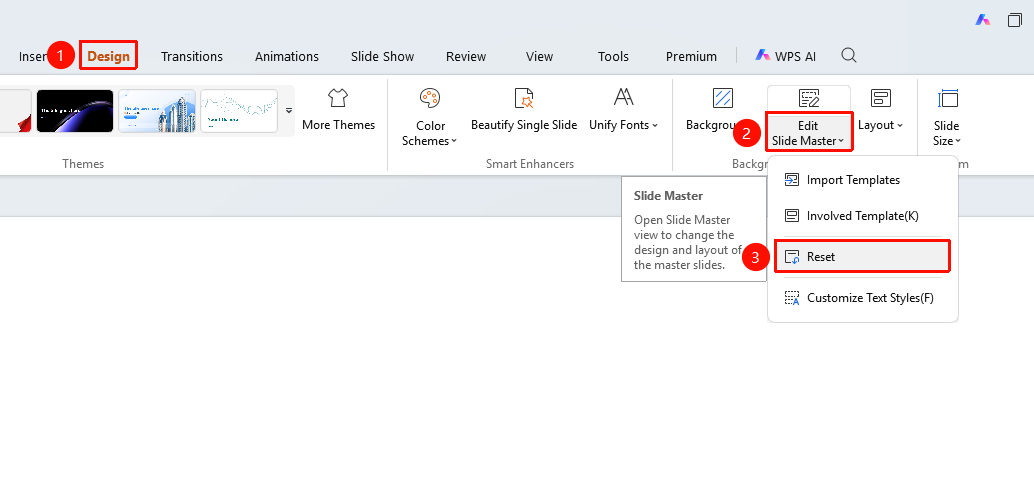
"Design" tab → "Master" → "Reset"
- Click the top "Design" tab
- Click the "Master" dropdown button
- Select the "Reset" option
- The formatting of the current slide is restored to the master format
FAQ
Q2: Can I recover after resetting?
- Solution: You can use "Undo" to recover. Automatic recovery is not possible after saving.
Q3: Will resetting affect the content?
- Solution: Reset only restores the master formatting settings and does not affect the content on the slide.
Notes
- It is recommended to save the presentation before resetting.