Feature Summary
The WPS Art Promote/Demote feature is used to adjust the position of WPS Art items in the hierarchy. Promote moves an item up one level, and Demote moves an item down one level.
Feature Description
| Feature Dimension | Description |
|---|---|
| Membership Restriction | No membership restriction |
| Version Restriction | No version restriction |
Steps
Promote
Feature Entry
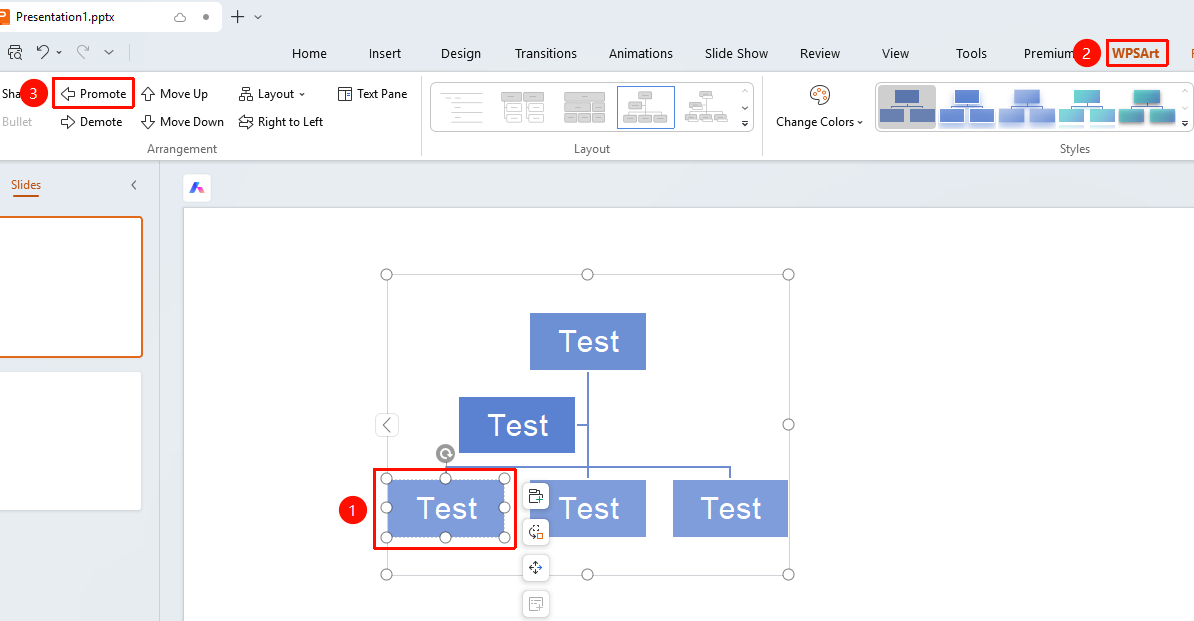
"Design" tab → "Promote"
- Select the item to be promoted
- Click the top "Design" tab
- Find and click the "Promote" button
- The item will be moved up one level
Demote
Feature Entry
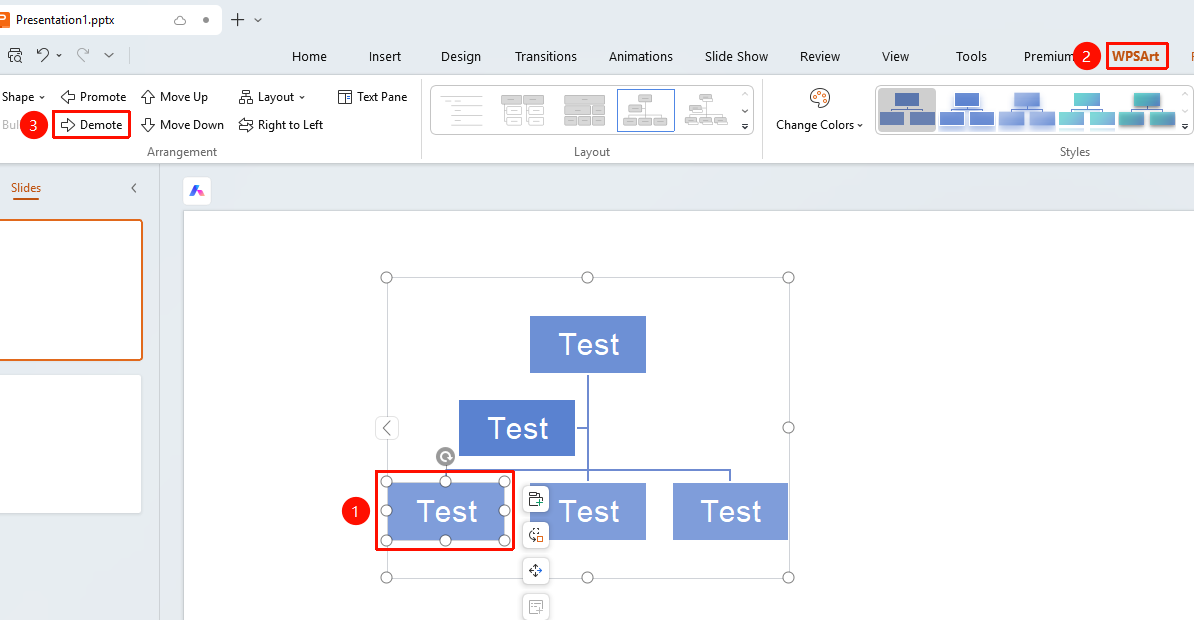
"Design" tab → "Demote"
- Select the item to be demoted
- Click the top "Design" tab
- Find and click the "Demote" button
- The item will be moved down one level
Floating Toolbar Settings
Feature Entry ②
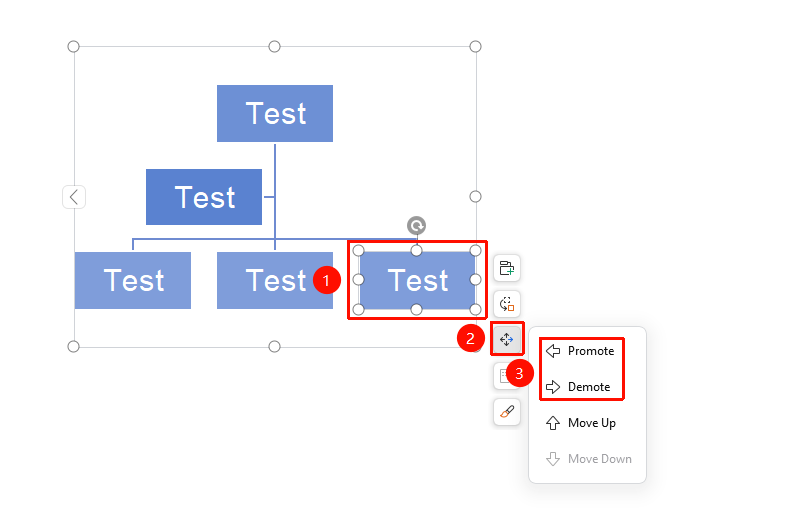
Floating Toolbar → "Change Position" → "Promote" / "Demote"
- Select the item to be adjusted
- Click "Change Position" in the floating toolbar
- Select the "Promote" or "Demote" button as needed
FAQ
Q1: What do Promote and Demote affect?
- Solution: Promote moves an item up one level, and Demote makes an item a sub-item of the current item, affecting the hierarchy of the graphic.
Q2: Can the top-level item be promoted further?
- Solution: No, the top-level item cannot be promoted further.
Notes
- Promote/Demote changes the hierarchical relationship of items
- Demote turns an item into a sub-item of the preceding sibling item