Feature Summary
The 3D Format feature is used to add three-dimensional effects to shapes, giving them a stereoscopic visual appearance.
Feature Description
| Feature Dimension | Description |
|---|---|
| Membership Restriction | No membership restriction |
| Version Restriction | No version restriction |
Steps
Setting 3D Format Effects
Feature Entry
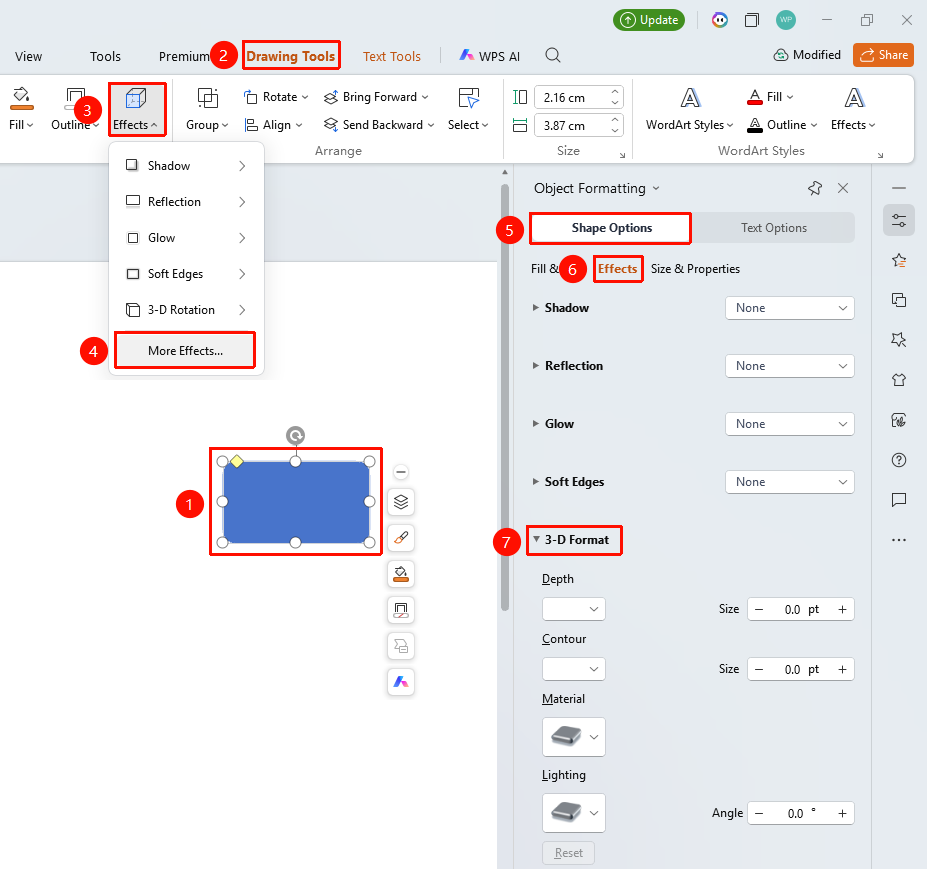
"Drawing Tools" tab → Shape Styles group expand menu button → "Object Properties" → "Shape Options" → "Effects" → "3D Format"
- Select the shape to which you want to add a 3D format
- Click the "Drawing Tools" tab
- Click the expand menu button (arrow icon) in the lower-right corner of the Shape Styles group to expand the side "Object Properties" panel
- In the "Object Properties" sidebar, switch to the "Shape Options" tab and select the "Effects" section
- Click "3D Format" to configure the following settings
- "Depth": Set the depth size (0 pt to 100 pt) and color
- "Surface": Set the surface size (0 pt to 100 pt) and color
- "Material": Select a material style (Matte, Metal, Plastic, etc.)
- "Lighting": Select a lighting style (Natural, Warm, Cool, etc.)
- "Angle": Set the lighting angle (0° to 360°)
- Preview the effect in real time, and click a blank area to apply
Setting via Right-Click Menu
Feature Entry
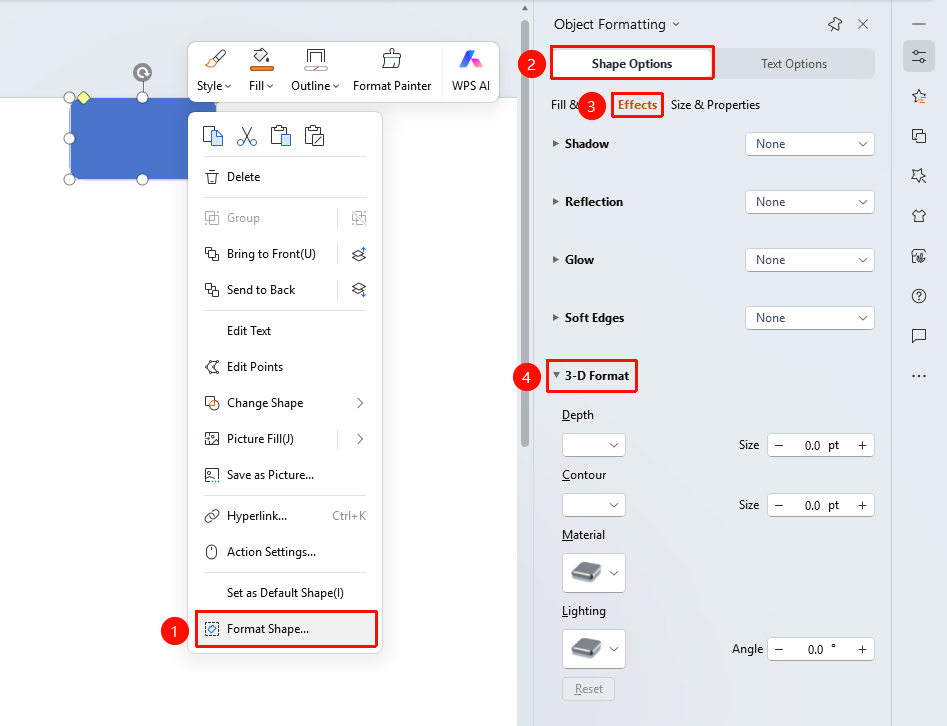
Shape right-click menu → "Format Object"
- Select the shape to which you want to add a 3D format
- Right-click the shape
- Select "Format Object"
- Set the 3D format effect in the "Object Properties" sidebar on the right
Setting via Side Task Pane
Feature Entry
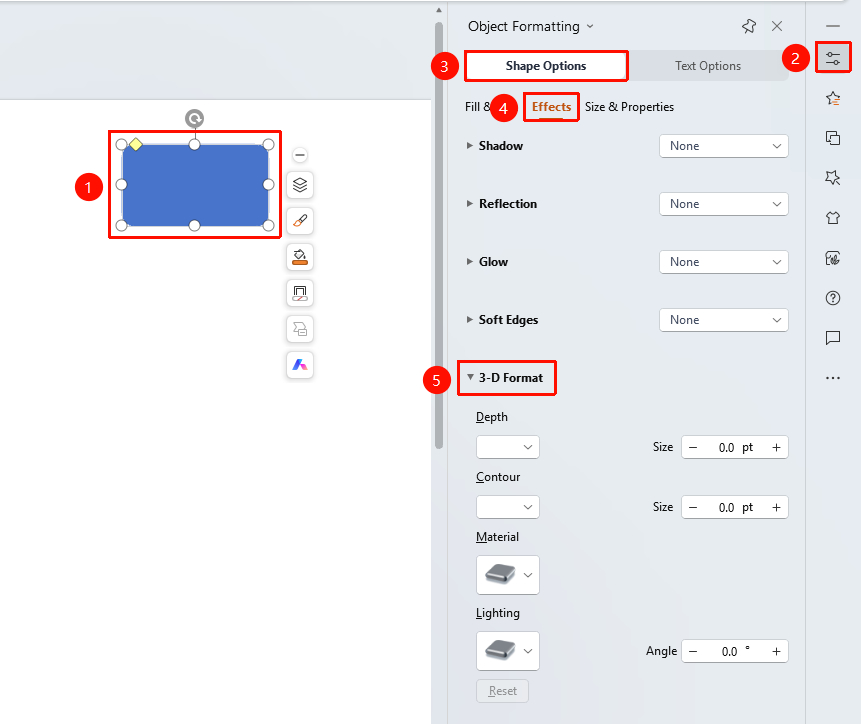
Side "Task Pane" → "Properties"
- Select the shape to which you want to add a 3D format
- Click the side "Properties" button
- Set the 3D format effect in the "Object Properties" sidebar
FAQ
Q1: How to select different materials and lighting
- Solution: Select different preset styles from the Material and Lighting drop-down menus.
Notes
- 3D Format gives shapes a stereoscopic visual appearance
- Depth and Surface affect the intensity of the three-dimensional effect
- Material and Lighting affect the texture of the shape