Feature Summary
The Unified Fonts feature is used to batch modify fonts in a presentation, supporting two methods: Replace Fonts and Batch Set Fonts.
Feature Description
| Feature Dimension | Description |
|---|---|
| Membership Restriction | No membership restriction |
| Version Restriction | No version restriction |
Steps
Open the Unified Fonts Menu
Feature Entry
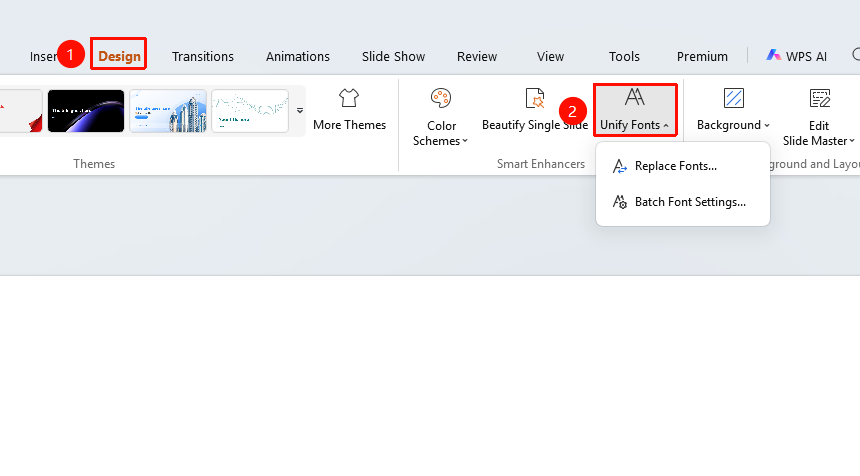
"Design" tab → "Unified Fonts" dropdown button
- Click the top "Design" tab
- Click the "Unified Fonts" dropdown button
- Select the desired operation
- "Replace Fonts" : Replace a specific font in the presentation with another font
- "Batch Set Fonts" : Batch set font styles within a specified scope
Replace Fonts
Feature Entry
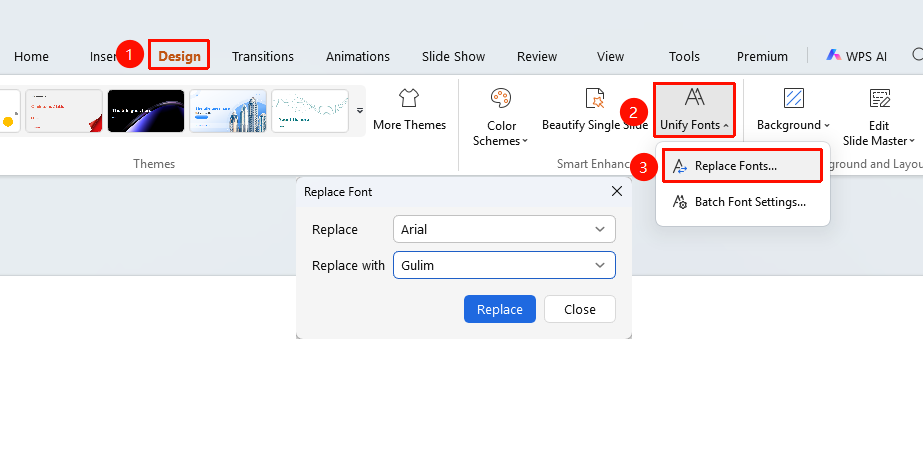
"Design" tab → "Unified Fonts" → "Replace Fonts"
- Click the "Design" tab → "Unified Fonts" dropdown button
- Select the "Replace Fonts" option
- Configure in the pop-up dialog box
- "Replace" : Select the original font to be replaced
- "Replace with" : Select the target font after replacement
- Click the "Replace" button to complete the replacement
Batch Set Fonts
Feature Entry
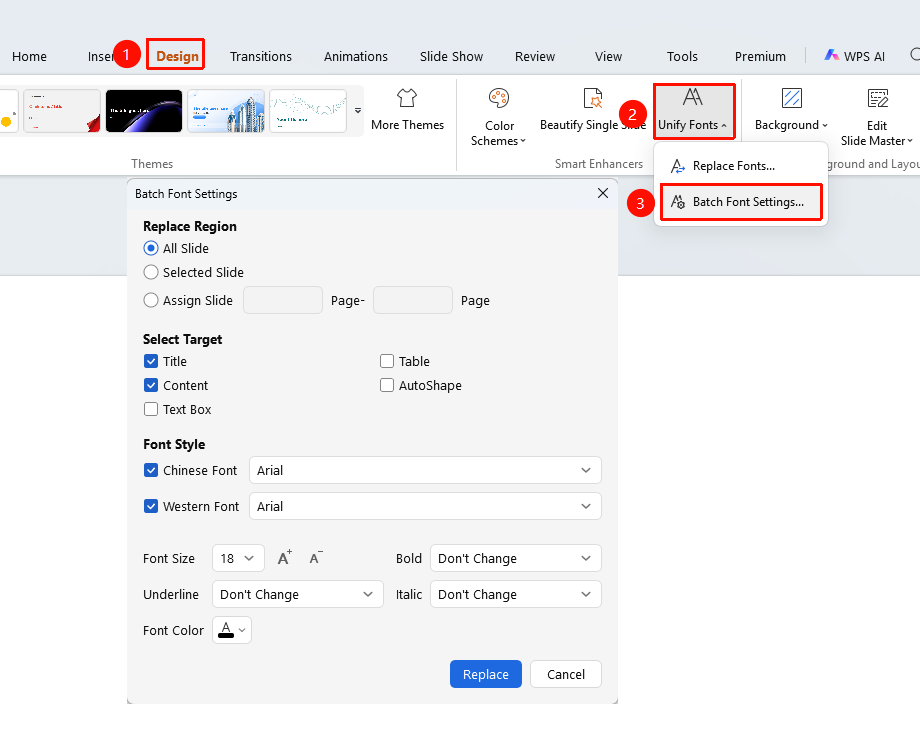
"Design" tab → "Unified Fonts" → "Batch Set Fonts"
- Click the "Design" tab → "Unified Fonts" dropdown button
- Select the "Batch Set Fonts" option
- Configure the following options in the pop-up dialog box
- "Replace Scope" : All slides, Selected slides, Specified slides
- "Select Target" : Title, Body Text, Sheets, Shapes, Text boxes
- "Chinese Font" : Set the Chinese font style
- "Western Font" : Set the Western font style
- "Font Size" : Set the font size
- "Bold" : Set the bold status
- "Underline" : Set the underline status
- "Italic" : Set the italic status
- "Font Color" : Set the font color
- Click "OK" to complete the settings
FAQ
Q1: The difference between Replace Fonts and Batch Set Fonts
- Solution: Replace Fonts only replaces the font, while Batch Set Fonts can set multiple styles such as font, font size, and color.
Q2: How to modify only the title font
- Solution: Use "Batch Set Fonts", select the target and only check "Title", then set the desired font style.
Notes
- Replacing fonts will affect all text in the presentation that uses that font
- It is recommended to select the correct replacement scope before using Batch Set Fonts