Summary
The background gradient fill feature is used to set a gradient color background for slides, supporting multiple gradient styles and color combinations.
Feature Description
| Feature Dimension | Description |
|---|---|
| Membership Restriction | Some preset fill colors require a membership subscription to use |
| Version Restriction | No version restriction |
Steps
Apply a Preset Gradient Fill
Feature Entry
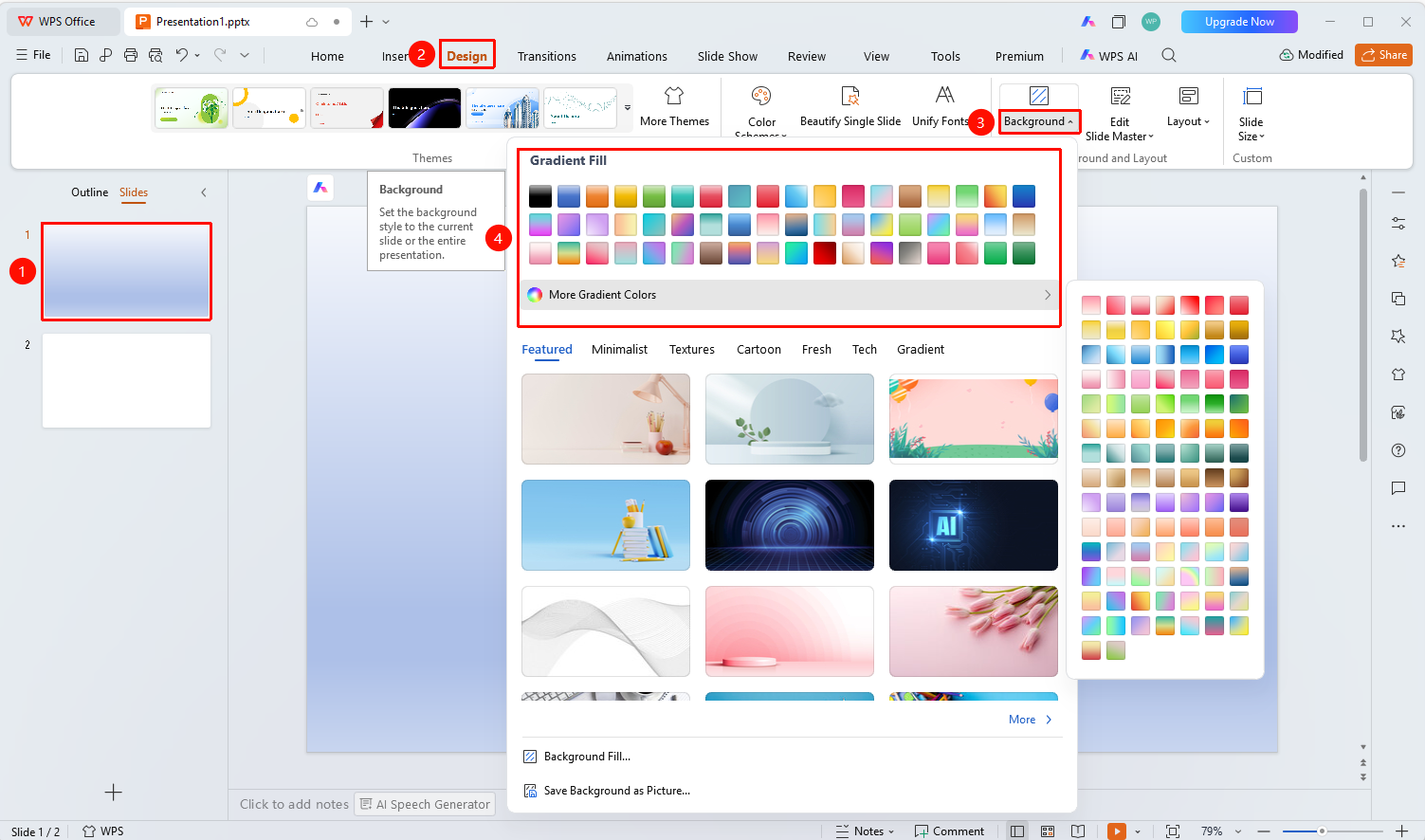
"Design" tab → "Background" button dropdown menu → Gradient Fill
- Select the slide you want to set the background for
- Click the top "Design" tab
- Click the "Background" button
- In the "Gradient Fill" area, select the desired preset gradient color
- Click to apply it to the current slide
Some preset fill colors require a membership subscription to use. Look for the premium indicator before use.
Customize Gradient Fill
Feature Entry ①
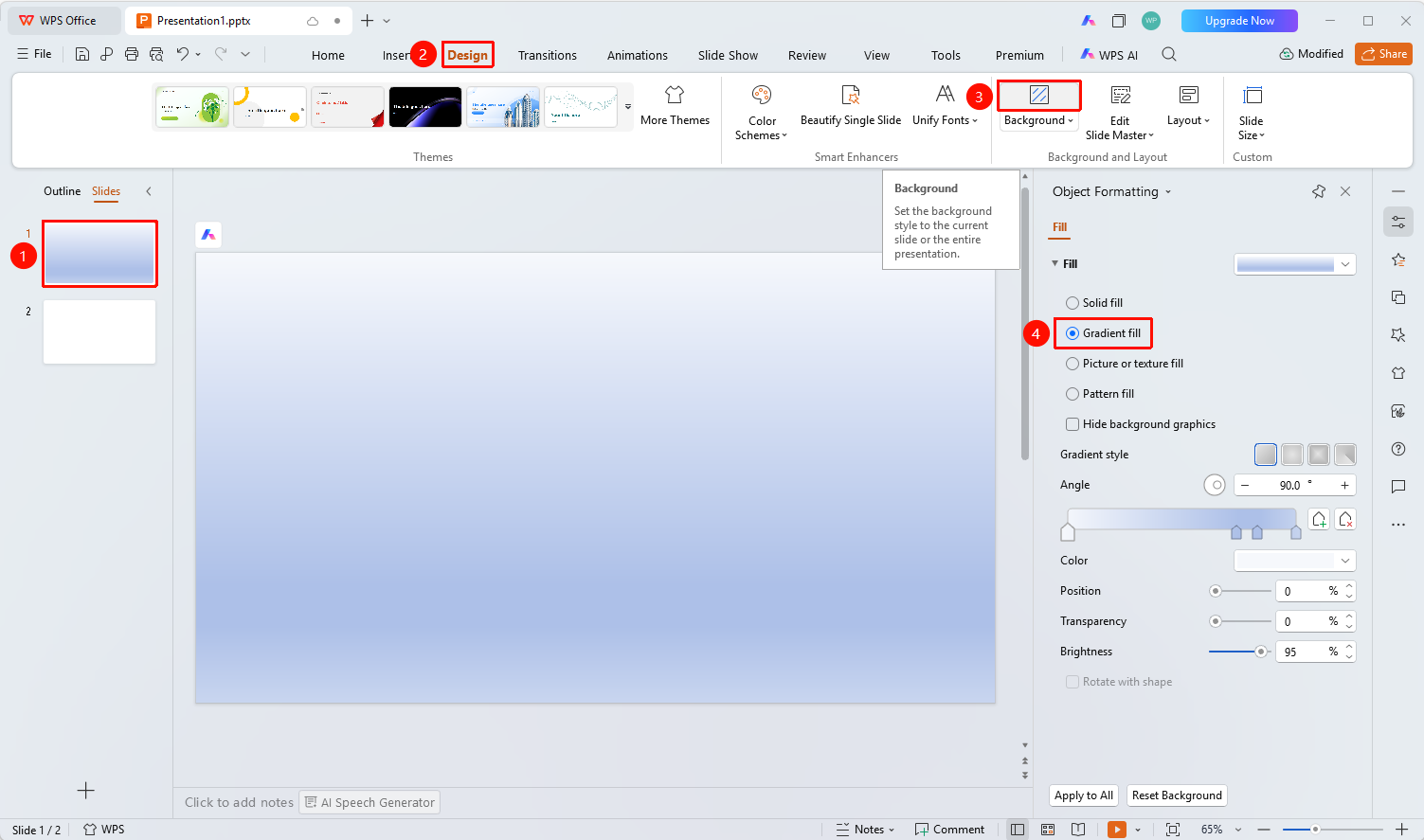
"Design" tab → "Background" button → "Gradient Fill"
- Select the slide you want to set the background for
- Click the top "Design" tab
- Click the "Background" button to expand the right-side "Object Properties" panel
- In the right-side Object Properties panel, select "Gradient Fill"
- Set the gradient parameters:
- "Gradient Style": Select the gradient style
- "Angle": Set the gradient angle
- "Color Stop Color": Set the color stop color
- "Position": Set the color stop position (0%~100%)
- "Transparency": Set the color stop transparency (0%~100%)
- "Brightness": Set the color stop brightness (0%~100%)
- To apply the gradient fill to all slides, click the "Apply to All" button at the bottom
Feature Entry ②
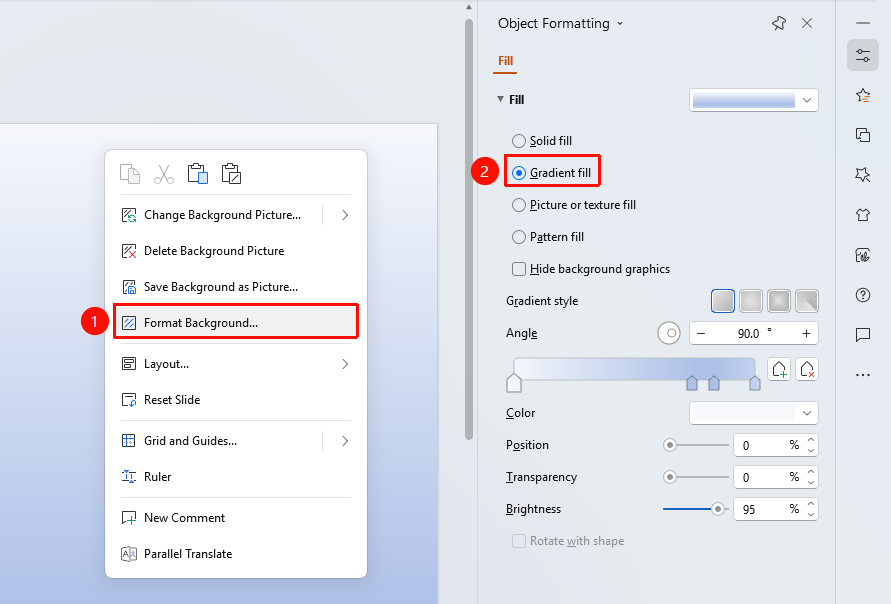
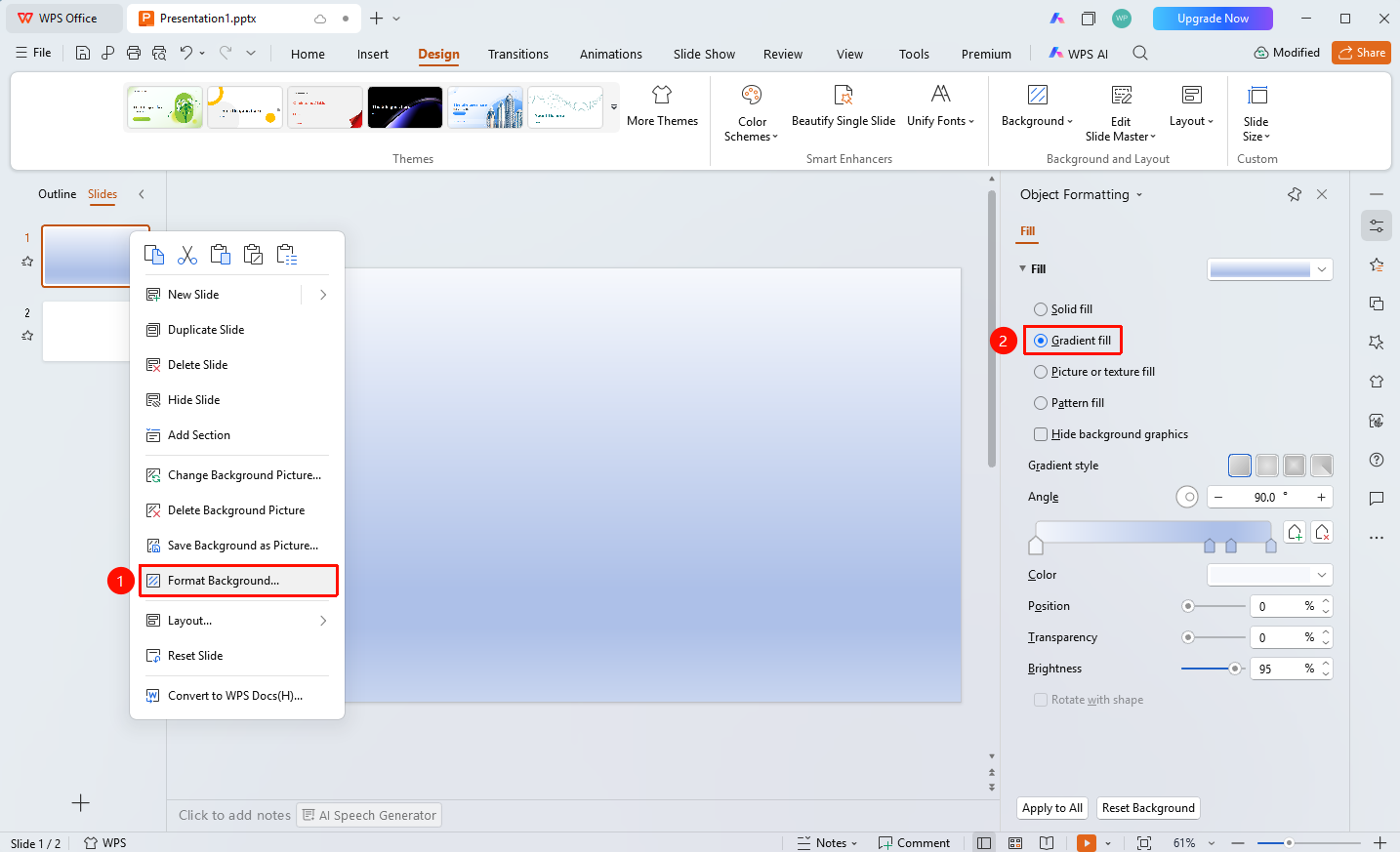
Right-click menu on the left slide thumbnail → "Format Background"
- Right-click the slide you want to set the background for in the left slide thumbnail pane
- Select the "Format Background" option
- The Object Properties panel will pop up on the right, select "Gradient Fill"
- Set the gradient parameters
Feature Entry ③
Right-click menu in the slide editing area → "Format Background"
- Right-click on a blank area in the slide editing area
- Select the "Format Background" option
- The Object Properties panel will pop up on the right, select "Gradient Fill"
- Set the gradient parameters