Feature Summary
The Fit to Window feature automatically adjusts the slide display scale so that the slide is fully visible within the editing area, making it easy to view the overall layout.
Feature Description
| Feature Dimension | Description |
|---|---|
| Membership Restriction | No membership restriction |
| Version Restriction | No version restriction |
Steps
Fit to Window
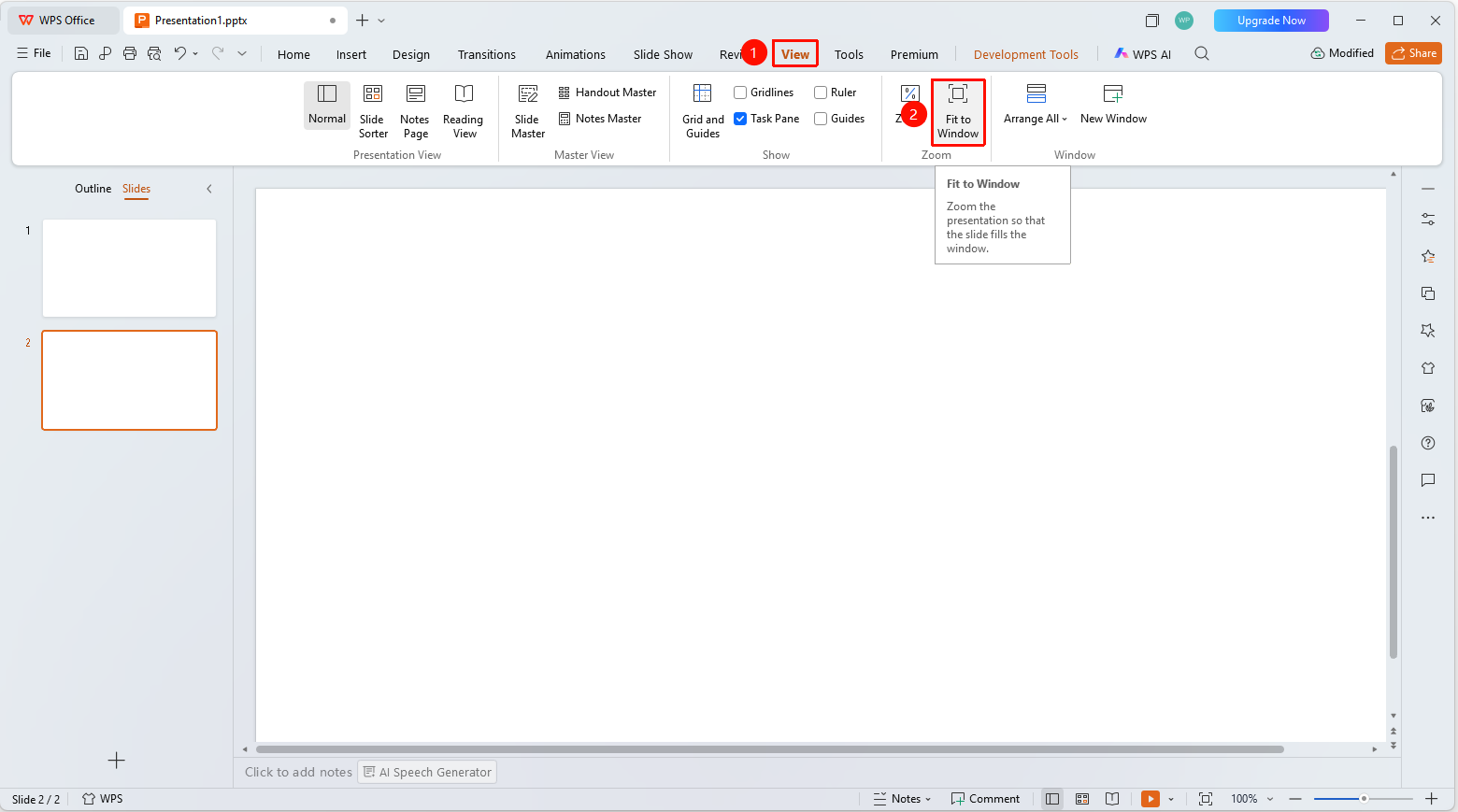
Feature Entry ①
"View" tab → "Fit to Window"
- Click the top "View" tab
- Find and click the "Fit to Window" button
- The slide will automatically adjust to fit the window
Feature Entry ②
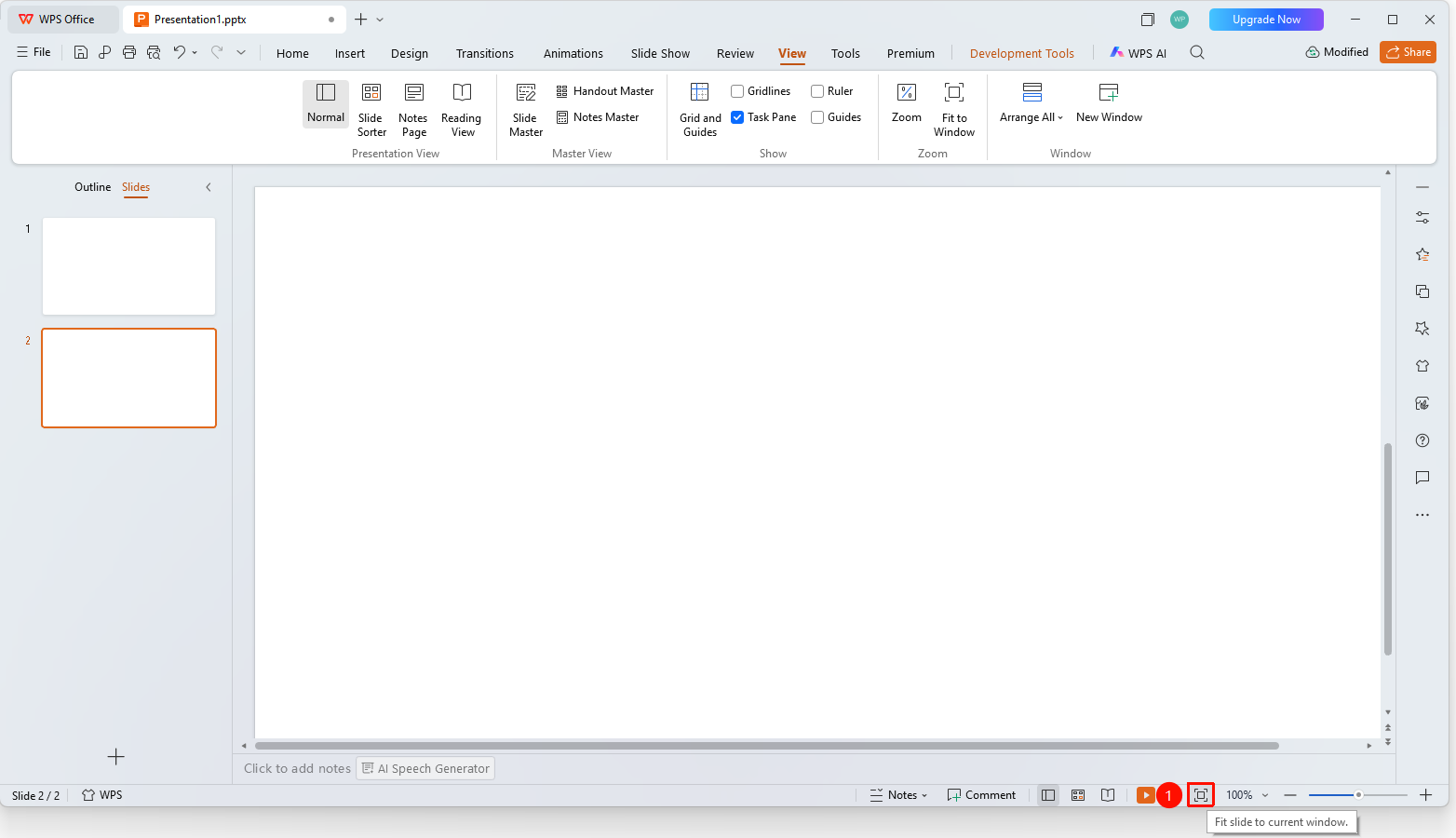
Bottom status bar → "Best Fit"
- Find and click the "Best Fit" button on the bottom status bar
- The slide will automatically adjust to the optimal scale to fit the window
Notes
- Fit to Window automatically calculates the optimal zoom scale
- Suitable for viewing the overall slide layout