Feature Summary
The text shadow effect adds a projection to text, creating a sense of depth and layering. It supports custom parameters such as shadow color, transparency, size, distance, and angle, allowing you to create various shadow styles.
Feature Description
| Feature Dimension | Description |
|---|---|
| Membership Restriction | No membership restriction |
| Version Restriction | No version restriction |
Steps
Apply Preset Shadow
Feature Entry
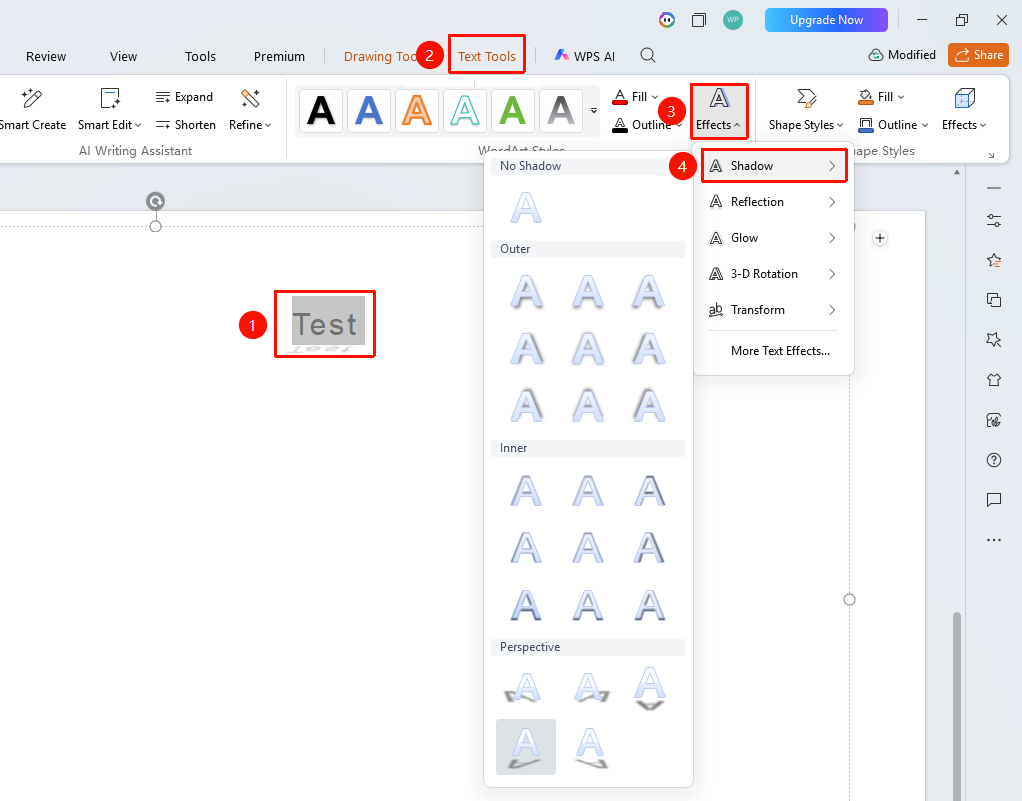
「Text Tools」 tab → 「Text Effects」 → 「Shadow」
- Select the text content to which you want to add a shadow
- Under the top 「Text Tools」 tab, click 「Text Effects」 → 「Shadow」
- In the pop-up panel, select a preset shadow style (e.g., Outer Shadow, Inner Shadow, Perspective Shadow, etc.)
- The corresponding shadow effect will be applied to the text
Custom Shadow Parameters
Feature Entry
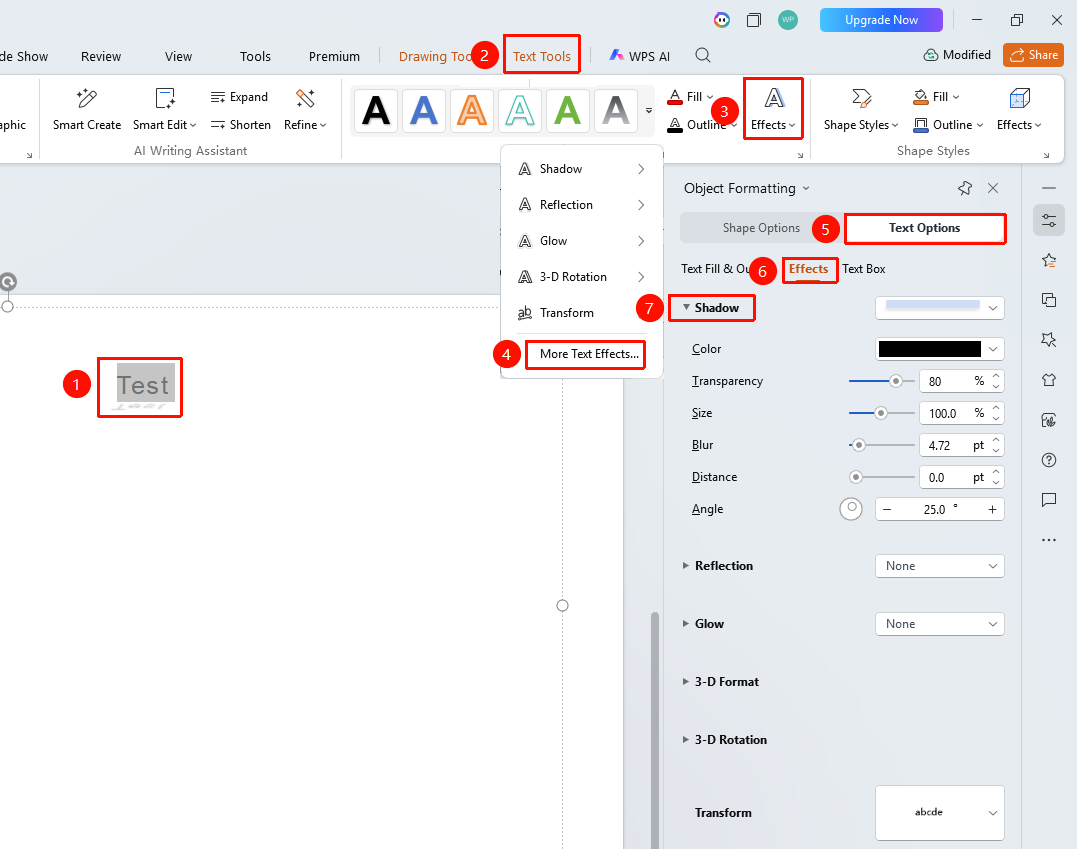
「Text Tools」 tab → 「Text Effects」 → 「More Settings」 → 「Text Options」 → 「Effects」 → 「Shadow」
- Select the target text, and click 「Text Effects」 under the 「Text Tools」 tab
- Click the 「More Settings」 option to expand the 「Object Properties」 panel on the right
- Click the 「Effects」 option under the 「Text Options」 tab
- Click 「Shadow」 to expand the settings menu
- Adjust settings such as shadow Color, Transparency, Size, Blur, and Distance
- Adjust the shadow projection direction using the 「Angle」 slider
- Preview the effect in real time, and click a blank area to apply the settings
FAQ
Q1: What is the difference between Outer Shadow and Inner Shadow?
- Solution: Outer Shadow is cast outside the text, making it appear to float above the background; Inner Shadow is cast on the inner edges of the text, making it appear embedded in the background. Outer Shadow is more commonly used, while Inner Shadow is suitable for special recessed effects.
Q2: What should I do if the shadow is too faint to see clearly?
- Solution: In the shadow settings panel, decrease the Transparency value (lower values mean less transparency), and increase the shadow Distance and Size to make the shadow more visible. Also ensure there is sufficient contrast between the shadow color and the background color.
Notes
- Shadow effects are suitable for titles and large text
- It is recommended to use a lighter shadow color on dark backgrounds
- The larger the shadow blur value, the softer and more natural the effect