Feature Summary
WPS Slides local mode supports packaging presentations into a folder or compressed archive for easy distribution and transfer.
Feature Description
| Feature Dimension | Description |
|---|---|
| Membership Restriction | No membership restriction |
| Version Restriction | No version restriction |
Operation Steps
Package into Folder
Feature Entry
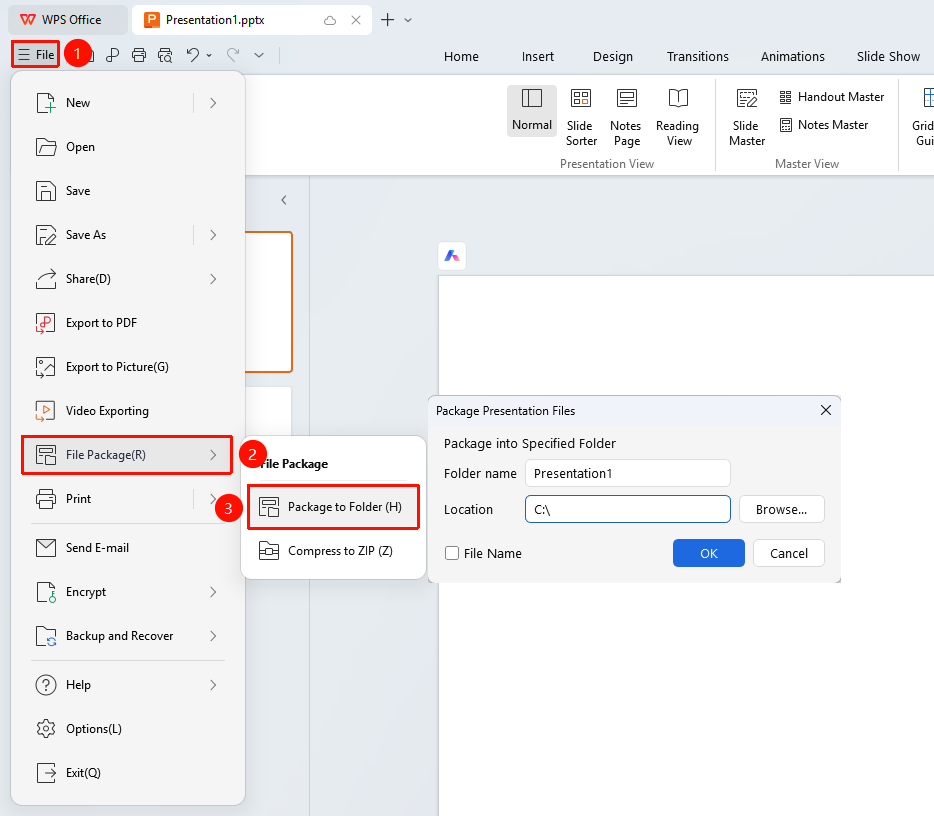
"File" menu → "File Packaging" → "Package Presentation into Folder"
- Click the "File" menu
- Select the "File Packaging" option
- Click the "Package Presentation into Folder" button
- Choose a save location
- Click the "OK" button to complete packaging
Package into Compressed File
Feature Entry
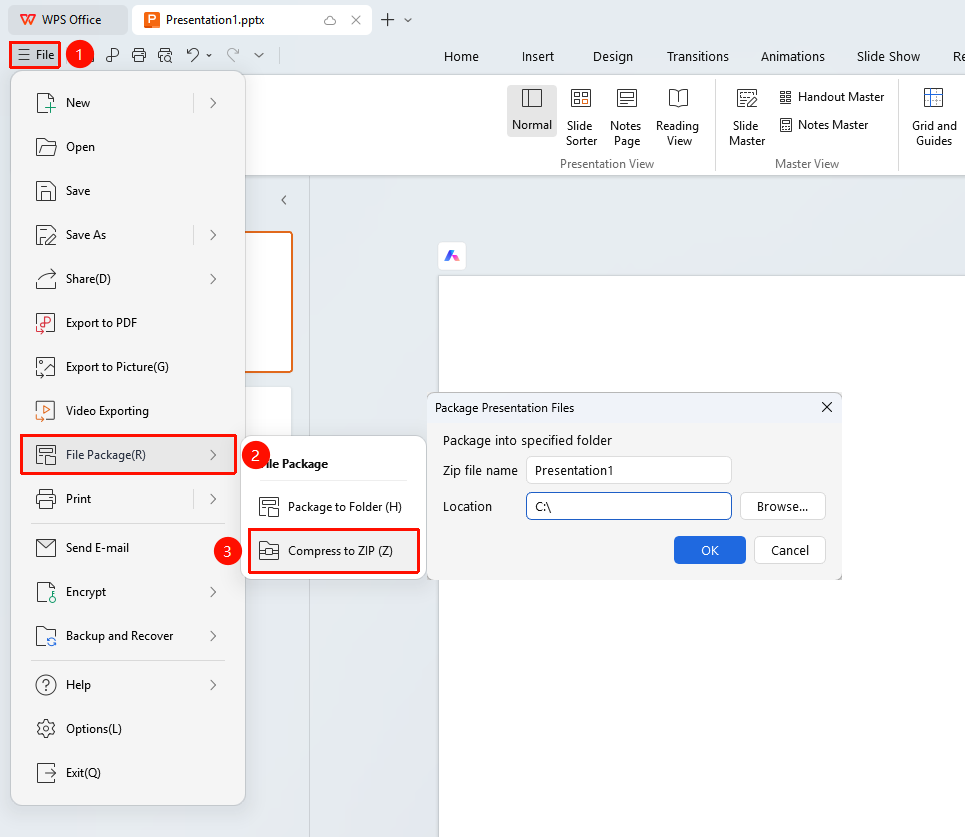
"File" menu → "File Packaging" → "Package Presentation into Compressed Folder"
- Click the "File" menu
- Select the "File Packaging" option
- Click the "Package Presentation into Compressed Folder" button
- Choose a save location
- Click the "OK" button to generate the compressed package
FAQ
Q1: Where is the packaged file located?
- Solution: The packaged file is saved in the selected save location, which defaults to the folder containing the document.
Q2: How do I open the packaged file?
- Solution: After extracting, simply open the presentation file directly.
Notes
- The packaging feature is suitable for sharing presentations with others
- It is recommended to use the compressed package method to reduce file size