Feature Summary
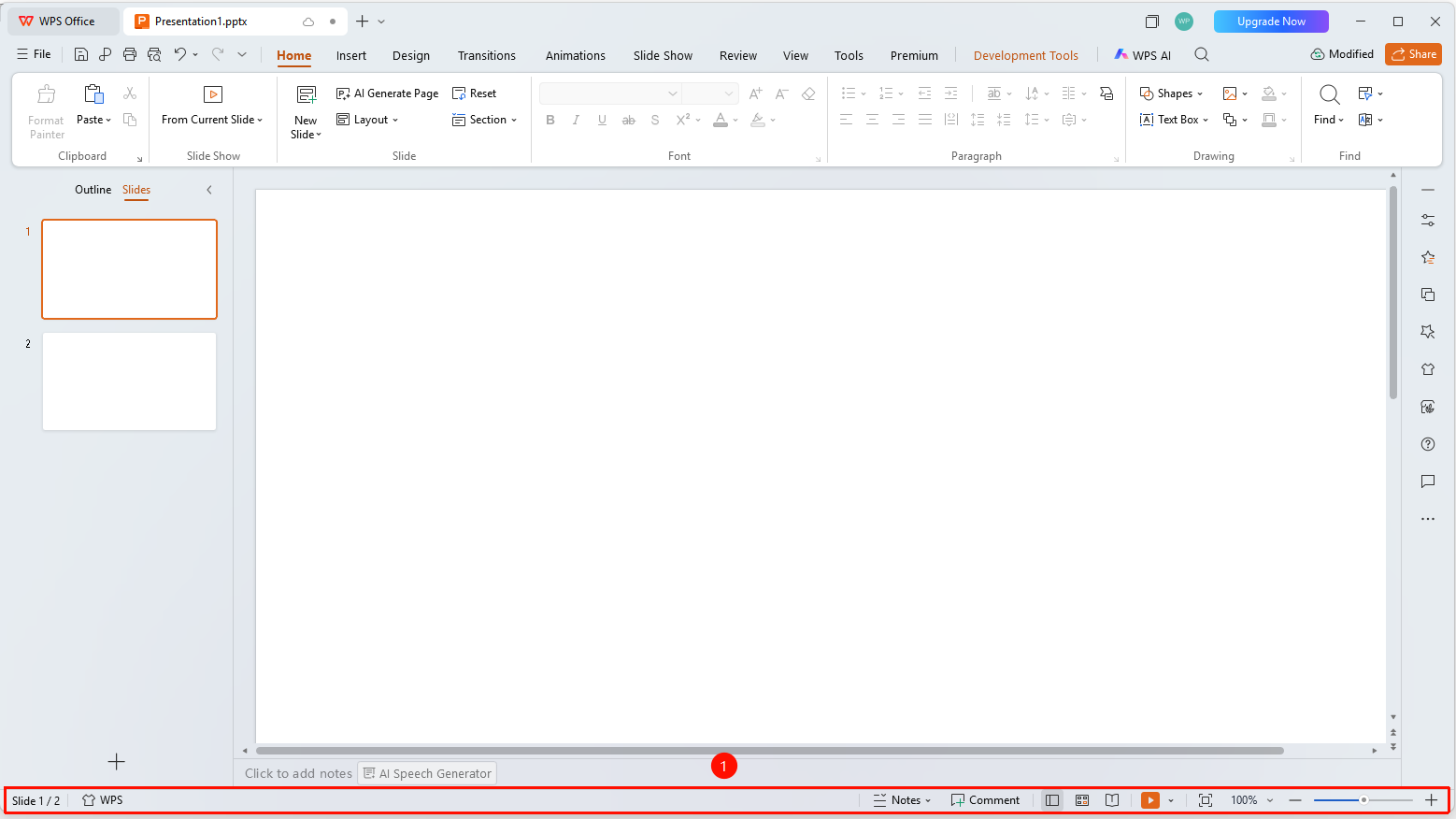
The status bar in WPS Slides local mode is located at the bottom of the window, displaying document status information and commonly used control tools.
Feature Description
| Feature Dimension | Description |
|---|---|
| Membership Restriction | No membership restriction |
| Version Restriction | No version restriction |
Steps
Using the Status Bar
Feature Entry
Bottom of the window
- The left side shows the current slide number and total number of slides
- The middle shows the theme name
- The right side shows view switching buttons and zoom control
- Click the view buttons to switch between Normal view, Slide Sorter, and other modes
FAQ
Q1: How to adjust the display scale?
- Solution: Drag the zoom slider on the right side of the status bar or click the percentage number to adjust.
Notes
- The status bar provides basic document status information
- Proper use of the zoom function helps you view slide details better