Feature Summary
Use @ and # features in WPS Collaborate for communication and collaboration
Feature Description
| Feature Dimension | Description |
|---|---|
| Membership Restriction | No membership restriction |
| Version Restriction | No version restriction |
Operation Steps
@ Feature
Feature Entry
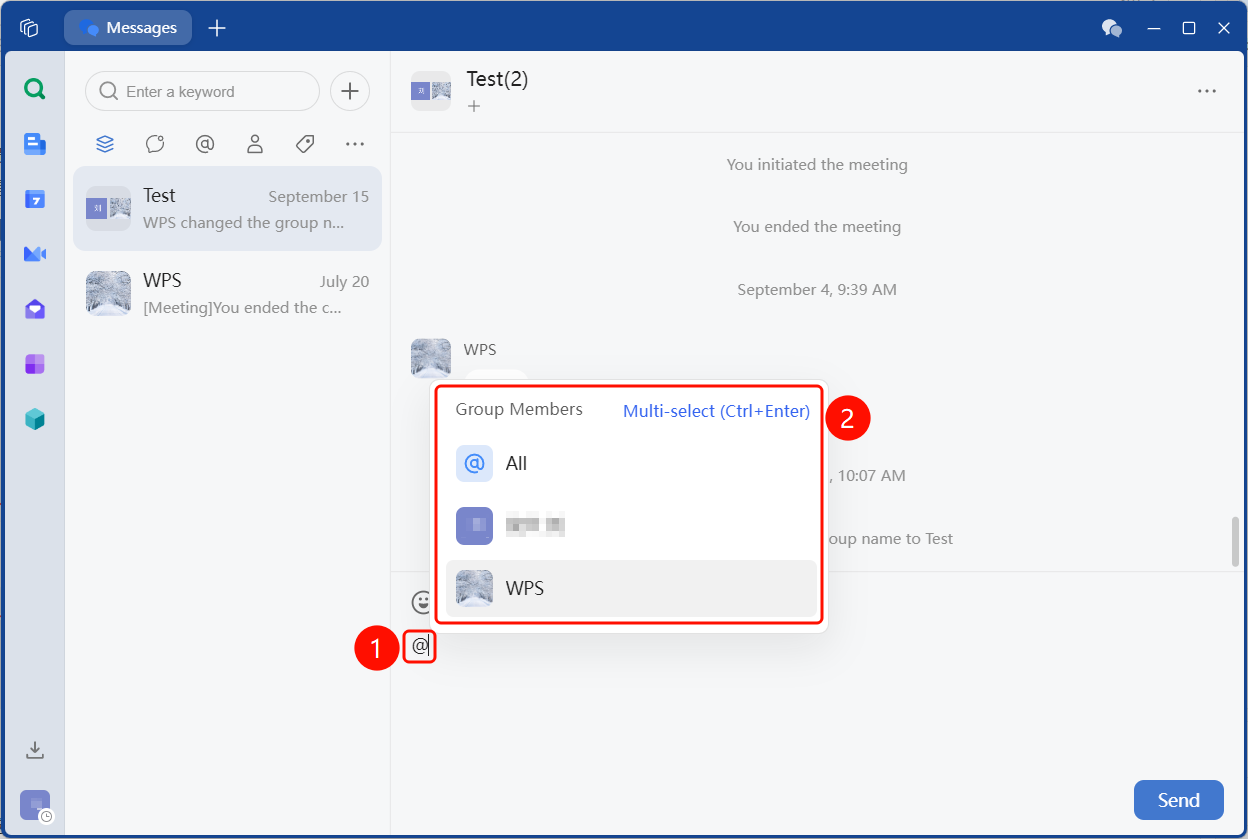
"Message Input Box" → Enter @ → Select member
- Enter the WPS Collaborate chat interface
- Enter
@in the message input box - Select a member from the pop-up panel
- Click Send to remind the @mentioned member in the message
# Feature
Feature Entry
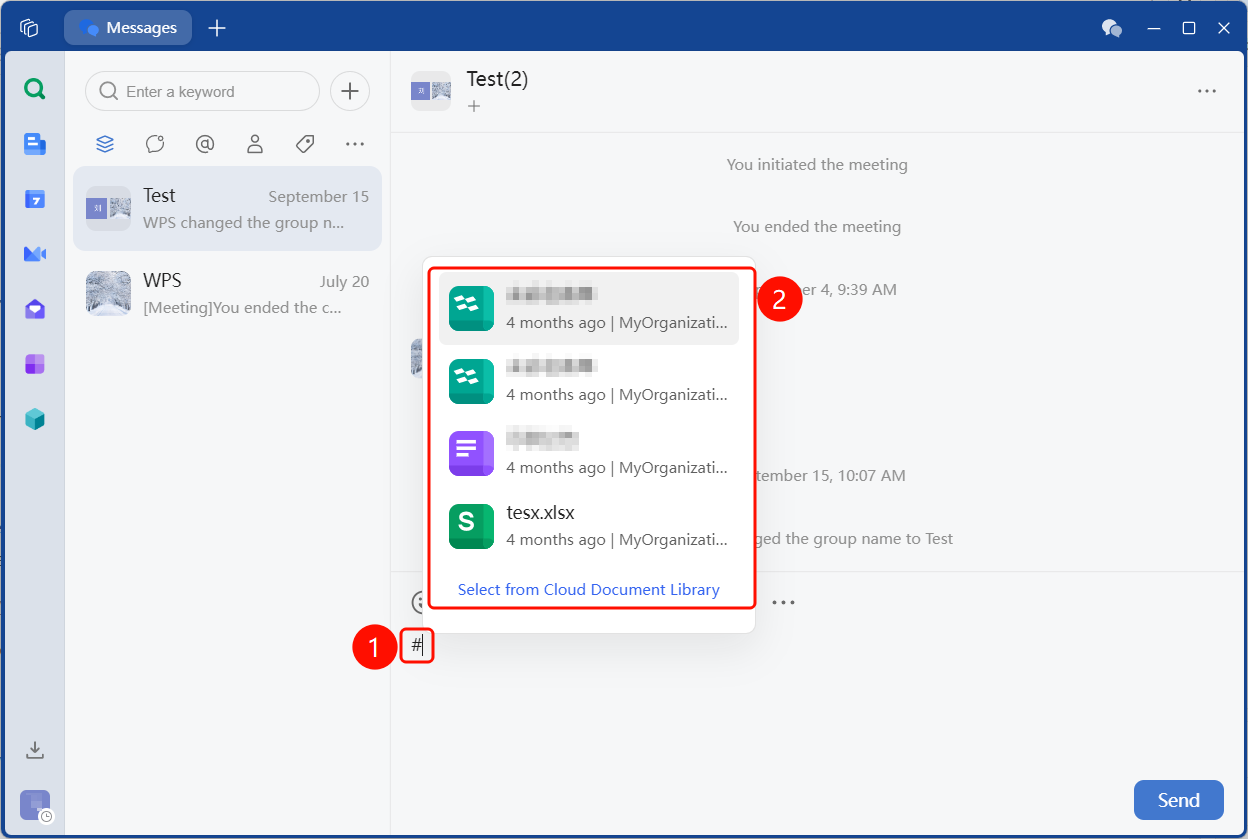
"Message Input Box" → Enter # → Select cloud document
- Enter the WPS Collaborate chat interface
- Enter
#in the message input box - Select a cloud document from the pop-up panel
- After selecting, click Send to quickly share the cloud document
After entering
#, recently opened cloud documents will be displayed first
Notes
- Before using @ and #, confirm the target conversation is correct to avoid sending messages to the wrong place