Feature Summary
Supports managing bots already added to a group and adding new bots via the chat settings panel → "Group Bot", enabling automated notifications and data push.
Feature Description
| Feature Dimension | Description |
|---|---|
| Applicable Scenario | In the group chat window, view the list of added bots and add new bots via "Group Bot" |
| Membership Restriction | No membership restriction |
| Version Restriction | No version restriction |
Steps
Managing Group Bots
Feature Entry
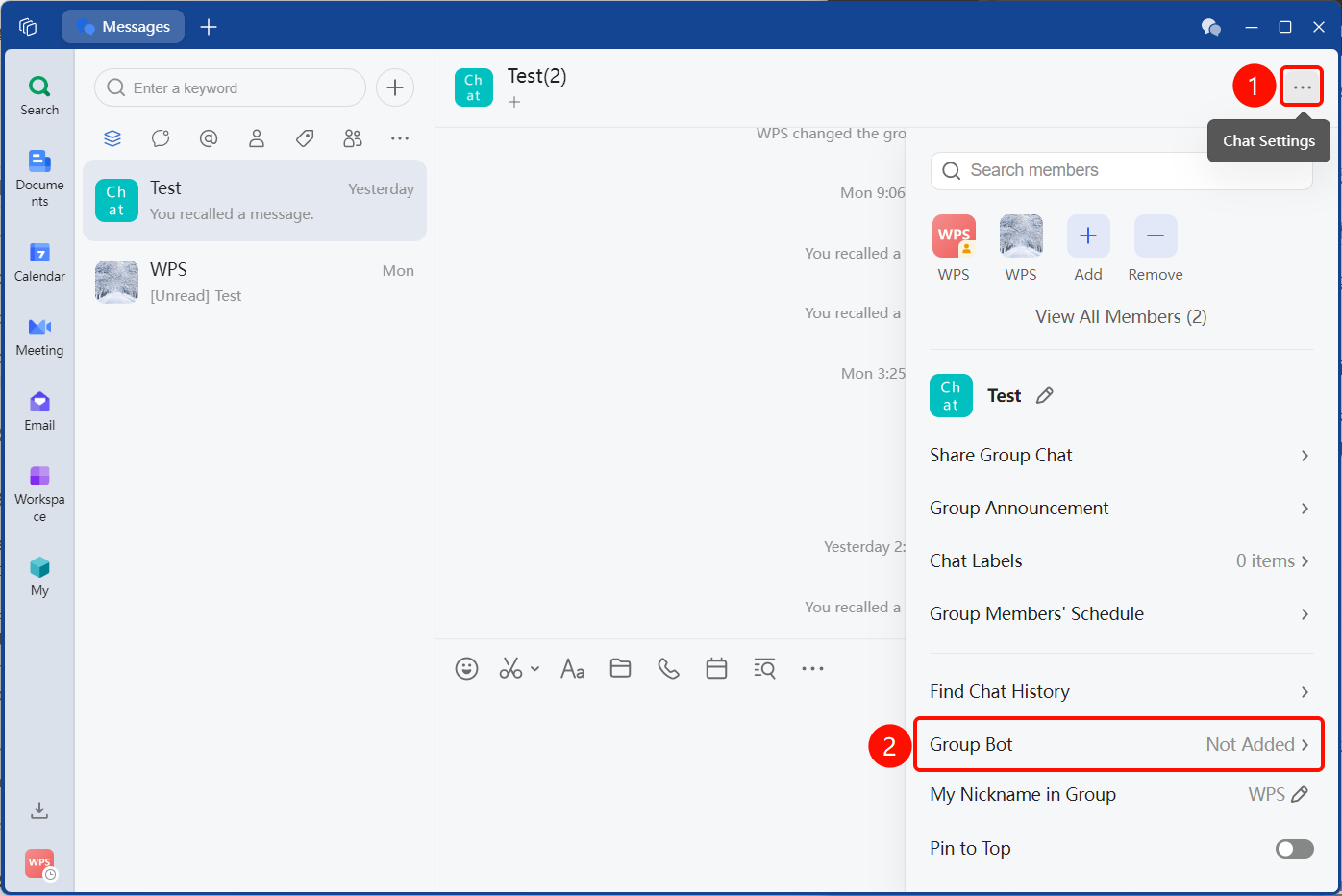
Group chat window → "···" icon → "Group Bot" option
- Enter the target group chat window and click the "···" icon in the upper right corner to open the chat settings panel
- In the chat settings panel, find and click "Group Bot" (the current number of added bots is displayed on the right) to enter the "Bots in This Group" page
- The "Bots in This Group" page displays the list of bots already added to the current group, with each bot showing its name and brief introduction (such as a feature description)
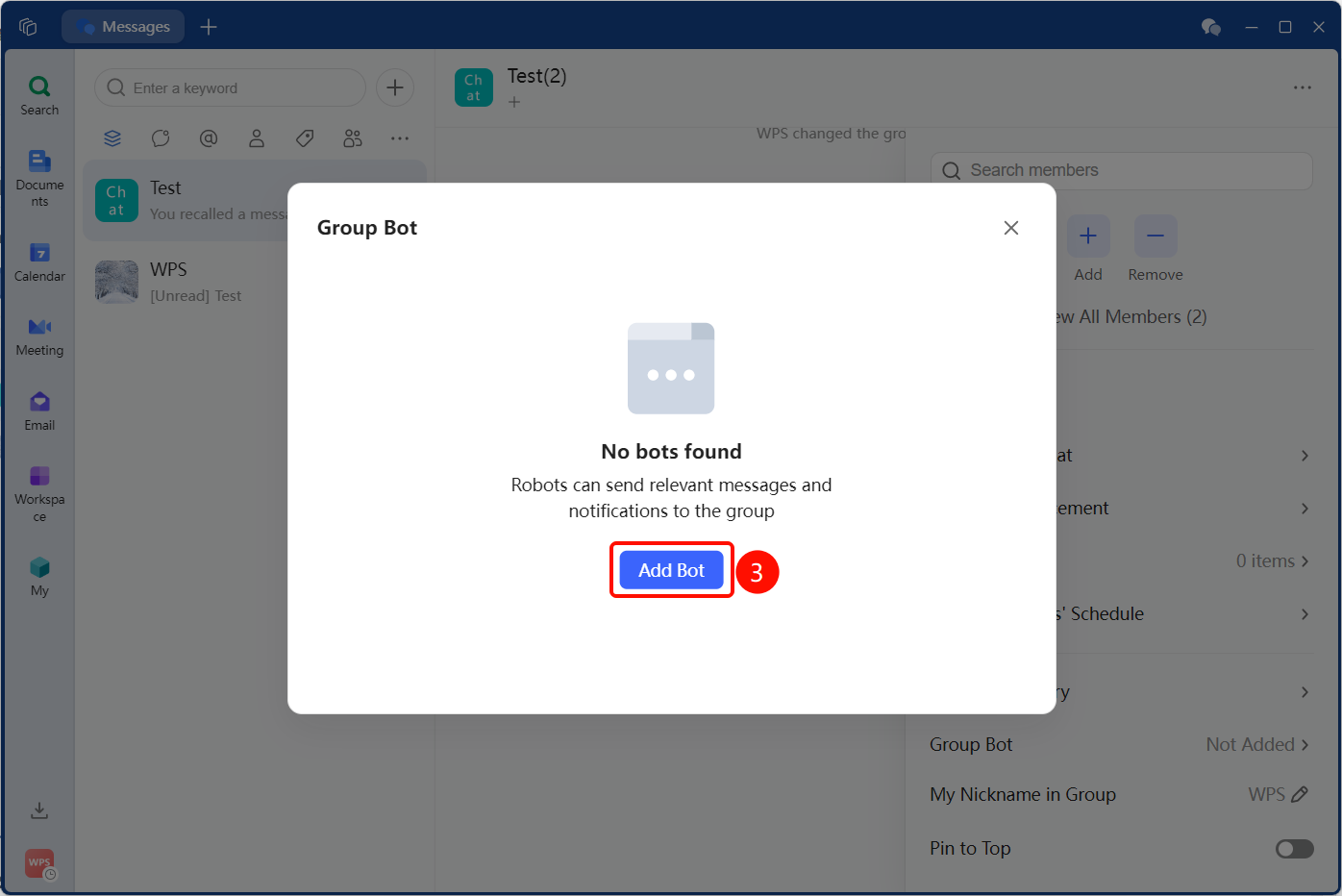
- To add a new bot, click the "Add Bot" button, and select the target bot from the pop-up list
Notes
- The number of added bots is displayed in real time to the right of "Group Bot".