Feature Summary
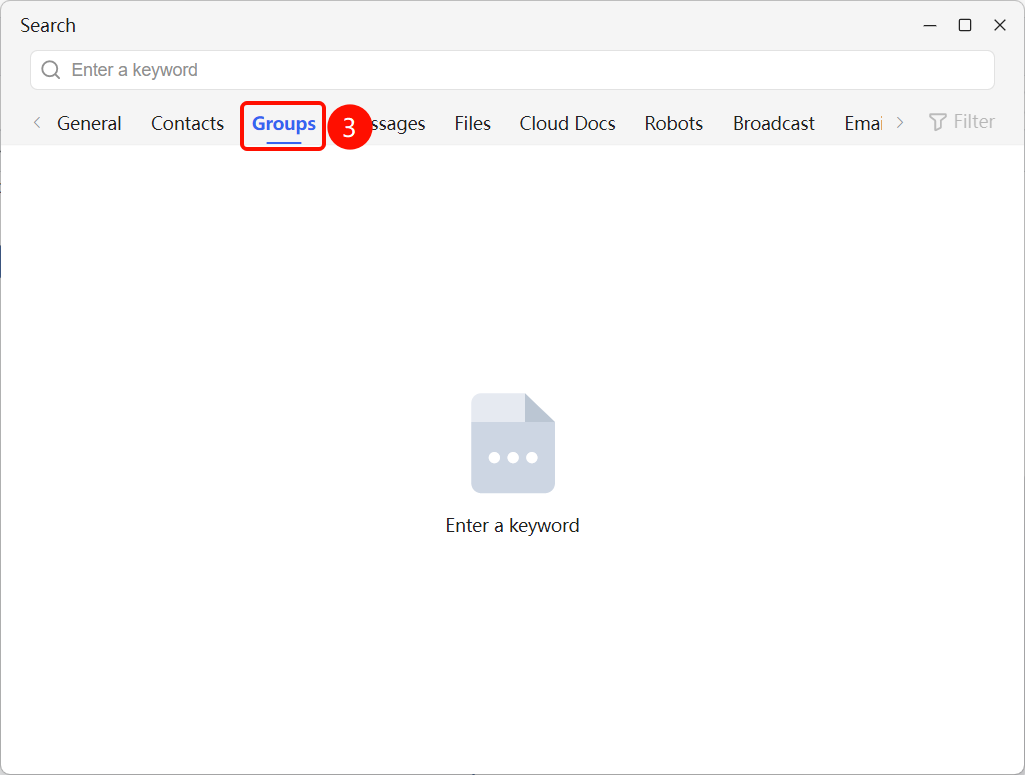
In the top global search bar, enter the search page via "Search More," switch to the "Group Chat" tab, and search for group chats within the organization by group name keywords.
Feature Description
| Feature Dimension | Description |
|---|---|
| Membership Restriction | No membership restriction |
| Version Restriction | No version restriction |
Steps
Using Group Chat Search
Feature Entry
"Top Global Search Bar" input box → "Search More" option → "Group Chat" tab
- Click the search bar at the top left
- In the dropdown menu, click "Search More" to enter the search page
- In the tab bar at the top of the search page, find and click the "Group Chat" tab to switch to the group chat search view
- Enter group name keywords in the search input box to search for matching group chats within the organization

FAQ
Q1: What is the difference between group chat search and global search?
- Solution: Group chat search only searches group names, offering a more precise scope; global search covers all types including Contacts, Chat History, files, etc.
Q2: What should I do if I cannot find the target group chat?
- Solution: The group may be outside the visible scope of your Contacts. Please contact the group owner or Admin for confirmation.
Q3: Can I search for groups I have left?
- Solution: Groups you have left will not appear in the search results.
Notes
- Group chat search only searches group names, not message content within groups.
- Search results are controlled by the visible scope of Contacts. Group chats outside the visible scope will not be displayed.
- You can use the "Filter" feature in the upper right corner of the search page to further refine search criteria.