Feature Summary
Supports searching file resources sent and received in all conversations.
Feature Description
| Feature Dimension | Description |
|---|---|
| Membership Restriction | No membership restriction |
| Version Restriction | No version restriction |
Steps
Search Chat Files
Feature Entry
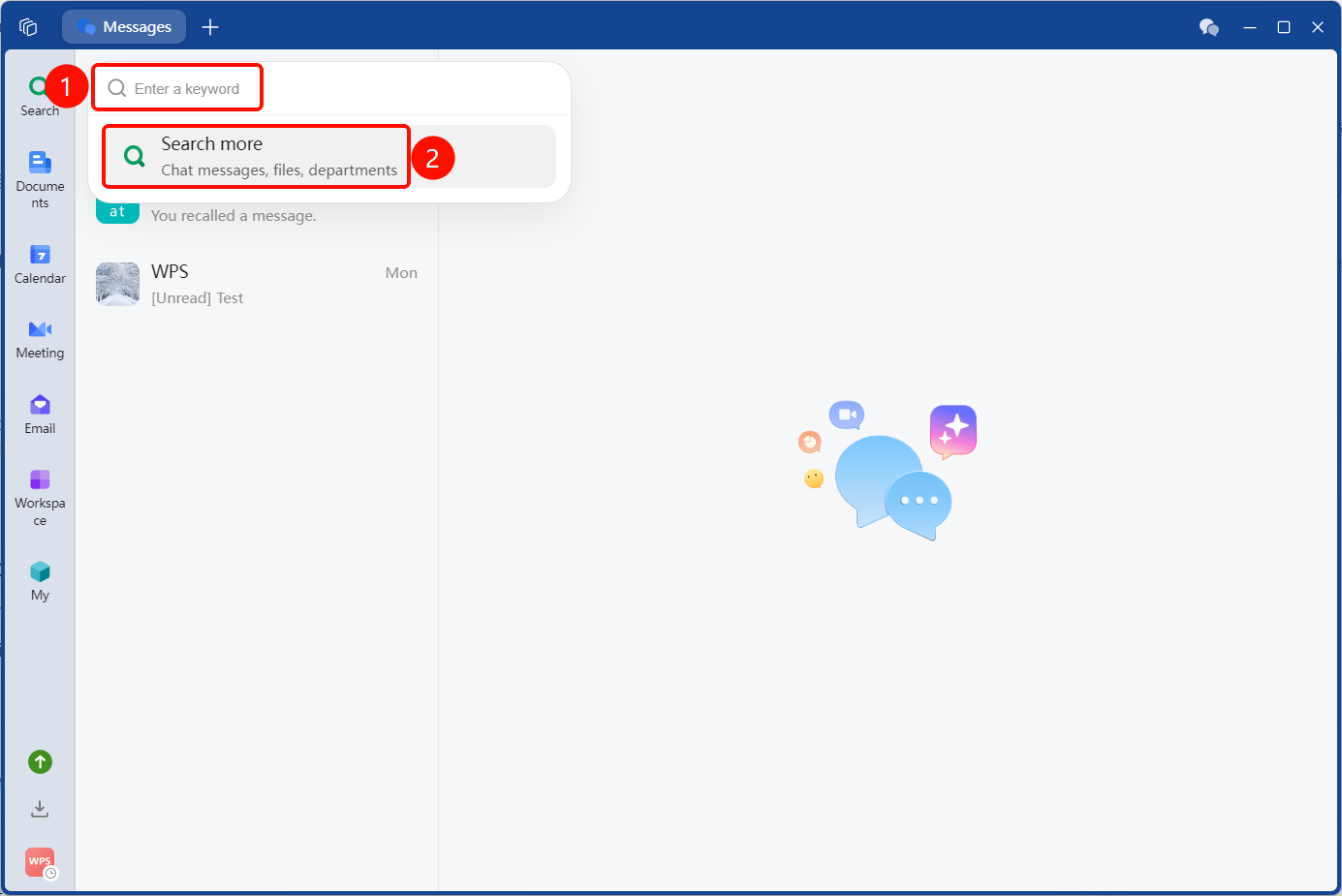
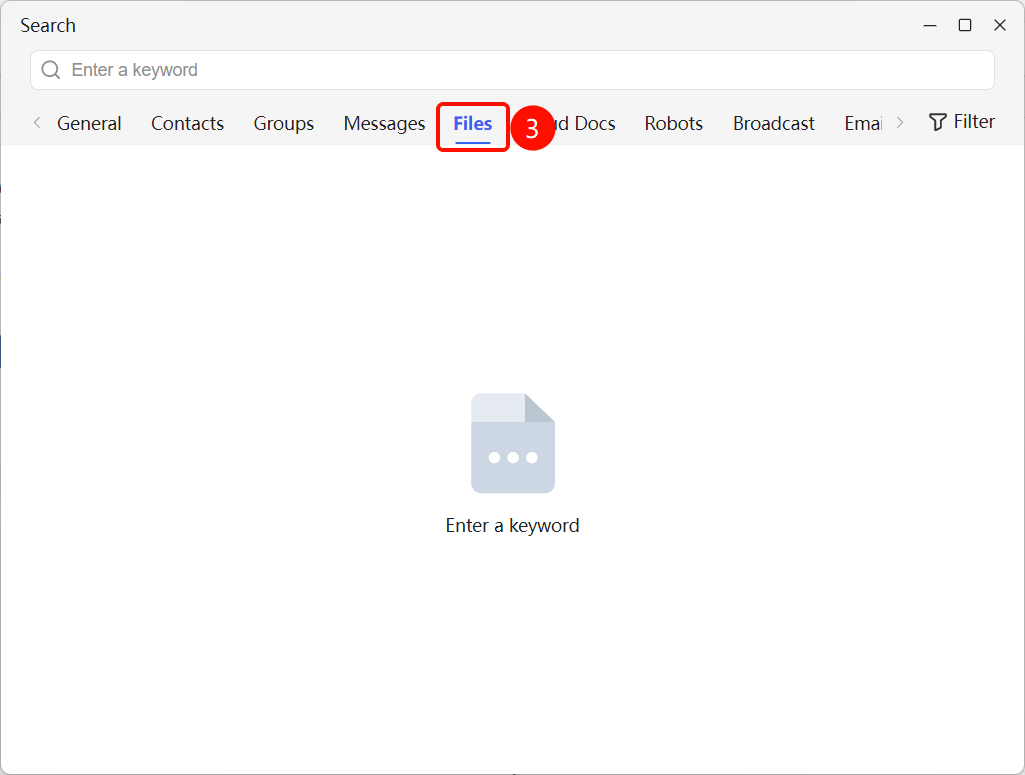
"Top Global Search Bar" input box → "Search More" option → "Chat Files" tab
- Click the search bar at the top left
- In the drop-down menu, click "Search More" to enter the search page
- In the tab bar at the top of the search page, find and click the "Chat Files" tab to switch to the chat file search view
- Enter a file name or keyword in the search input box to search file resources sent and received in all conversations
FAQ
Q1: What file formats are supported for search?
- Solution: Supports searching various file formats such as images, documents, and compressed packages.
Q2: Can expired files be found?
- Solution: Expired files or files deleted from the server may not be found.
Q3: Does file search support preview?
- Solution: Click a file in the search results to preview it directly or download it locally.
Notes
- The file search scope includes files in all conversations.
- Affected by the Admin's security settings, some files may have restricted downloads.