Feature Summary
Supports searching for robot applications within the organization via the global search bar, enabling precise location of target robots by name keyword.
Feature Description
| Feature Dimension | Description |
|---|---|
| Membership Restriction | No membership restriction |
| Version Restriction | No version restriction |
Operation Steps
Search for Robots
Feature Entry
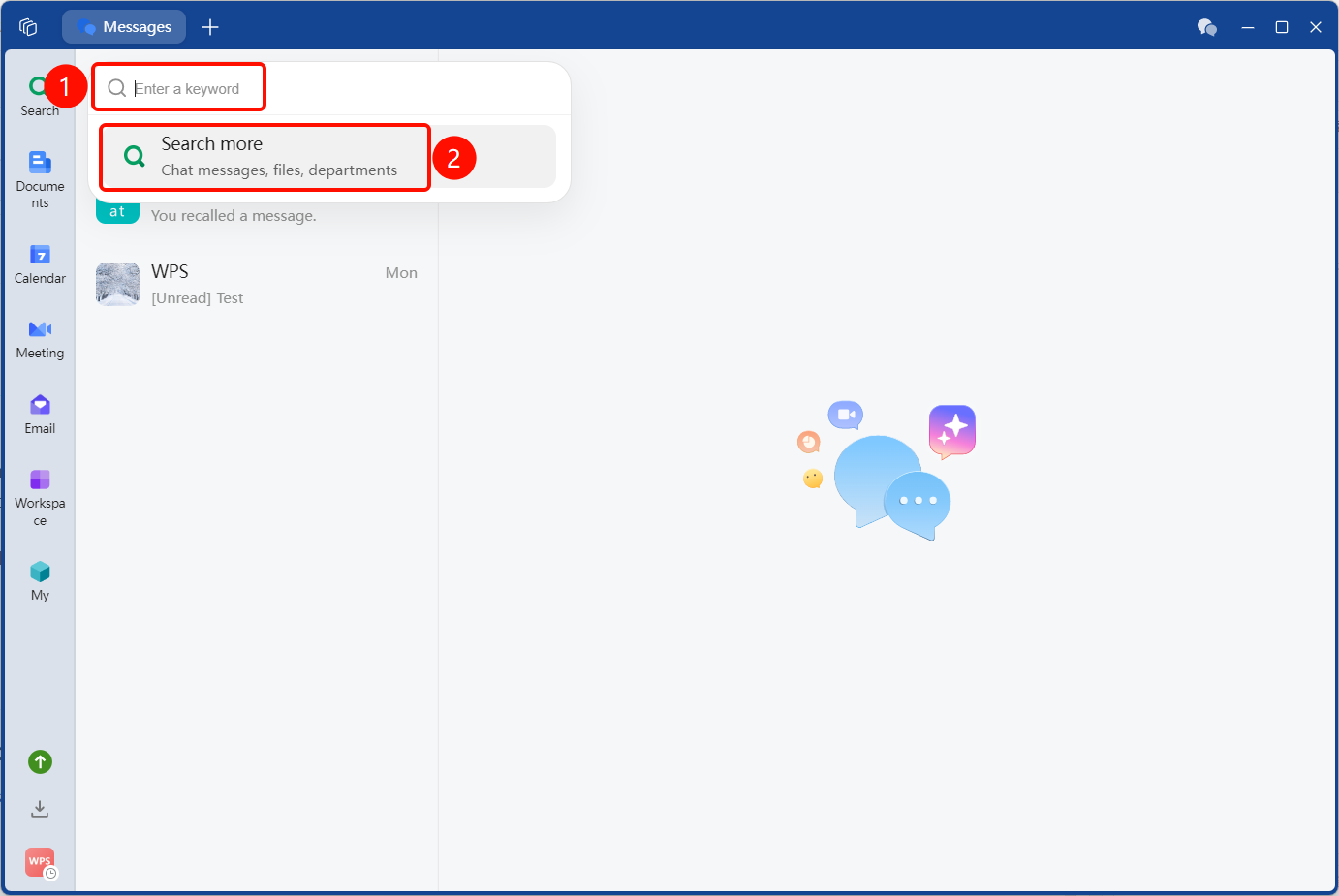
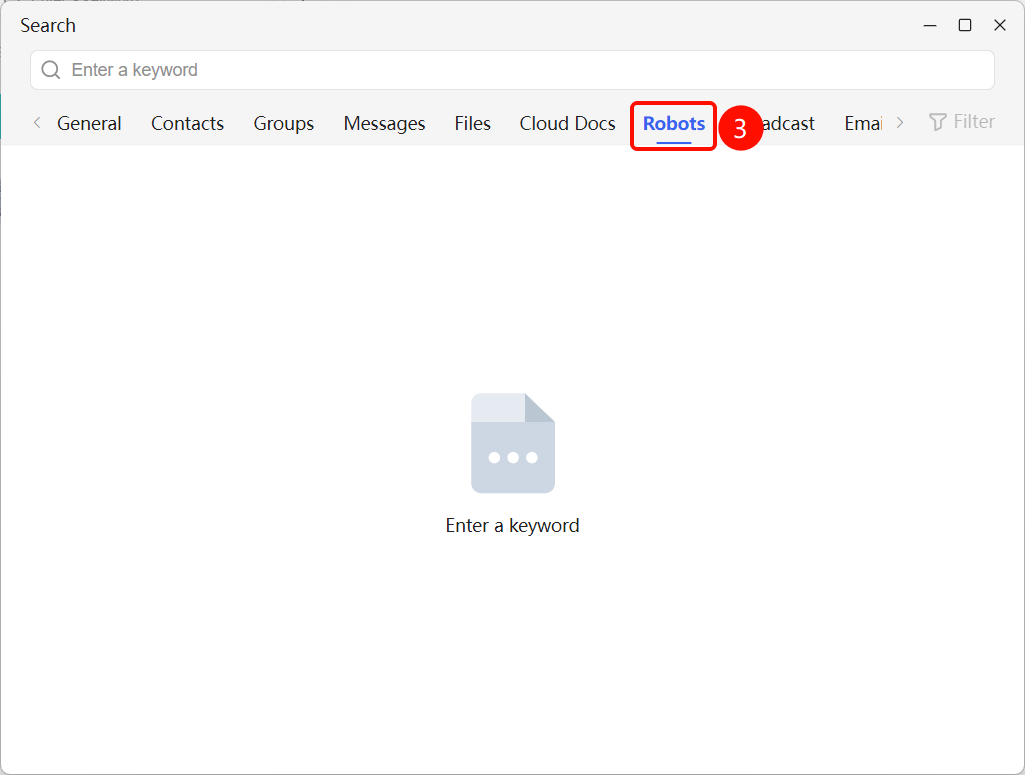
「Top Global Search Bar」input box → 「Search More」option → 「Robots」tab
- Click the top search bar on the left
- In the dropdown menu, click 「Search More」 to enter the search page
- On the search page, locate and click the 「Robots」 tab in the top tab bar to switch to the robot search view
- Enter the robot name keyword in the search input box to search for available robot applications within the organization
FAQ
Q1: What robots are included in the search scope?
- Solution: The search scope covers all robot applications that have been published within the organization.
Notes
- Search supports fuzzy matching by robot name.