Feature Summary
Supports searching the content of emails in the integrated WPS Email by switching to the "Email" tab in the top global search bar, allowing you to quickly locate emails by keyword.
Feature Description
| Feature Dimension | Description |
|---|---|
| Applicable Scenario | In the top global search bar, switch to the "Email" tab to search email content in WPS Email |
| Membership Restriction | No membership restriction |
| Version Restriction | No version restriction |
Steps
Using Email Search
Feature Entry
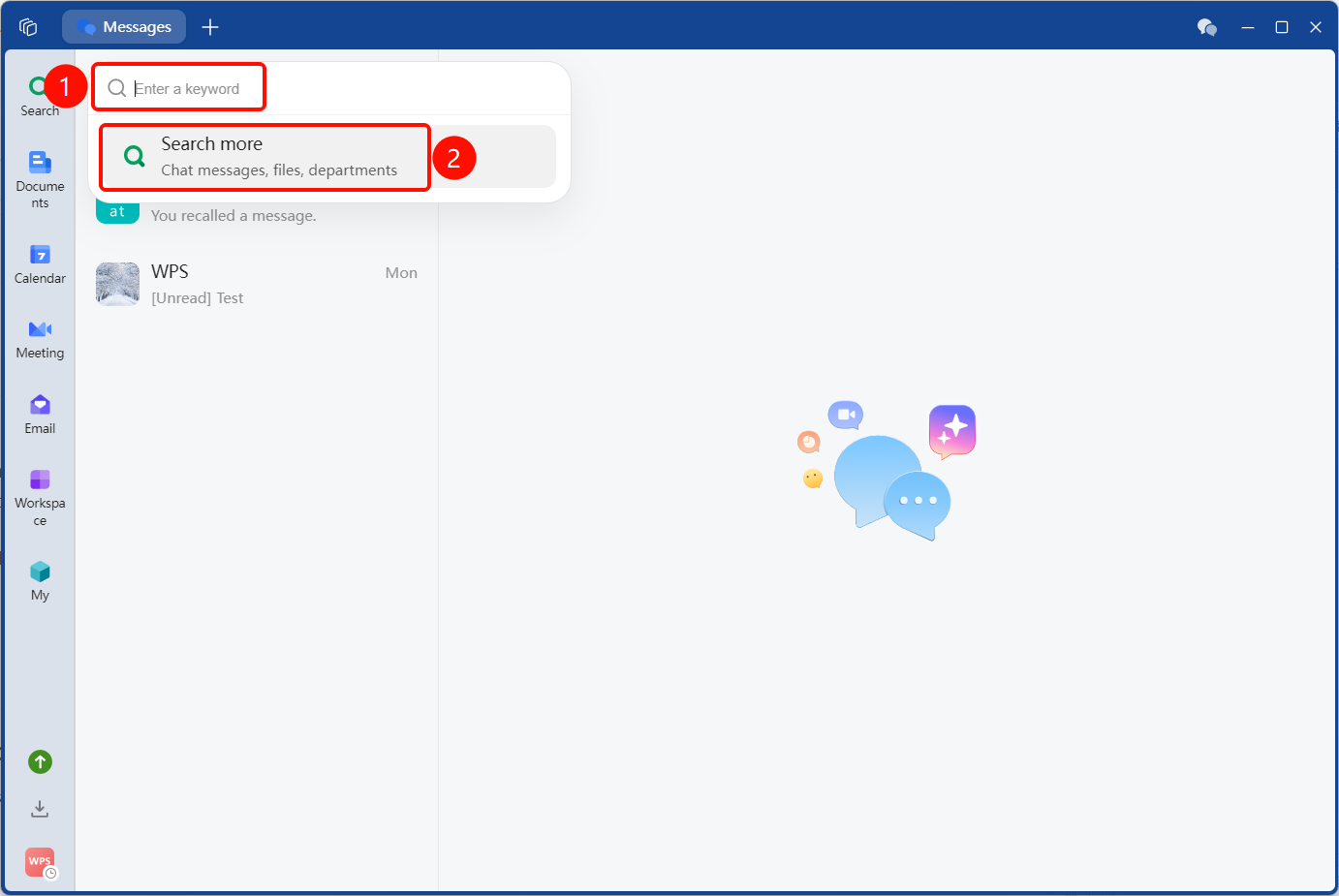
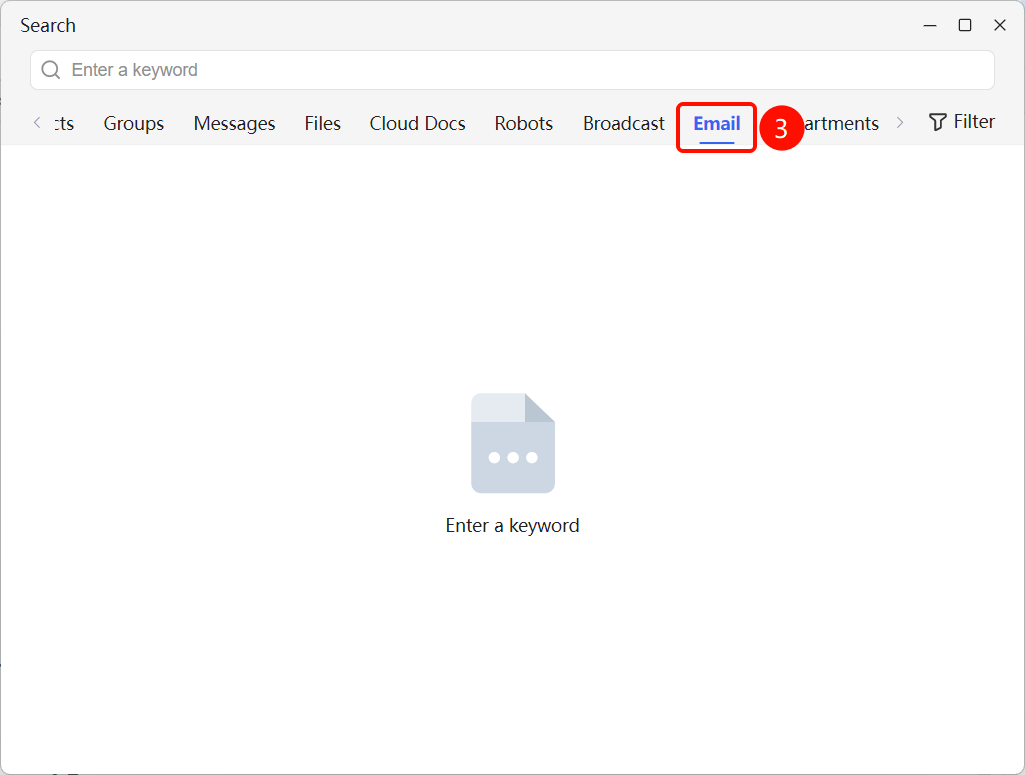
"Top Global Search Bar" input box → "Search More" option → "Email" tab
- Click the search bar at the top left
- In the drop-down menu, click "Search More" to enter the search page
- In the tab bar at the top of the search page, find and click the "Email" tab to switch to the email search view
- Enter an email keyword in the search input box to search the content of emails in the currently signed-in email account
FAQ
Q1: What is the scope of the email search?
- Solution: Searches all emails in the currently signed-in email account. Only available to users who have configured WPS Email.
Q2: Does it support searching by sender or subject?
- Solution: Yes, search results cover multiple dimensions such as From, To, and Subject.
Notes
- Email search requires WPS Email account configuration to be completed in WPS Teams first. Users who have not configured it cannot use this feature.
- Search results are subject to email permission controls; only emails within the permission scope of the currently signed-in account can be searched.
- A "Filter" feature is provided in the upper right corner of the search page to further refine search criteria.