Feature Summary
Mark a message as unread to remind yourself to follow up later, or mark it as read to ignore the message.
Feature Description
| Feature Dimension | Description |
|---|---|
| Membership Restriction | No membership restriction |
| Version Restriction | No version restriction |
Steps
Mark as Unread
Feature Entry
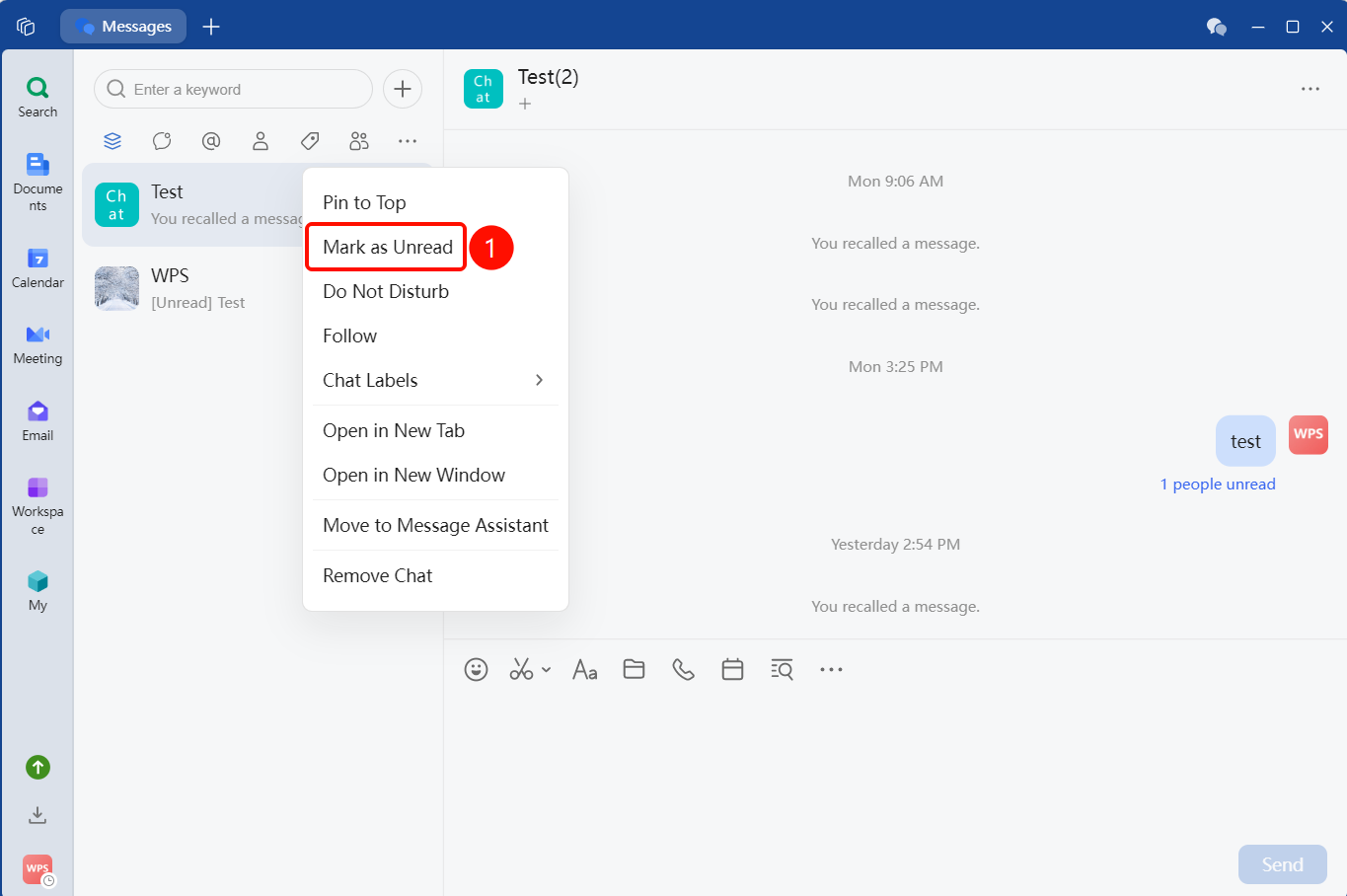
「Message List → Right-click Menu 「Mark as Unread」
- Enter the WPS Collaborate chat interface
- In the message list on the left, find the message you want to mark as unread
- Right-click the message, and click the 「Mark as Unread」 button in the menu
- After clicking, the message will change to the unread state
Mark as Read
Feature Entry
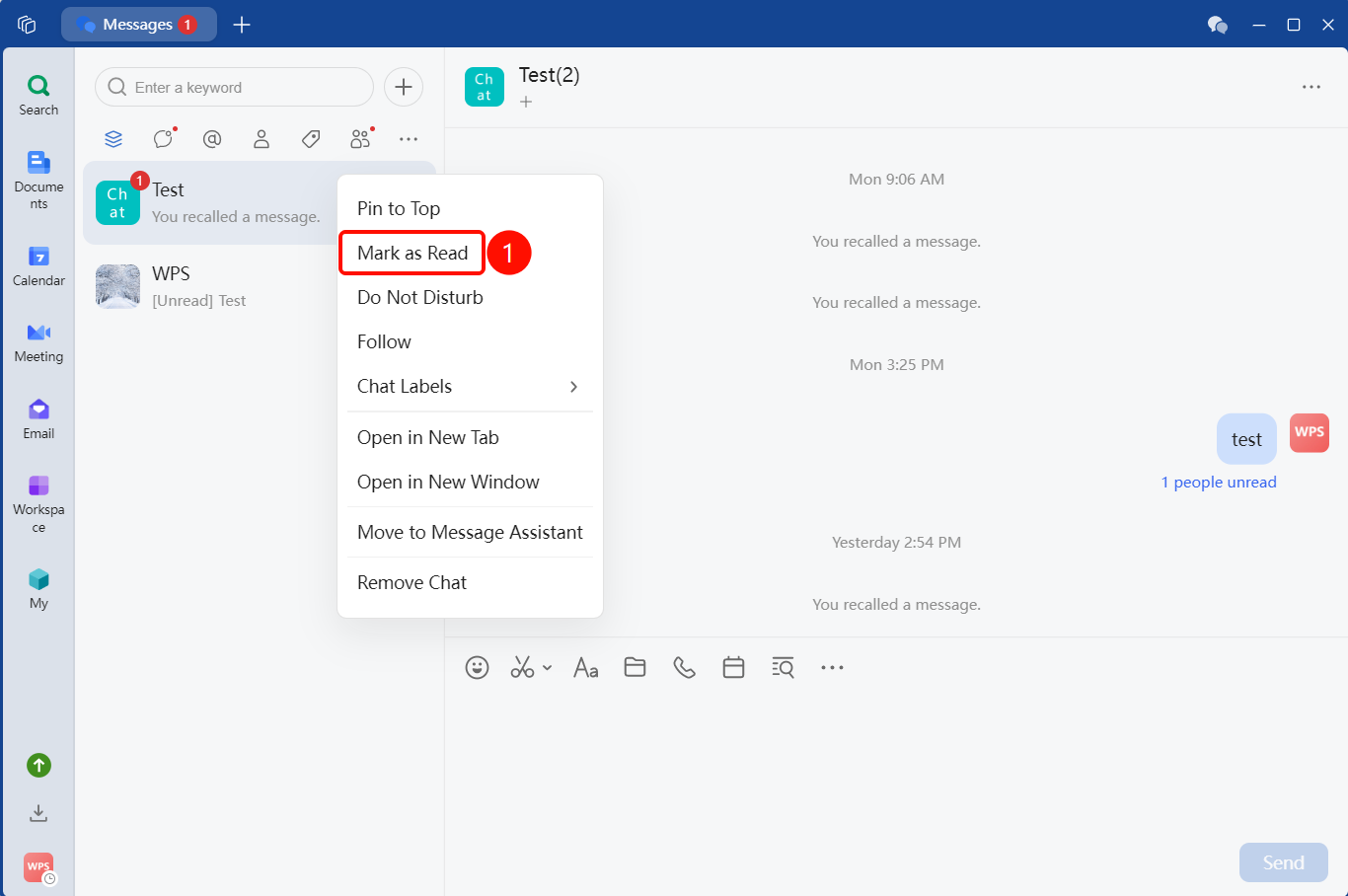
「Message List → Right-click Menu 「Mark as Read」
- Enter the WPS Collaborate chat interface
- In the message list on the left, find the message you want to mark as read
- Right-click the message, and click the 「Mark as Read」 button in the menu
- After clicking, the message will change to the read state
FAQ
Q1: What happens after marking a message as unread?
- Solution: The message will display an unread red dot in the list, reminding you to follow up later.