Feature Summary
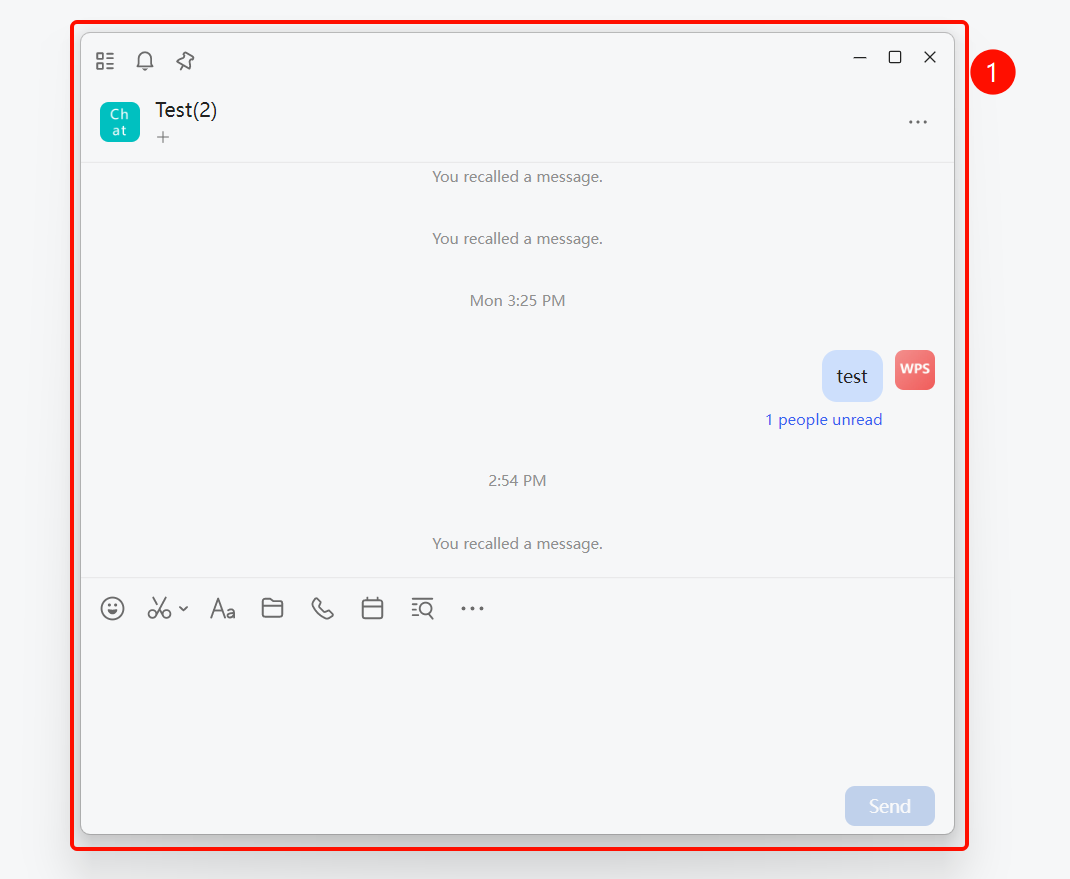
Open a chat session in a new window to display the current conversation independently in a separate window, making it convenient to operate multiple sessions simultaneously with the main interface.
Feature Description
| Feature Dimension | Description |
|---|---|
| Membership Restriction | No membership restriction |
| Version Restriction | No version restriction |
Operation Steps
Open Session in New Window
Feature Entry
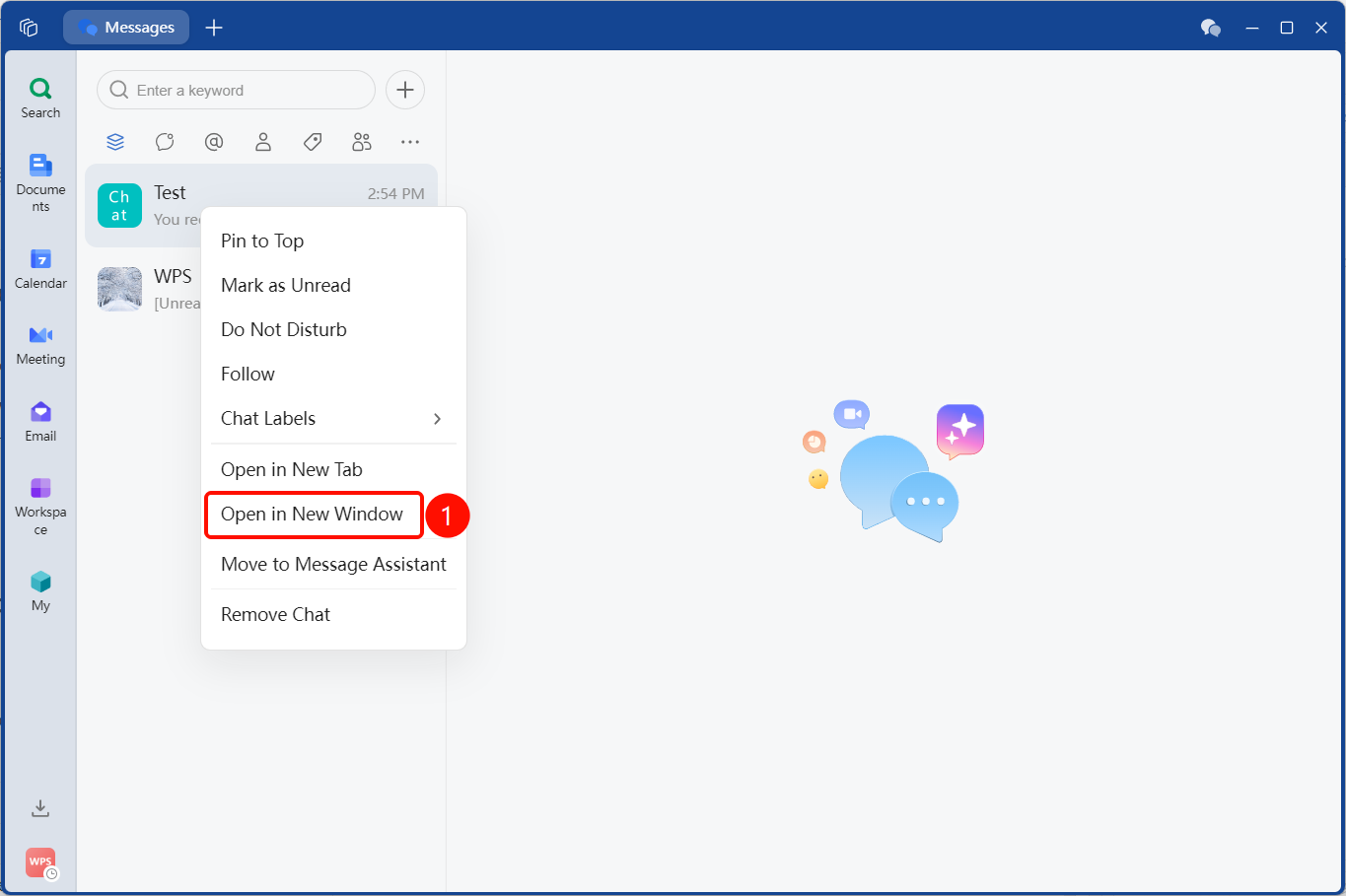
Right-click the target session in the session list → "Open in New Window"
- In the session list on the left side of WPS Collaborate, find the chat session you want to open.
- Right-click the session to bring up the context menu.
- Click "Open in New Window" in the menu.
- The session will open in a new, independent window.
New Window Interface Description
Feature Entry
Top toolbar of the new window
- After the new window opens, the top title bar displays the session name and member count.
- The upper-left corner of the window provides the following shortcut operation buttons.
| Button | Description |
|---|---|
| Open in Session List | Return to the main interface to view the session list |
| Mark as Unread | Mark the current session as unread |
| Keep Window on Top | Always display the current window on top |
- The bottom of the window is the standard message input area.