Feature Summary
The chat message read/unread status indicator is a feature within WPS Teams chat message settings. When enabled, all messages sent in group chats and private chats will display read/unread status indicators. Additionally, a historical message list viewing entry is added to the Webhook bot details page and profile page.
Feature Description
| Feature Dimension | Description |
|---|---|
| Membership Restriction | No membership restriction |
| Version Restriction | No version restriction |
Operation Steps
Enter Chat Message Settings Page
Feature Entry
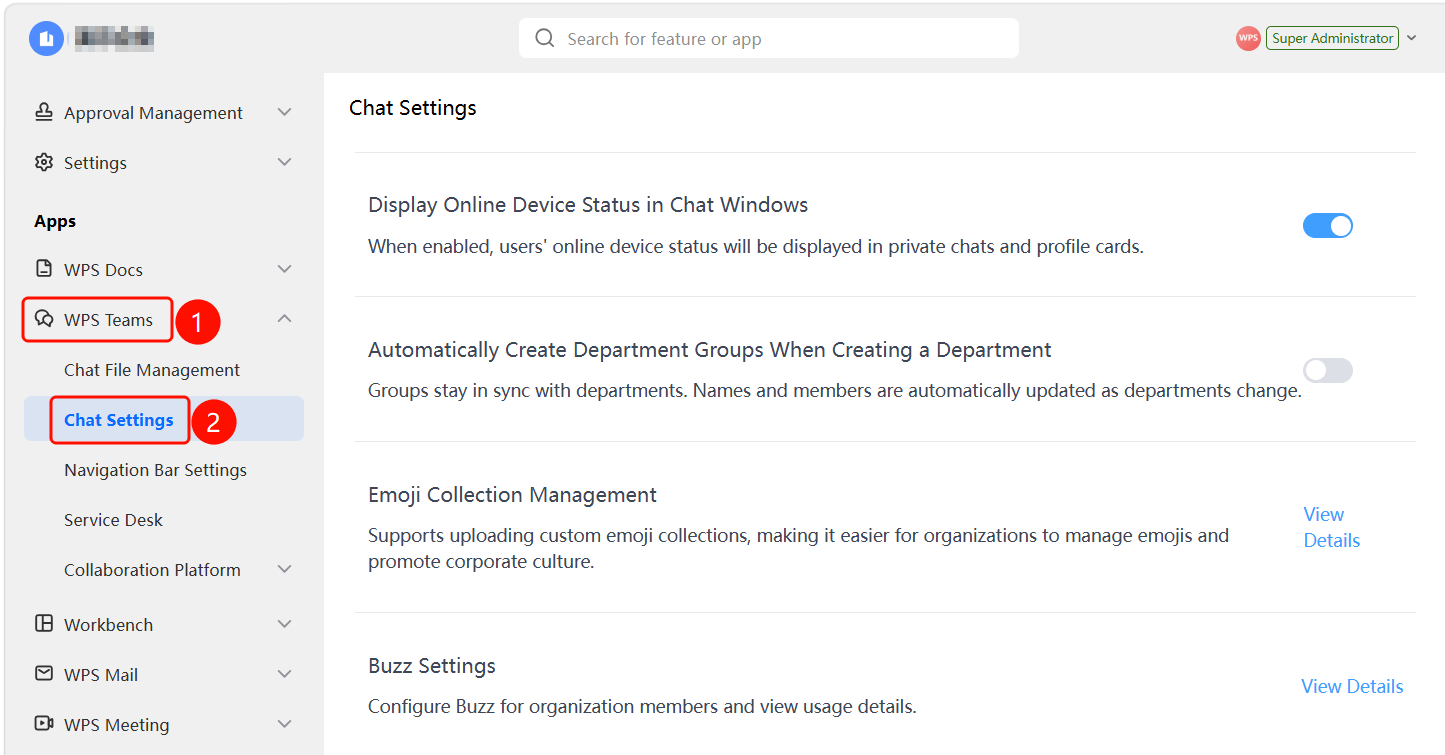
「Organization Admin」page → 「WPS Teams」option → 「Chat Message Settings」option
- Sign in to 「WPS 365 Admin」
- In the Organization Admin, click the 「WPS Teams」 option to expand the collaboration management menu
- Click the 「Chat Message Settings」 option to enter the chat message settings page
Enable Read/Unread Status Indicator
Feature Entry
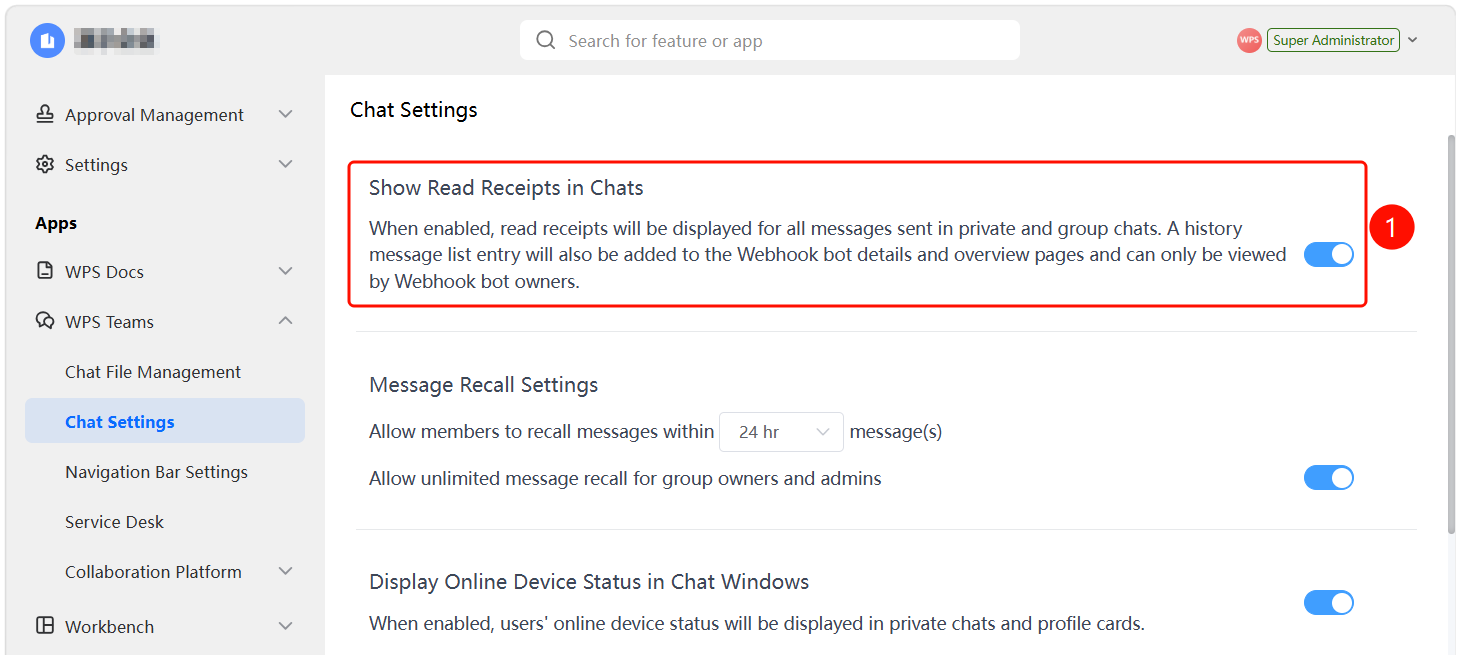
「Chat Message Settings」page → 「Chat Message Read/Unread Status Indicator」toggle
- Enter the 「Chat Message Settings」 page
- Locate the 「Chat Message Read/Unread Status Indicator」 configuration item
- Turn on the toggle switch on the right
- After enabling, the following features take effect:
- All messages sent in group chats and private chats will display read/unread status indicators
- A historical message list viewing entry is added to the Webhook bot details page and profile page (only accessible to the Webhook bot owner)
- To disable, simply turn off the toggle switch
FAQ
Q1: After enabling the read/unread indicator, can all members see it?
- Solution: Yes, after enabling, messages sent by all members in group chats and private chats will display read/unread status indicators, which can be viewed by all group members and both parties in private chats.
Q2: Who can view the Webhook bot's historical message list?
- Solution: Only the Webhook bot owner can view the historical message list; other members cannot access this list.
Q3: Does the read/unread indicator affect message privacy?
- Solution: The read/unread indicator only shows whether a message has been read, and does not display detailed information such as the specific reading time or device. The message content itself is not affected.
Notes
- This feature is only available for organization admins; regular members cannot view the Office Document
- After enabling, all group chats and private chats will display read/unread indicators; it cannot be set individually per chat session
- After disabling this feature, the read status of previously sent messages will no longer be displayed