Feature Summary
Message recall settings is a feature within the organization admin Office Document chat message settings. It supports admins in configuring the message recall time limit for members, as well as allowing group owners and group admins to recall any message (without time restrictions), ensuring flexibility in group chat message management.
Feature Description
| Feature Dimension | Description |
|---|---|
| Membership Restrictions | No membership restrictions |
| Version Restrictions | No version restrictions |
Operation Steps
Access the Chat Message Settings Page
Feature Entry
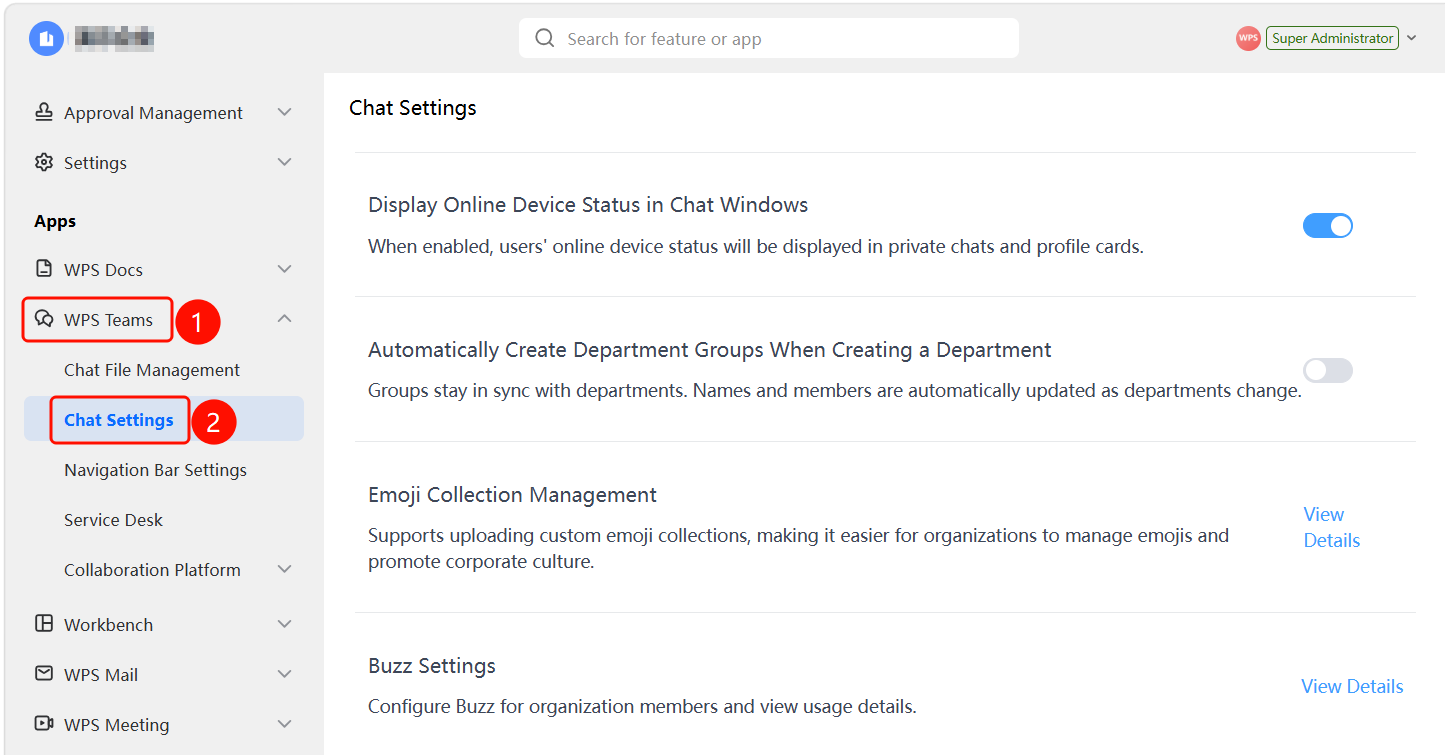
「Organization Admin Office Document」page → 「WPS Collaboration」option → 「Chat Message Settings」option
- Sign in to 「Organization Admin Office Document」
- In the left navigation bar, click the 「WPS Collaboration」 option to expand the collaboration management menu
- Click the 「Chat Message Settings」 option to enter the chat message settings page
Set Member Message Recall Time Limit
Feature Entry
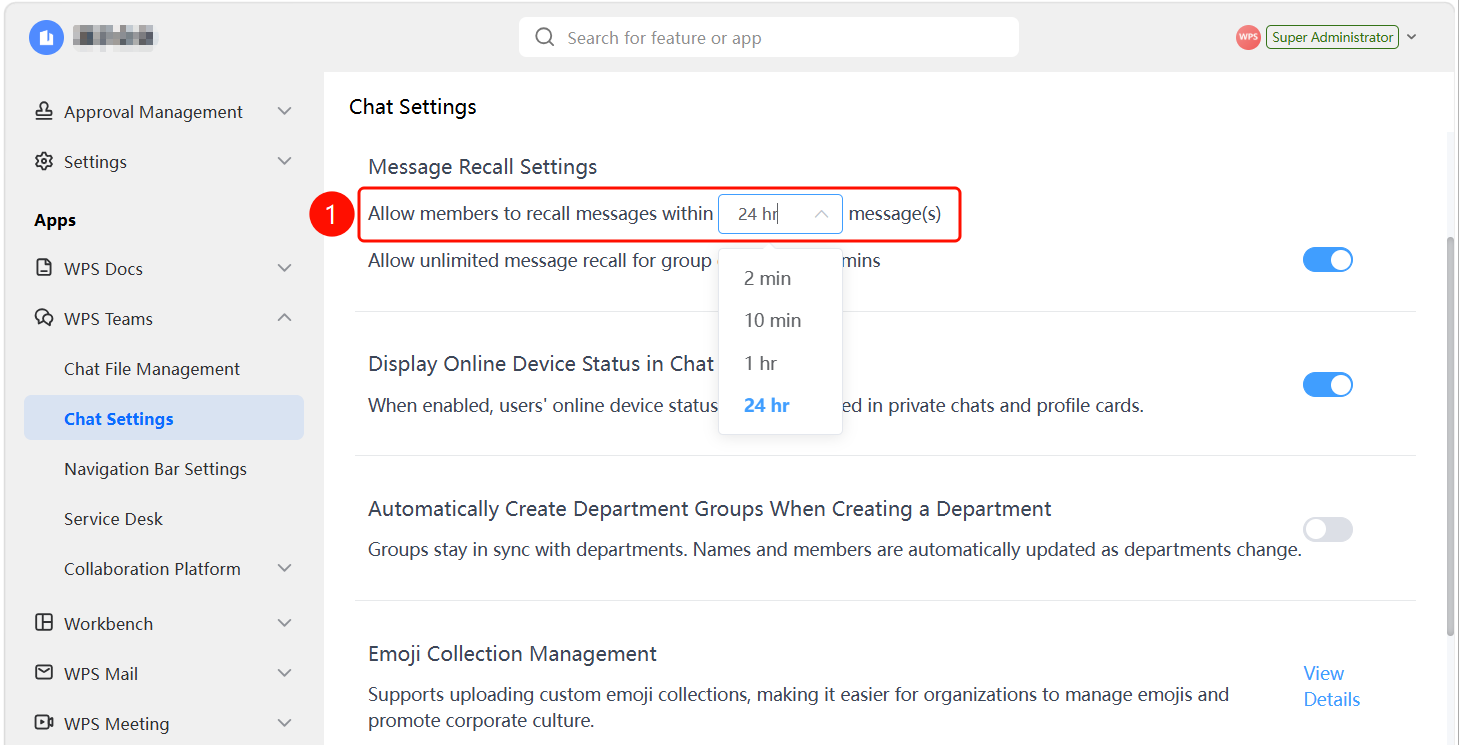
「Chat Message Settings」page → 「Message Recall Settings」area → 「Allow members to recall messages sent within」input box
- Enter the 「Chat Message Settings」 page
- In the 「Message Recall Settings」 area, find the 「Allow members to recall messages sent within」 configuration item
- Adjust the time limit for members to recall messages (default value is 24 hours). Options include:
- 2 minutes
- 10 minutes
- 1 hour
- 24 hours
Enable Group Owner and Group Admin Arbitrary Recall Permission
Feature Entry
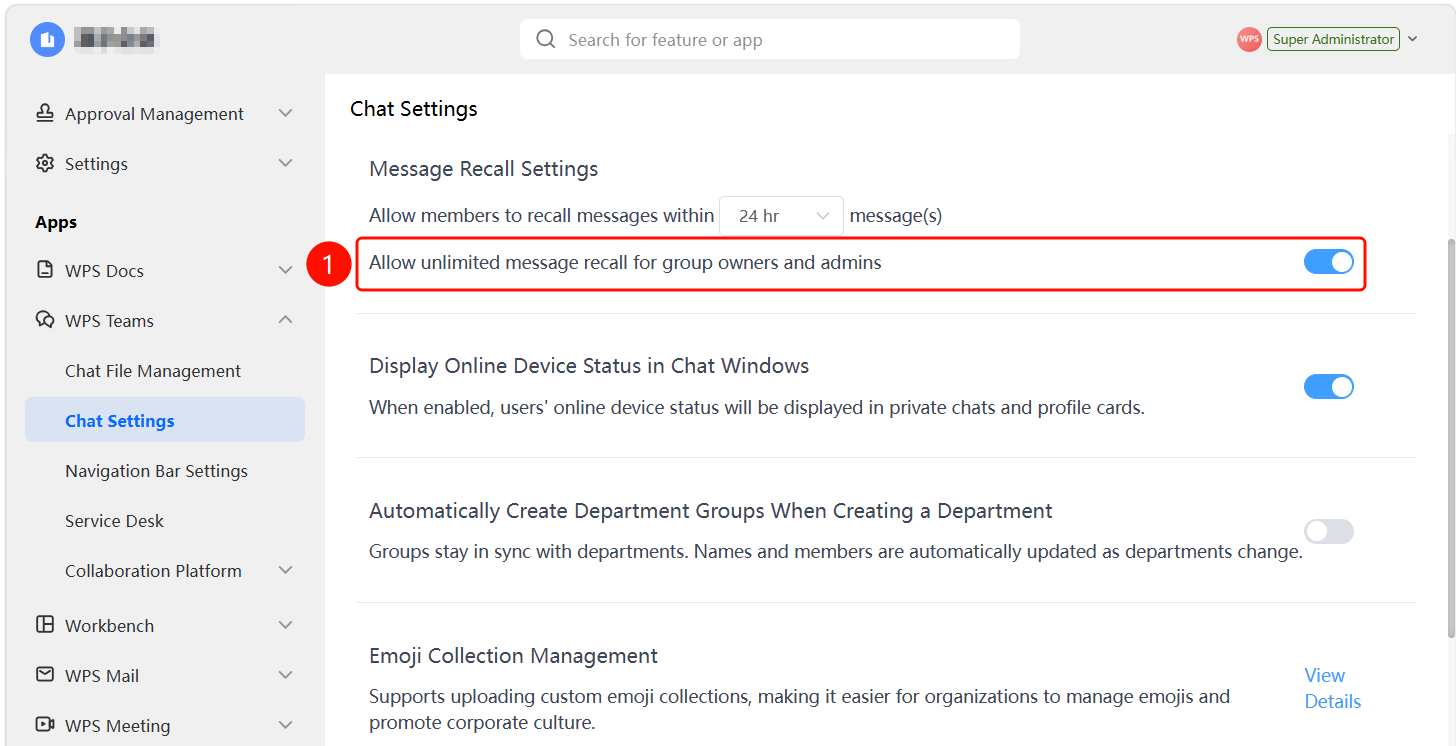
「Chat Message Settings」page → 「Message Recall Settings」area → 「Allow group owners and group admins to recall any message」checkbox
- Enter the 「Chat Message Settings」 page
- In the 「Message Recall Settings」 area, find the 「Allow group owners and group admins to recall any message (without time restrictions)」 configuration item
- Check the checkbox to enable the arbitrary recall permission for group owners and group admins
- Once enabled, group owners and group admins can recall any message sent by any member in the group, without time restrictions
- To disable, uncheck the checkbox
FAQ
Q1: Where is the entry for message recall settings?
- Solution: The entry path is: Organization Admin Office Document → WPS Collaboration → Chat Message Settings. Find the 「Message Recall Settings」area on the page to configure.
Q2: Can the time limit for member message recall be customized?
- Solution: Custom time limits are not supported, but admins can select a recall time limit from the input box based on organizational needs. It is recommended to set a reasonable time range according to the message security policy.
Q3: What are the restrictions for group owners and group admins recalling any message?
- Solution: After enabling 「Allow group owners and group admins to recall any message」, group owners and group admins can recall any message sent by any member in the group, without time restrictions, but this is limited to messages within the group scope.
Notes
- This feature is only available for organization admins; regular members cannot view the Office Document
- Once the member recall time limit is configured, it applies to the recall behavior of members in all group chats and Private chats
- The arbitrary recall permission for group owners and group admins only applies to group chats, not Private chats
- It is recommended to set a reasonable recall time limit to ensure flexibility in member message management while preventing excessive message recall