Feature Summary
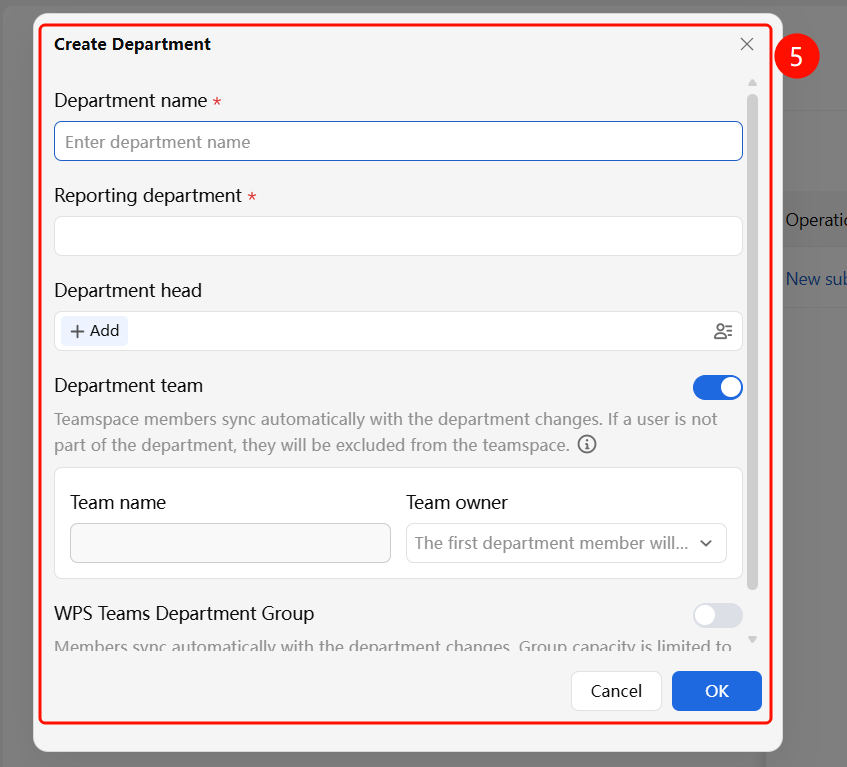
When creating a department, the system automatically creates an associated department teamspace and a WPS Teams department group. The members of the department teamspace and department group are automatically synced based on department personnel changes, eliminating the need for manual management.
Feature Description
| Feature Dimension | Description |
|---|---|
| Membership Restrictions | No membership restrictions |
| Version Restrictions | No version restrictions |
Steps
Access the Create Department Page
Feature Entry
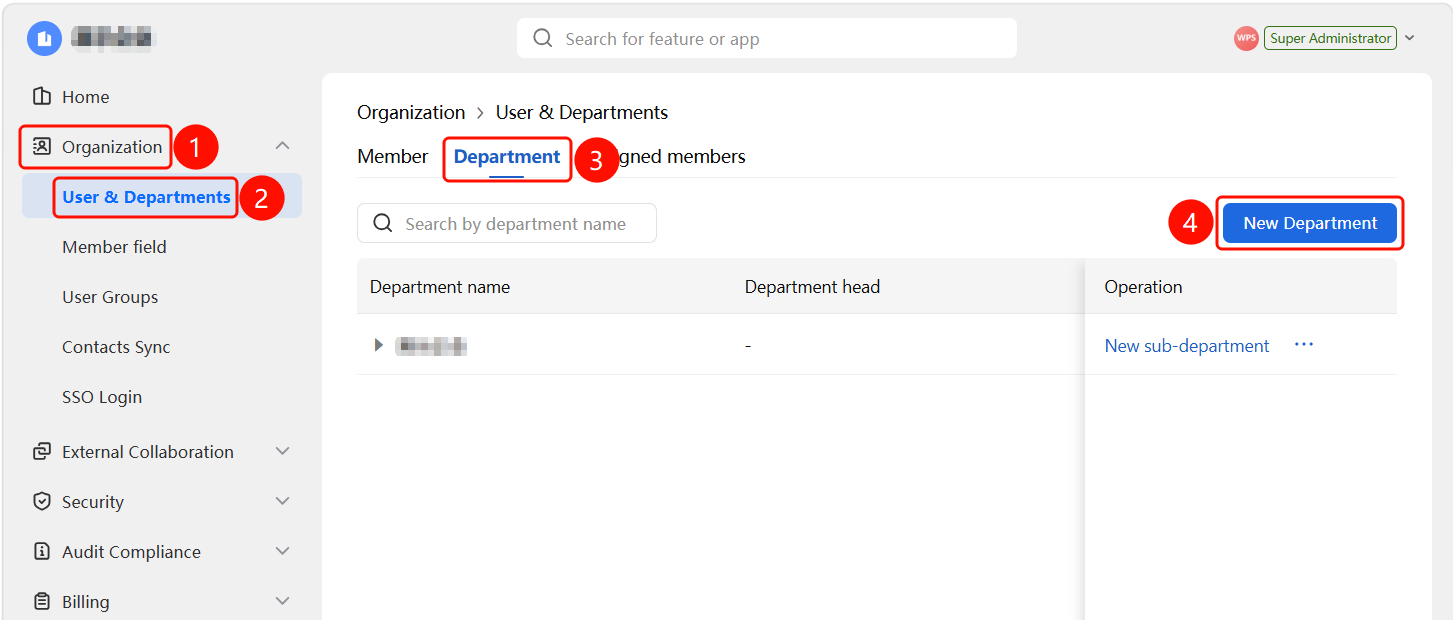
「Organization Office Document」page → 「Contacts」option → 「Organizational Structure」tab → 「New Department」button
- Sign in to 「WPS 365 Office Document」
- In the organization Office Document, click the 「Contacts」 option to expand the contacts management menu
- Click the 「Organizational Structure」 tab to enter the organizational structure management page
- Click the 「New Department」 button in the upper right corner to open the Create Department dialog box
Auto-Created Department Group
Feature Entry
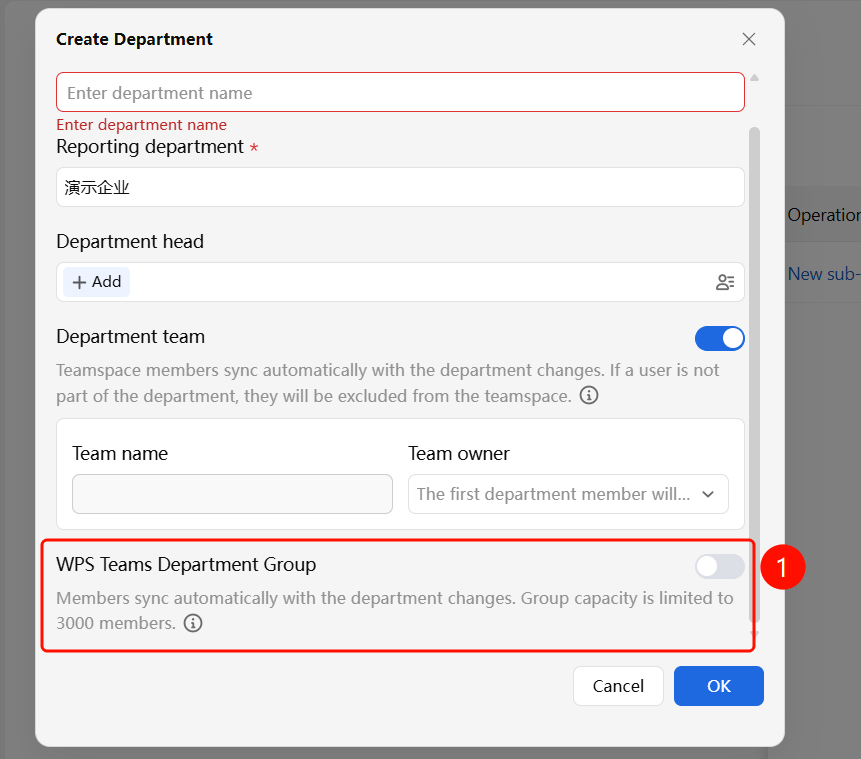
「Create Department」dialog box → 「WPS Teams Department Group」section
- When creating a department, the system automatically generates a WPS Teams department group
- The members of the department group are automatically synced based on department personnel changes, with a maximum group size of 3,000 members
FAQ
Q1: What is the maximum number of members in a department group?
- Solution: The maximum number of members in a WPS Teams department group is 3,000. If the number of department members exceeds this limit, the excess members cannot be automatically added to the department group.
Q2: How quickly does the department group sync after department member changes?
- Solution: Department group members are automatically synced based on department personnel changes. After adding or removing department members, the department group members are automatically updated without manual operation.
Notes
- The system automatically creates a department group when creating a department; no additional configuration is required
- WPS Teams department groups only support the addition of department personnel; non-department members cannot be added manually