Feature Summary
Message detail settings is a feature within the organization's Office Document chat message settings. It allows Admins to uniformly configure whether new message detail previews are displayed on each client. Detail previews are displayed by default.
Feature Description
| Feature Dimension | Description |
|---|---|
| Membership Restriction | No membership restriction |
| Version Restriction | No version restriction |
Steps
Access the Chat Message Settings Page
Feature Entry
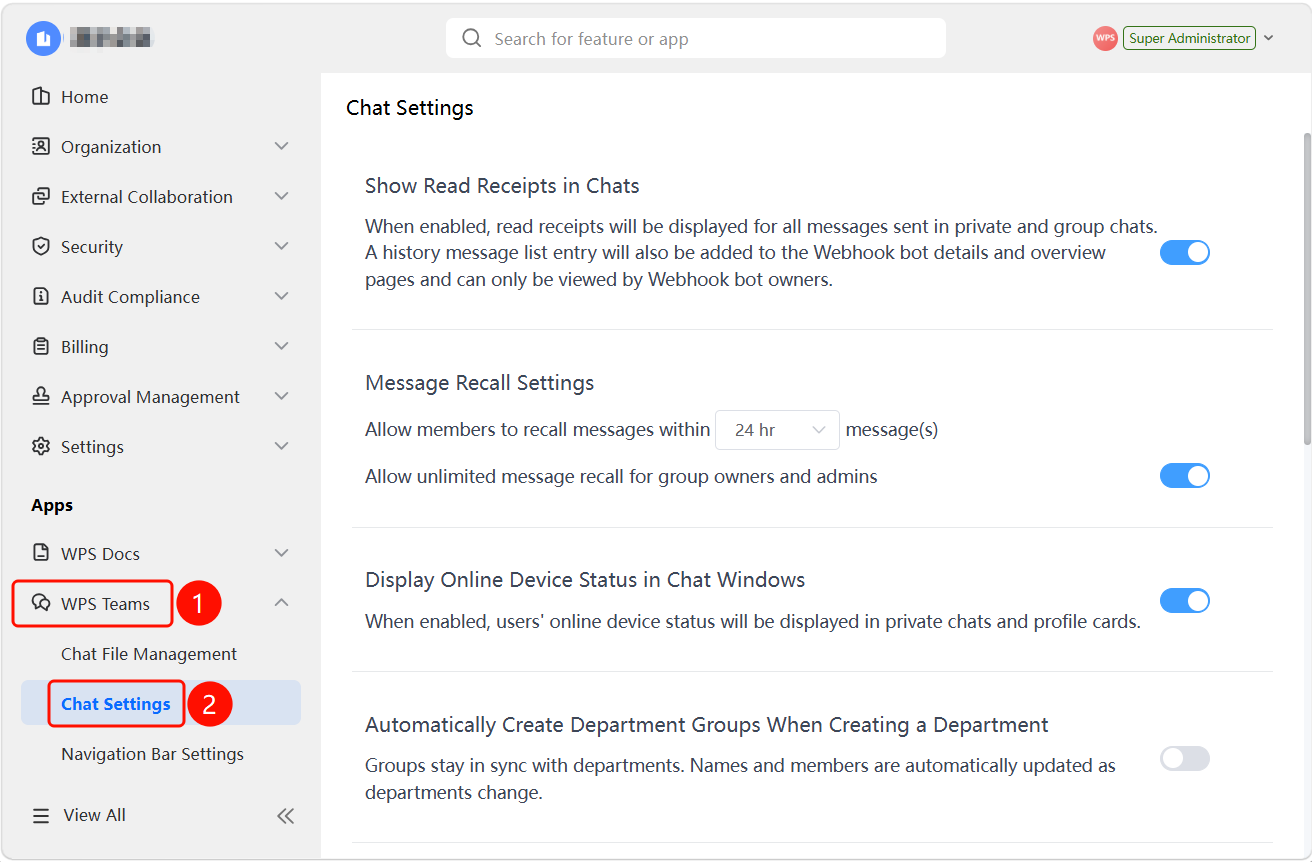
「Office Document」page → 「WPS Collaboration」option → 「Chat Message Settings」option
- Sign in to 「Office Document」
- In the left navigation bar, click the 「WPS Collaboration」 option to expand the collaboration management menu
- Click the 「Chat Message Settings」 option to enter the chat message settings page
Configure Message Preview Settings
Feature Entry
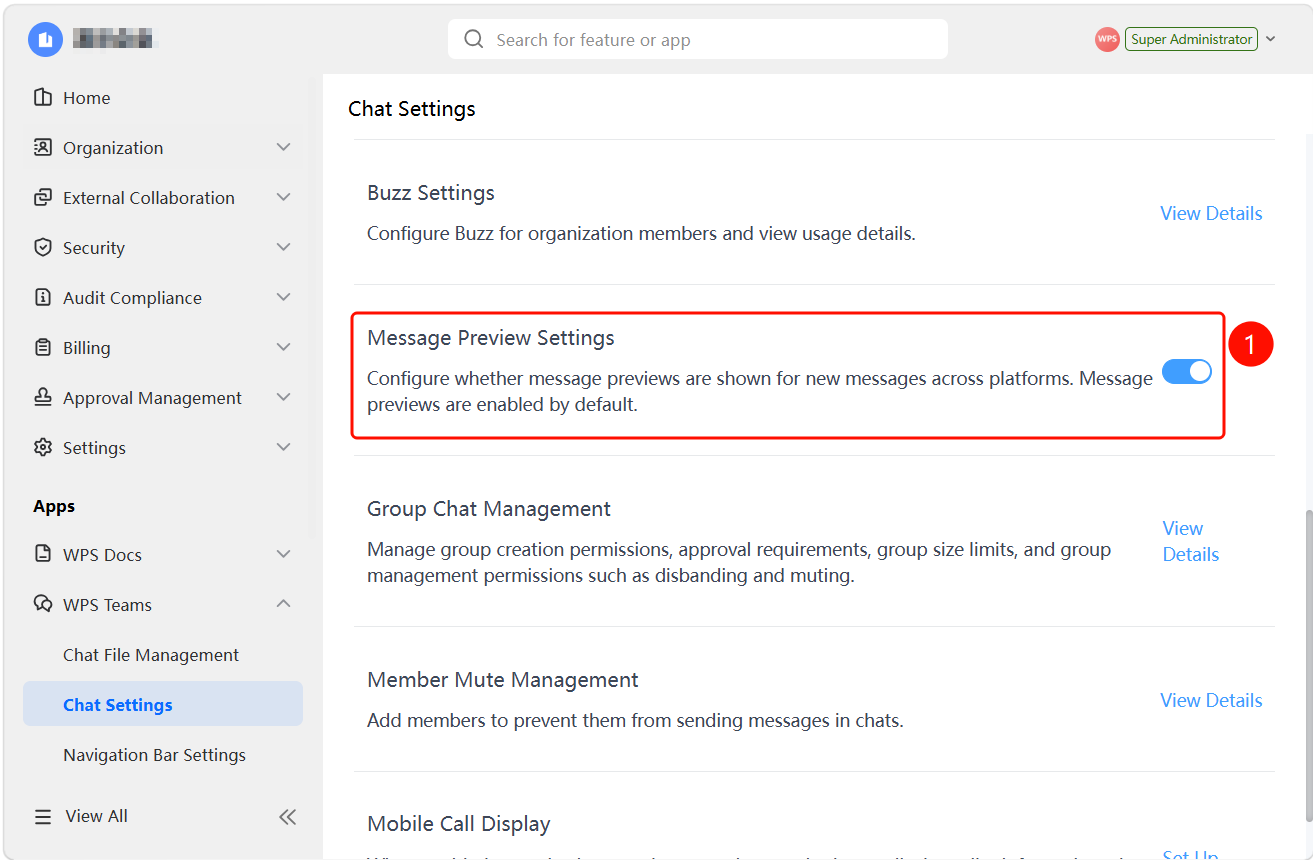
「Chat Message Settings」page → 「Message Preview Settings」toggle
- Enter the 「Chat Message Settings」 page
- Find the 「Message Preview Settings」 configuration item
- Turn the toggle switch on the right on or off
- On: New message detail previews will be displayed on each client (on by default)
- Off: New message detail previews will not be displayed on each client; only prompts such as 'New Message' will be shown
- Changes take effect immediately
FAQ
Q1: Where is the entry for message detail settings?
- Solution: The entry path is: Office Document → WPS Collaboration → Chat Message Settings. Find 「Message Detail Settings」in the configuration item list to configure.
Q2: Which clients are affected by this configuration?
- Solution: This configuration affects all clients (Windows, Mac, iOS, Android, etc.). Once turned on or off, the display method for new messages will be uniformly adjusted across all clients.
Notes
- This feature is only available to organization Admins; regular members cannot access the Office Document
- Message detail settings affect the message preview display on all clients, including desktop and mobile
- When message details are turned off, members cannot directly preview message content in the notification bar or message list and must click to enter the chat page to view
- This feature is on by default; turn it off as needed