Feature Summary
Service desk management is a feature within the organization's Office Document, allowing organization Admins to centrally view and manage all service desks and their push requests within the organization, including operations such as review, search, and status filtering.
Feature Description
| Feature Dimension | Description |
|---|---|
| Membership Restriction | No membership restriction |
| Version Restriction | No version restriction |
Operation Steps
Accessing the Service Desk Management Page
Feature Entry
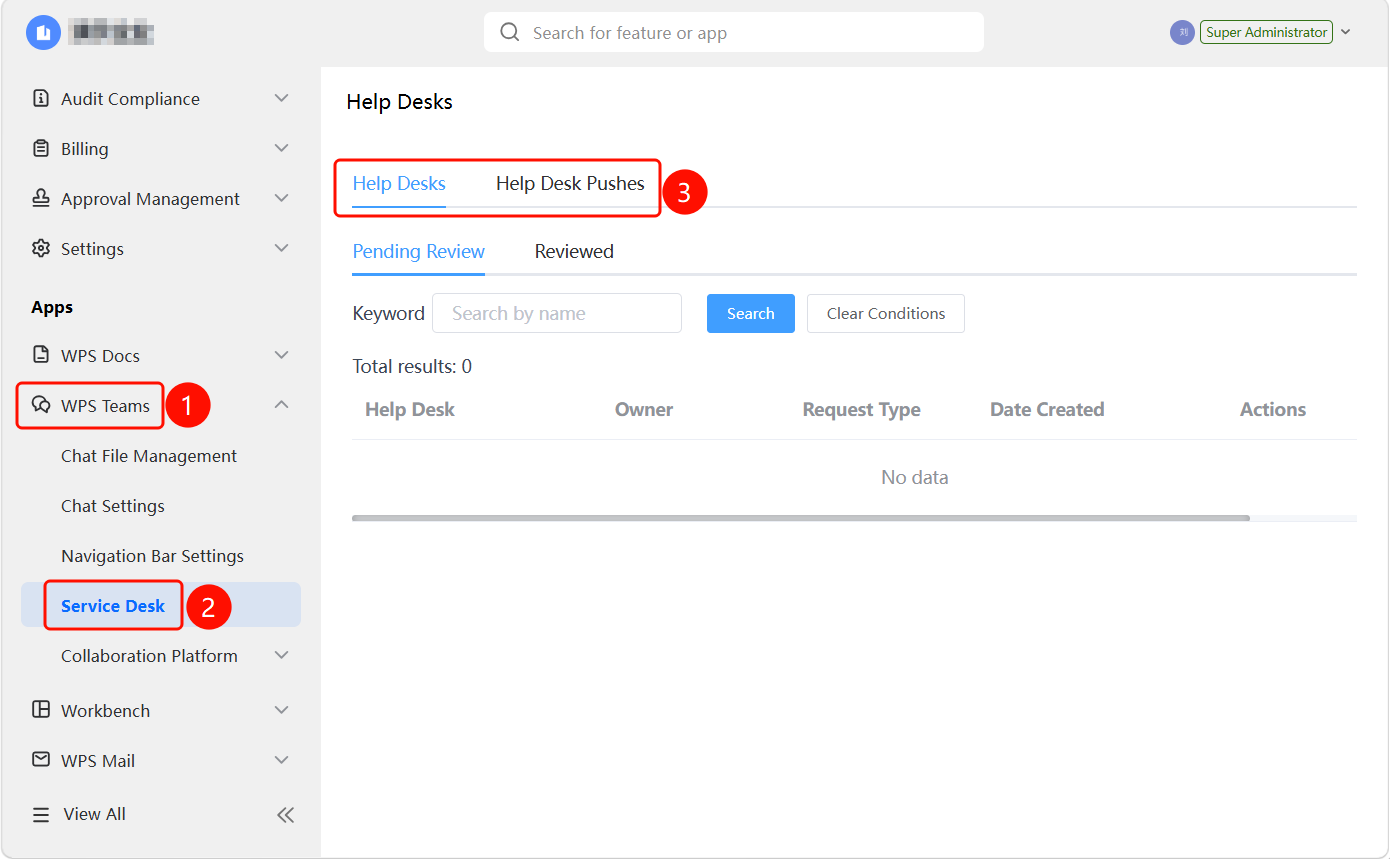
「Organization Office Document」page → 「WPS Collaboration」option → 「Service Desk Management」option
- Sign in to 「Organization Office Document」
- Click the 「WPS Collaboration」 option to expand the collaboration management menu
- Click the 「Service Desk Management」 option to enter the service desk management page
- Two tabs are displayed at the top of the page: the 「Service Desk Management」 tab and the 「Service Desk Push Management」 tab
Service Desk Management List
Feature Entry
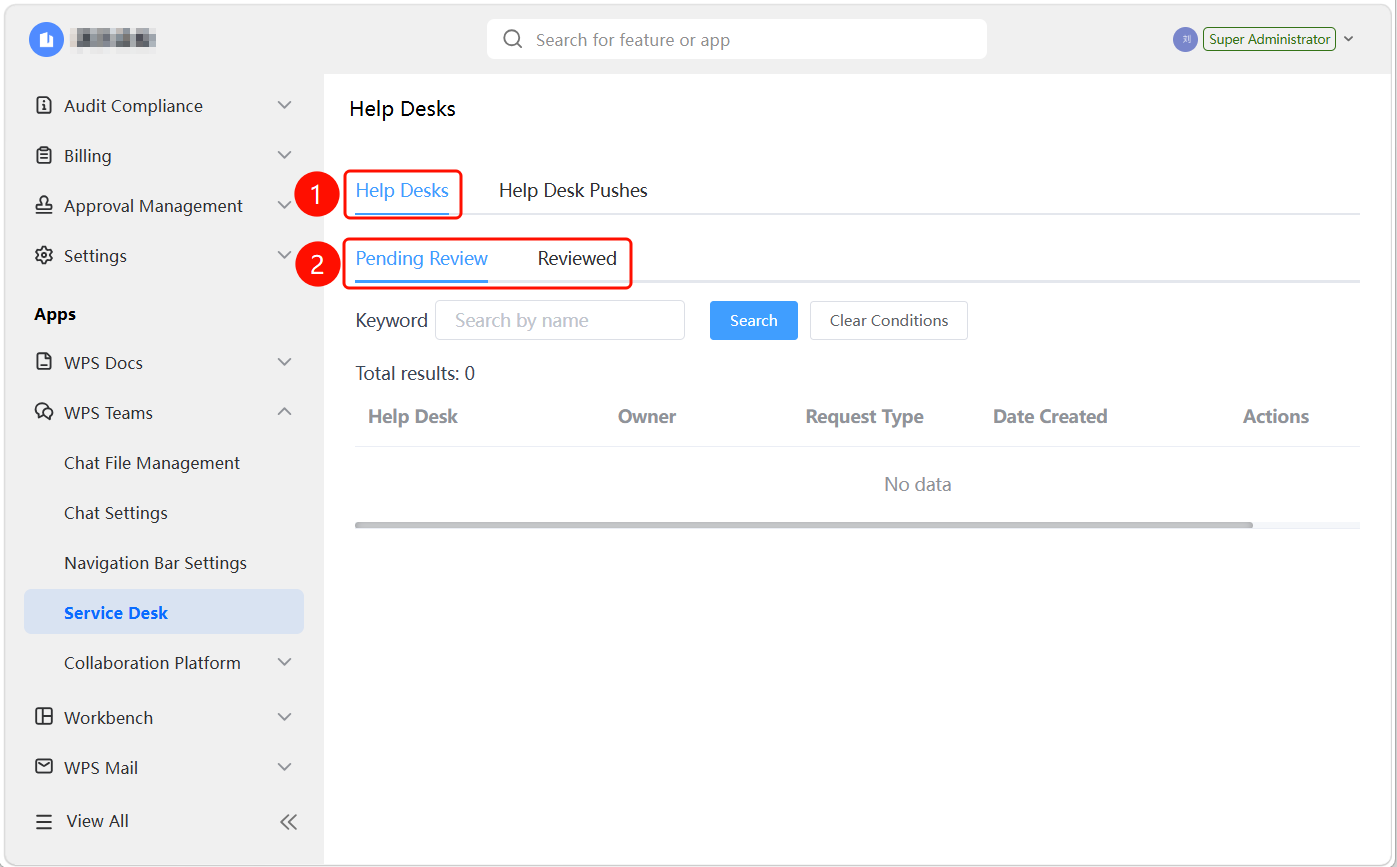
「Service Desk Management」page → 「Help Desks」tab
- Enter the 「Service Desk Management」 page; the content of the 「Help Desks」 tab is displayed by default
- You can switch to view applications in different statuses:
- 「Pending Review」 tab: View service desk applications pending review
- 「Reviewed」 tab: View reviewed service desk applications
Service Desk Push Management List
Feature Entry
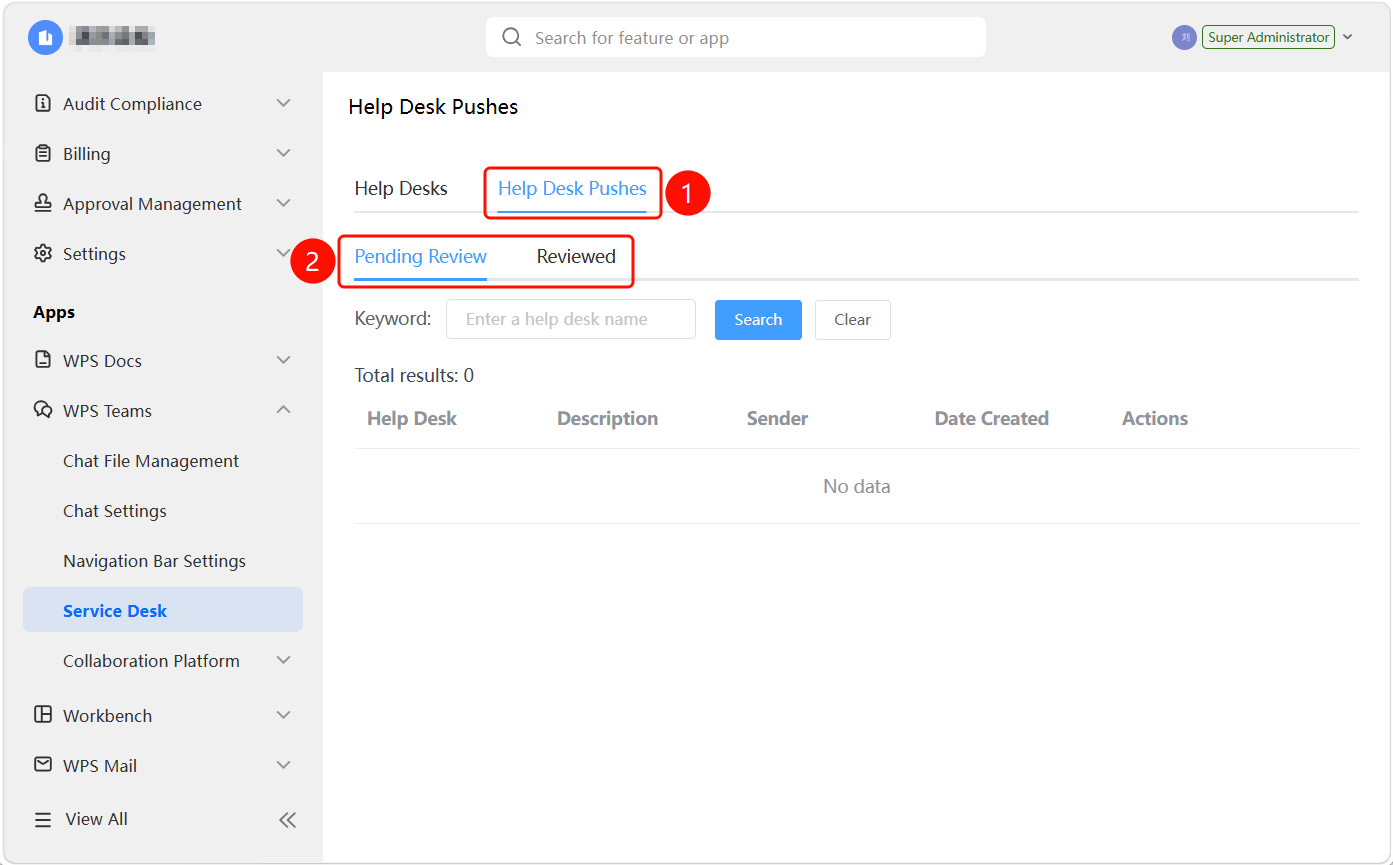
「Service Desk Management」page → 「Help Desk Pushes」tab
- Enter the 「Service Desk Management」 page
- Click the 「Help Desk Pushes」 tab to switch to the push request management page
- You can switch to view push requests in different statuses:
- 「Pending Review」 tab: View service desk push requests pending review
- 「Reviewed」 tab: View reviewed service desk push requests
FAQ
Q1: What is the difference between Service Desk Management and Service Desk Push Management?
- Solution: Service Desk Management is used to view the creation applications and running status of all service desks within the organization, supporting review and detail viewing; Service Desk Push Management is used to view the approval status and push status of push requests initiated by service desks, supporting review of push content.
Q2: What are the statuses of a service desk?
- Solution: Service desk statuses include Enabled (running normally), Disabled (service suspended), and Admin Disabled (disabled by organization Admin). Organization Admins can view the current status of each service desk in the service desk management list.
Q3: What are the approval statuses for push requests?
- Solution: The approval statuses for push requests include Pending Review (waiting for Admin approval), Reviewed (Admin has completed approval), etc. After approval, the push will be automatically published.
Notes
- This feature is only available to organization Admins; regular members cannot view the Office Document
- The entry path for service desk management is: Organization Office Document → WPS Collaboration → Service Desk Management
- Push requests require Admin approval before publishing to ensure the compliance of push content