Feature Summary
Enhance images in PDF documents to high definition for improved visual effects.
Feature Description
| Feature Dimension | Description |
|---|---|
| Membership Requirement | Requires a subscribe to membership |
| Version Restriction | No version restriction |
Steps
HD Enhancement
Feature Entry
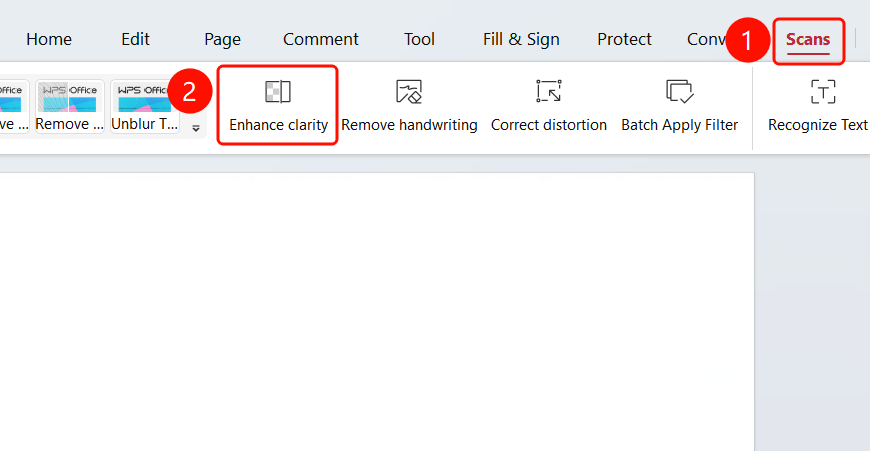
「Scan」tab → 「HD Enhancement」button
- Open the PDF file you want to enhance to HD
- Click the 「Scan」 tab in the top menu bar
- Click the 「HD Enhancement」 button in the feature area
FAQ
Q1: What does HD Enhancement do?
- Solution: HD Enhancement improves image resolution and clarity, making images appear sharper.
Q2: Can HD Enhancement be undone?
- Solution: Yes, you can undo the HD Enhancement operation by using
Ctrl+Z.
Q3: Does HD Enhancement affect file size?
- Solution: It may increase the file size because the image resolution is improved.
Notes
- HD Enhancement will improve the resolution and clarity of images
- HD Enhancement operations can be undone
- It may increase the PDF file size