Feature Summary
When you need to quickly create an online collaborative document, the New AirPage feature supports one-click creation of a blank AirPage through multiple entry points. The document is automatically saved to the Cloud and can be collaboratively edited in real time across multiple devices without manual saving.
Feature Description
| Feature Dimension | Description |
|---|---|
| Membership Restriction | No membership restriction (cannot create new when Cloud space is full; need to clean up or subscribe to a membership) |
| Version Restriction | No version restriction |
Operation Steps
Create via the New Button on the Homepage
Feature Entry
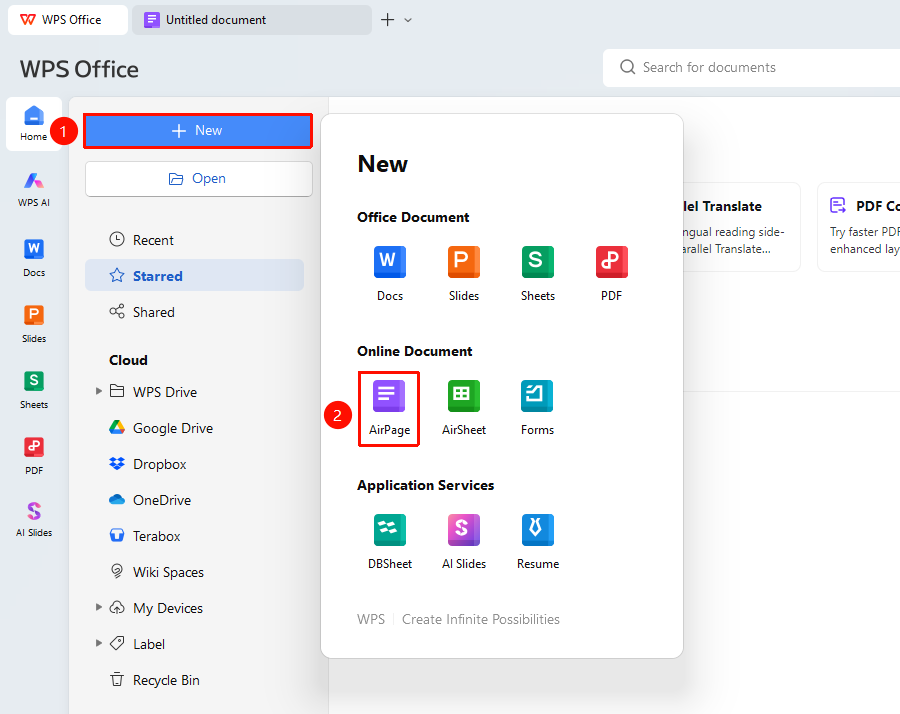
WPS Homepage → "New" button (+) → "AirPage" option
- Open WPS Office and go to the Homepage interface
- Click the "+" New button at the top of the page
- In the pop-up new panel, select "AirPage" to create a blank AirPage and enter the editing interface
Create via the File Menu
Feature Entry
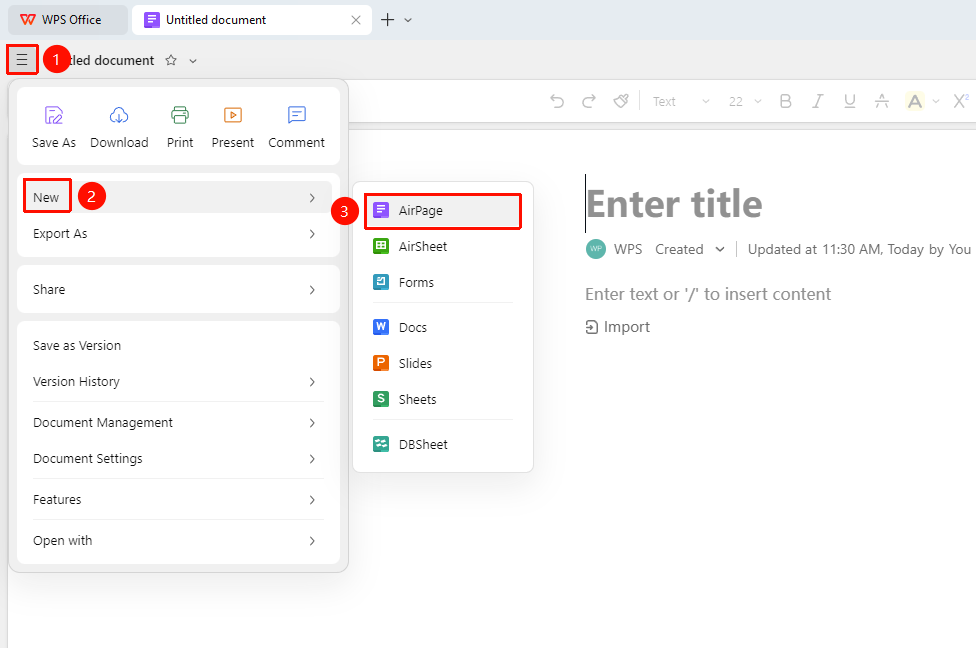
"File" menu → "New" → "AirPage"
- Open any existing AirPage
- Click the "File" menu in the upper left corner
- Select the "New" dropdown list
- Then select "AirPage" to create a new one
Create in WPS Drive
Feature Entry
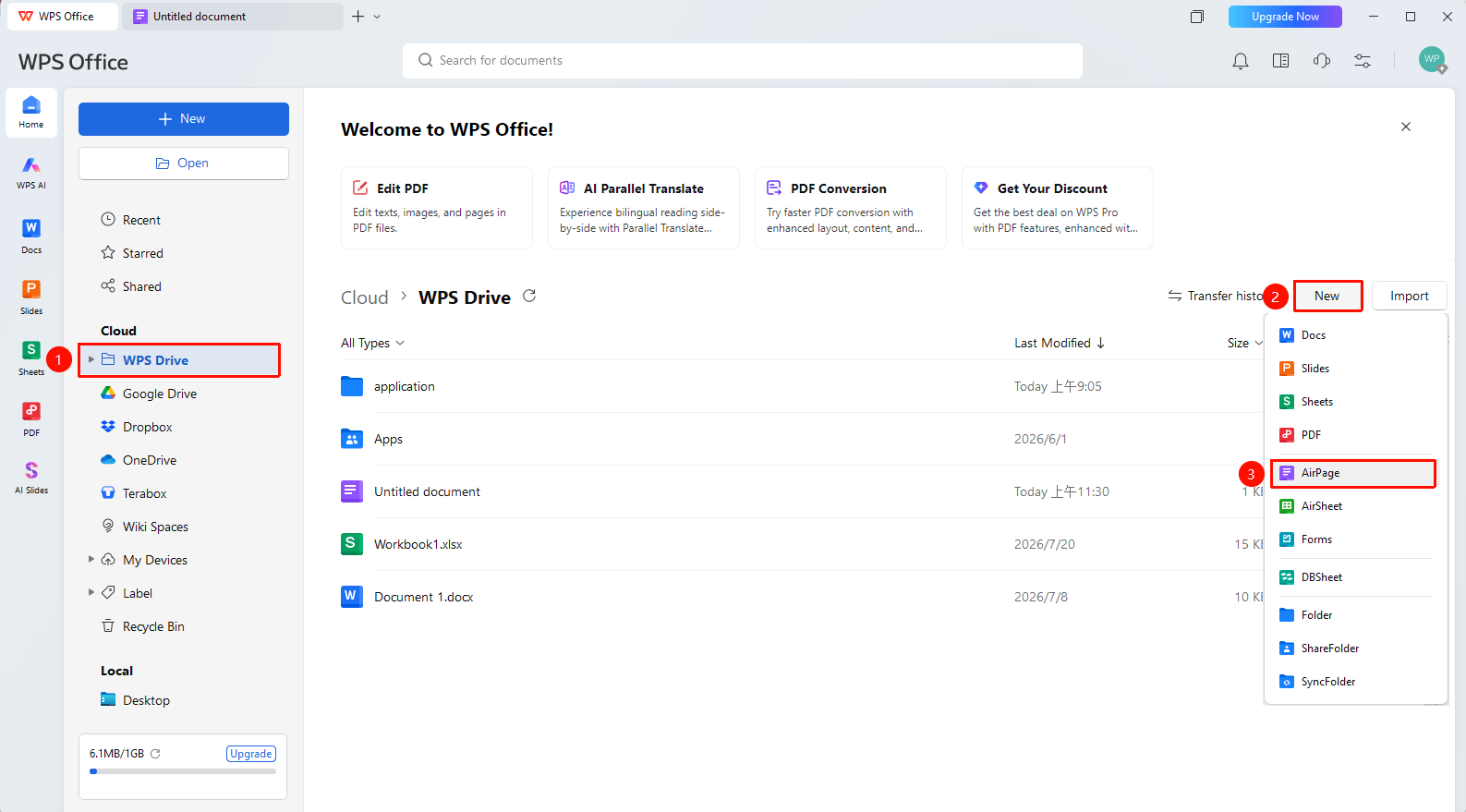
WPS Homepage → "WPS Drive" → Enter any folder → "New" button in the upper right → "AirPage"
- Enter "WPS Drive" from the Homepage
- Open the target folder
- Click the New button in the upper right of the folder
- Select to create "AirPage", and the document will be saved in the current folder
Create via Right-Click
Feature Entry
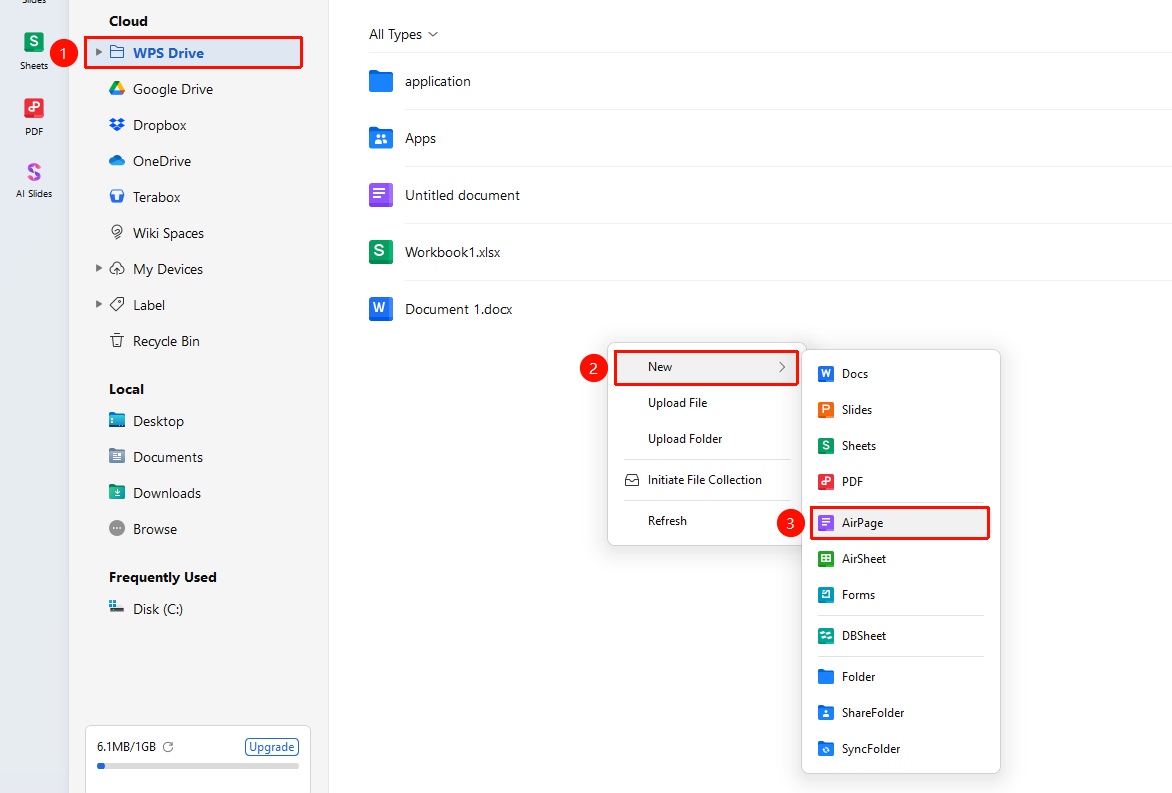
WPS Homepage → "WPS Drive" → Enter any folder → Right-click "New" button → "AirPage" option
- Enter "WPS Drive" from the Homepage
- Open the target folder
- Right-click in a blank area of the folder and select New from the menu
- Select to create "AirPage", and the document will be saved in the current folder
FAQ
Q1: What should I do if it prompts that Cloud space is full and cannot create a new AirPage?
- Solution: AirPage occupies the account's Cloud space capacity. When Cloud space is full, you cannot create new ones. Please go to "WPS Drive" to clean up unnecessary files to free up space, or subscribe to a membership to get more Cloud space capacity, after which you can create normally.
Q2: Can others see the newly created AirPage?
- Solution: A newly created AirPage is visible only to the creator by default. If you need to share and collaborate, click the "Share" button in the upper right corner, and set the sharing target and permissions. You can set view/comment/edit permissions, and also share with others via a link.
Notes
- Creating a new AirPage requires a network connection, and the document will be automatically saved to the Cloud
- Cannot create new when Cloud space is full; need to clean up or upgrade membership
- The default permission for a new document is "Only the creator can view"; you need to manually enable sharing to adjust sharing settings