Feature Summary
Creating a new DBSheet is the first step in building a brand-new data management workflow. It supports starting from a blank sheet or quickly creating one by selecting a scenario-based template from the template library. Core capabilities include:
- Build a blank data sheet from scratch
- Create with one click by selecting a template from the rich template library
- Support importing and creating from an Excel file
Feature Description
| Feature Dimension | Description |
|---|---|
| Membership Restriction | No membership restriction |
| Version Restriction | No version restriction |
Operation Steps
Create a New DBSheet from Blank
Feature Entry
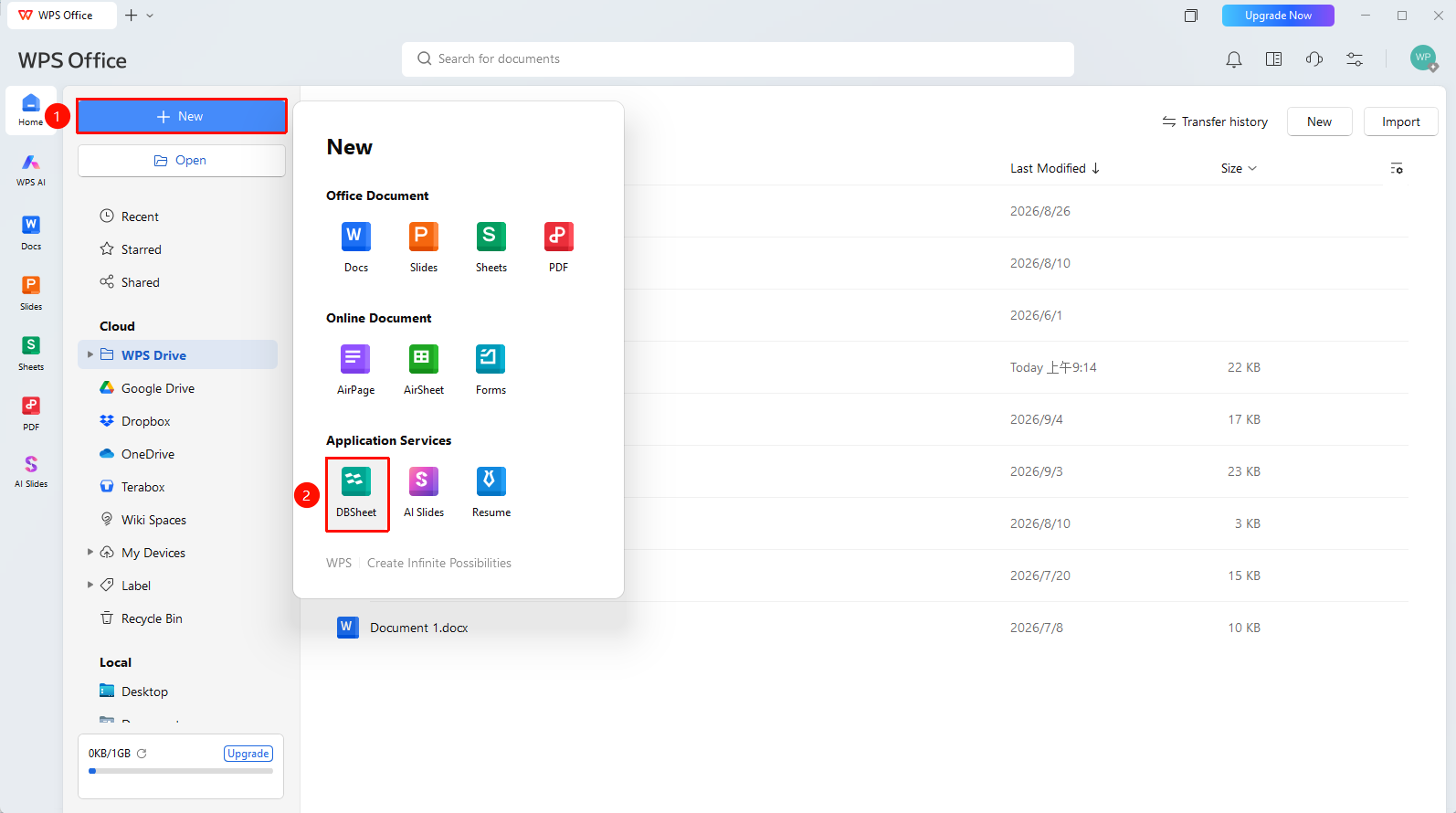
「New」button → 「DBSheet」option
- Open the WPS homepage and click the 「New」 button in the upper left corner of the page
- Select DBSheet from the pop-up menu
- Click to complete the creation
FAQ
Q1: What is the difference between DBSheet and traditional Sheets?
- Solution: DBSheet supports rich field types (single select, multi-select, linked records, formulas, etc.) and multiple view effects (Sheets, Kanban, Gantt, etc.), making it more suitable for structured data management and multidimensional analysis; traditional Sheets are more suitable for simple data entry and calculation.
Q2: How to adjust fields after creating a new DBSheet?
- Solution: After the DBSheet is created, you can directly click the plus sign at the header to add a new field, or right-click the field name to modify the field type, rename, delete the field, etc. All modifications are automatically saved in real time.
Notes
- DBSheet data is stored in the cloud and automatically saved in real time; no manual saving is required
- When importing from Excel, it is recommended to check whether the data format is standardized first to avoid garbled characters or format errors