Feature Summary
The Document Information feature allows you to view the basic properties of a DBSheet, including file name, creation time, modification time, storage location, etc., helping users fully understand the basic information of the document.
Feature Description
| Feature Dimension | Description |
|---|---|
| Membership Restriction | No membership restriction |
| Version Restriction | No version restriction |
Operation Steps
View Document Information
Feature Entry
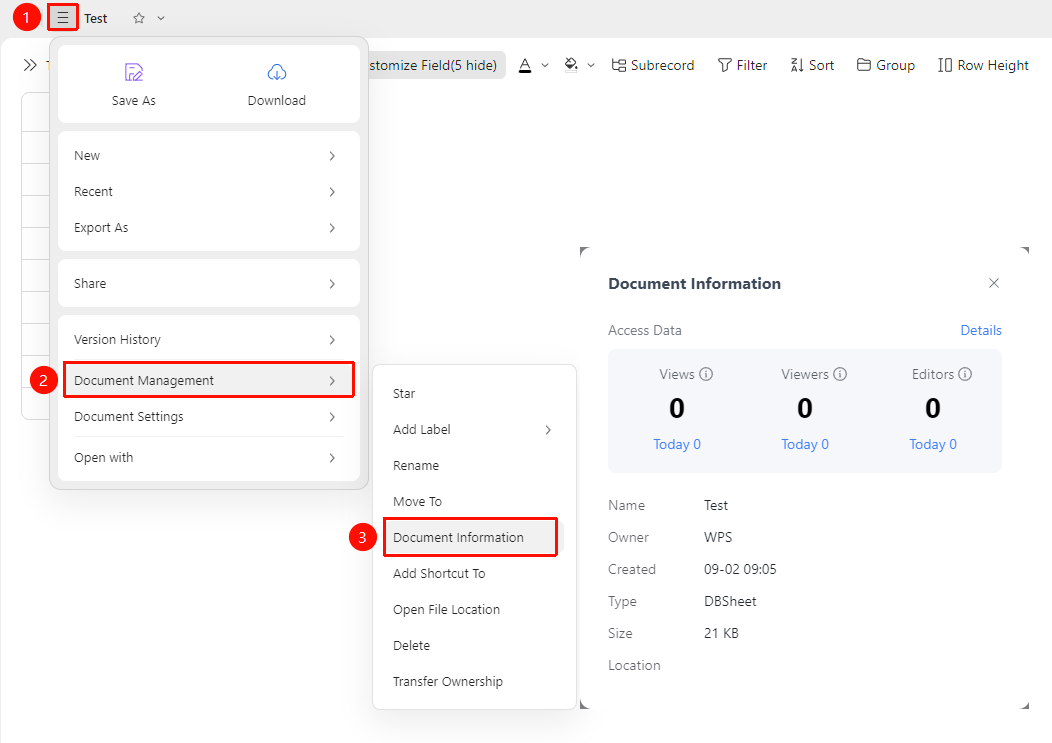
Top-left 「☰」 File Operation Tab → 「Document Management」 → 「Document Information」
- Open the DBSheet
- Click the ☰ (three horizontal lines) File Operation Tab in the top-left corner of the document
- Select 「Document Management」 → 「Document Information」 from the menu
- You can then view 「Access Data」 and 「Basic Information」
View Document Basic Information
Feature Entry
「Document Information Panel」
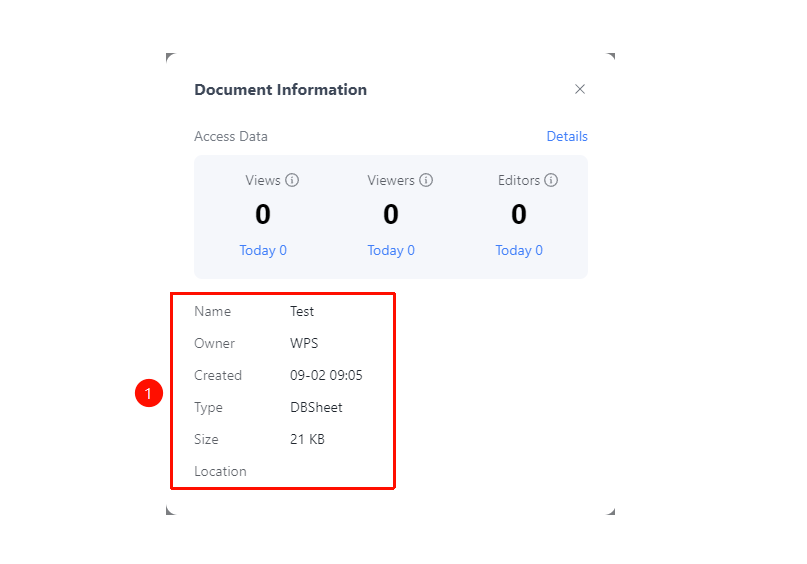
- The Document Information Panel displays the 「Basic Information」 tab
- View file name, owner, creation time, document type, document size, storage location, etc.
View Document Access Data
Feature Entry
「Document Information Panel」 → 「Access Data」 Tab
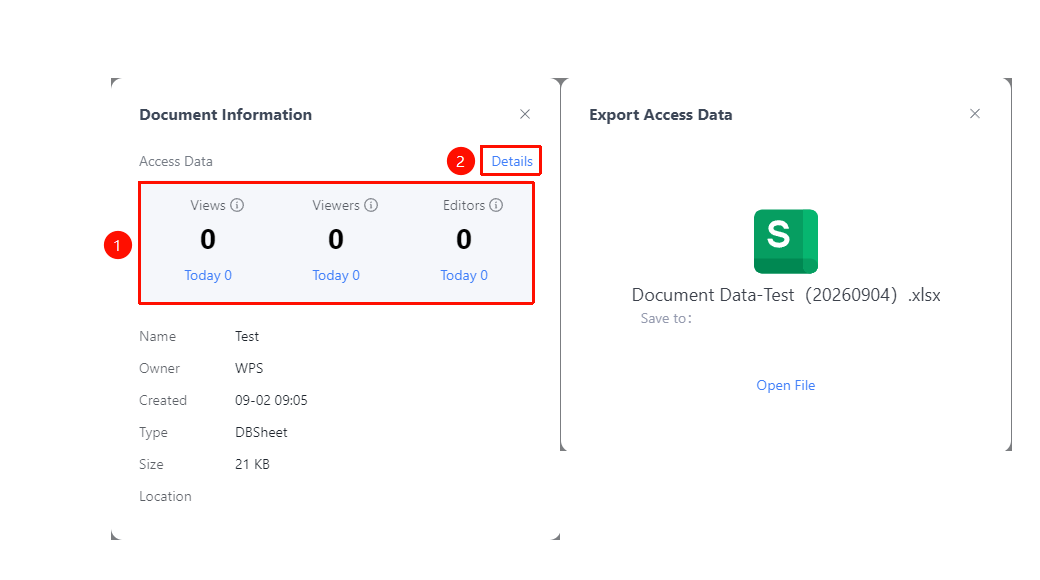
- View the number of views, viewers, and editors for the current document
- Supports viewing cumulative totals and today's totals
- Click 「Detailed Records」 to export detailed access data
FAQ
Q1: The document size displayed in Document Information is inaccurate
- Solution: The document size of a DBSheet includes the total of all resources such as data content, attachments, images, etc. If the size appears abnormal, try refreshing the page to reload.
Q2: Does the document size displayed in Document Information include historical versions?
- Solution: No, it does not. The document size of a DBSheet includes the total of all resources such as data content, attachments, images, etc. Historical versions require additional Drive space.
Notes
- The storage size statistics of a DBSheet include the total of all data tables, dashboards, attachments, and other content
- The Document Information Panel retrieves the latest data each time it is opened
- Access data helps to understand the popularity of the document
- Data export is supported for further analysis