Feature Summary
The Date field is one of the basic field types in a multidimensional table, used to record date information. It supports multiple date formats and default value settings, and is suitable for scenarios requiring time management, such as project deadlines, creation times, and task scheduling.
Feature Description
| Feature Dimension | Description |
|---|---|
| Membership Restriction | No membership restriction |
| Version Restriction | No version restriction |
Operation Steps
Create a New Date Field
Feature Entry
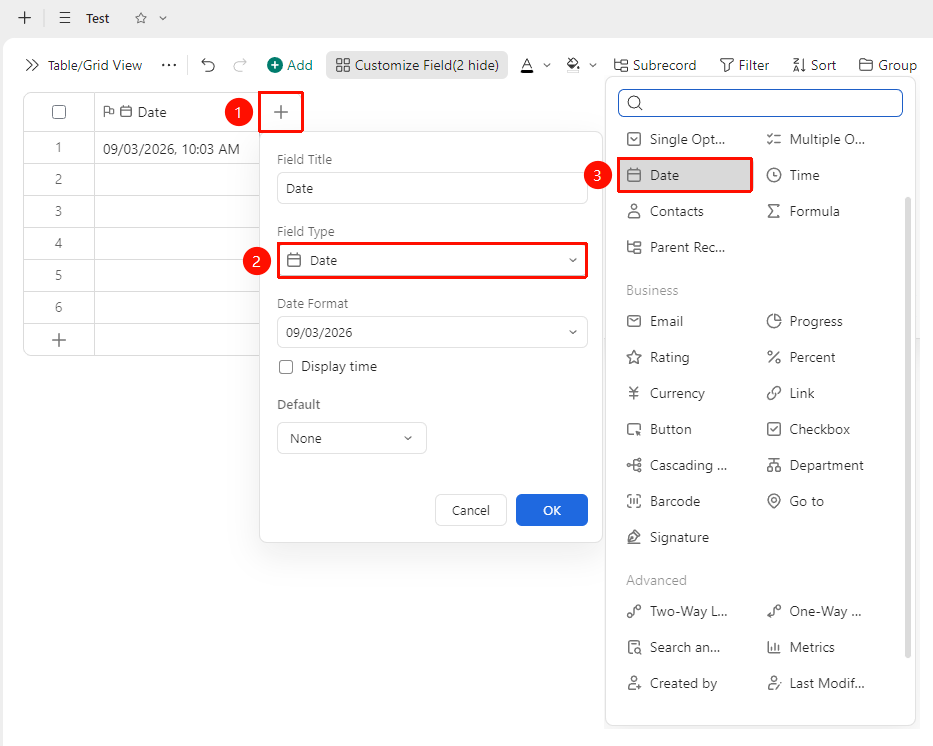
Right side of the table header "+" button → "Date" field
- Click the "+" button on the right side of the table header
- Select the "Date" field from the pop-up field type list
- Enter the field name and click "OK" to complete the creation
Set Date Format
Feature Entry
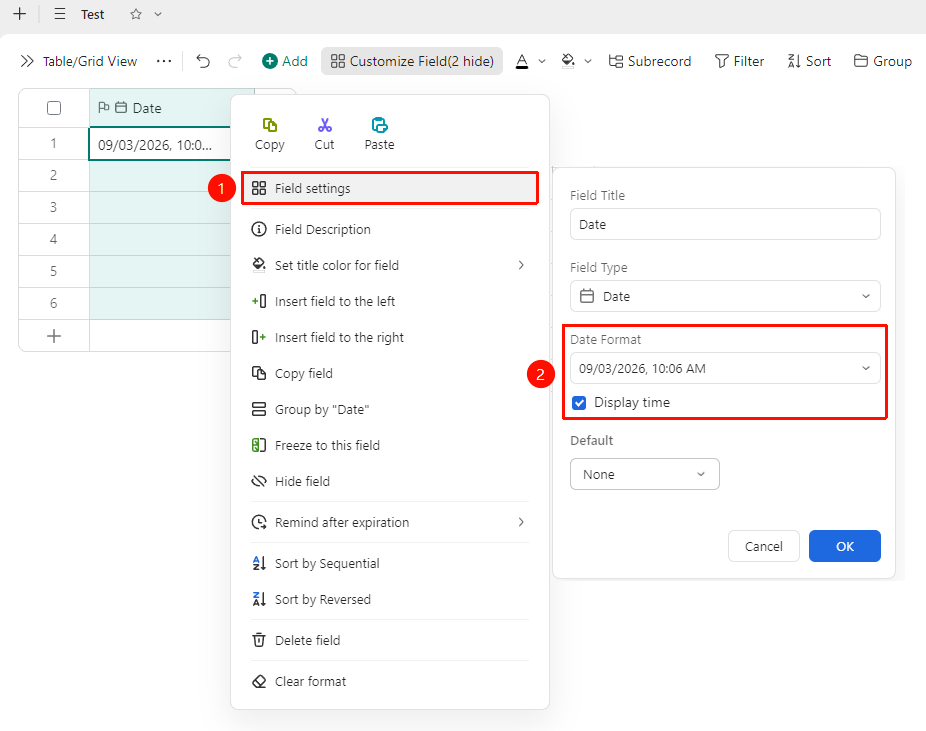
Right-click "Field Title" → "Field Settings" → "Date Format" area
- Right-click the date field title and select "Field Settings"
- In the "Date Format" area, you can configure the following options:
- Display Time: When checked, the specific hour and minute information will be recorded synchronously, e.g.,
2026/05/26 17:30
Set Default Value
Feature Entry
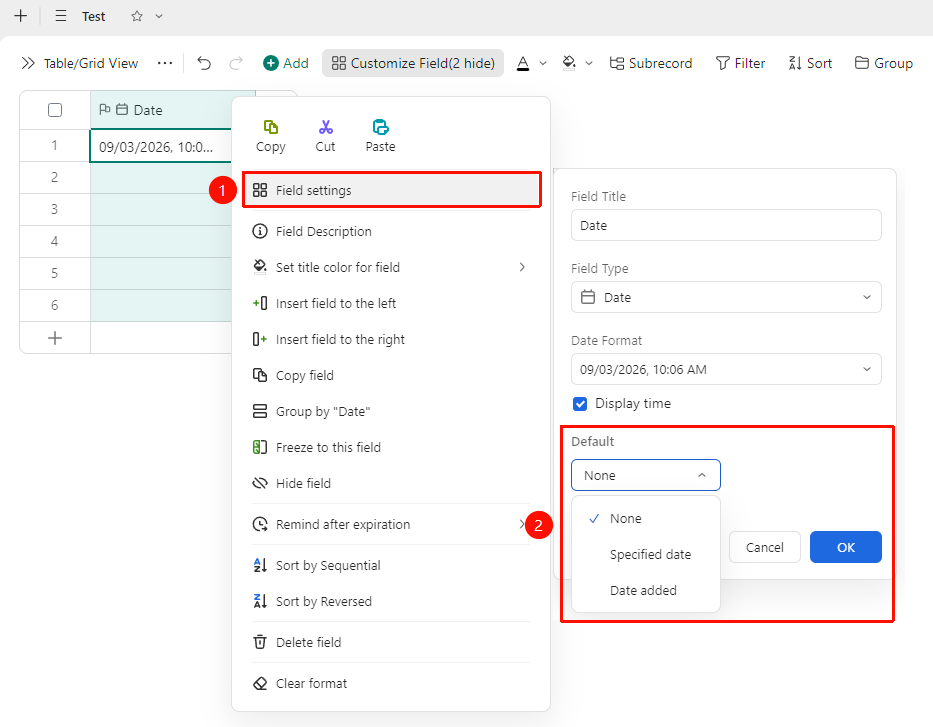
Right-click "Field Title" → "Field Settings" → "Default Value" option
- Right-click the date field title and select "Field Settings"
- In the "Default Value" option, you can choose:
- None: No date is preset, and new records are left blank
- Specified Date: New records are automatically filled with a fixed date value
- Date When This Record is Added: New records are automatically filled with the date of creation
Enter a Date
Feature Entry
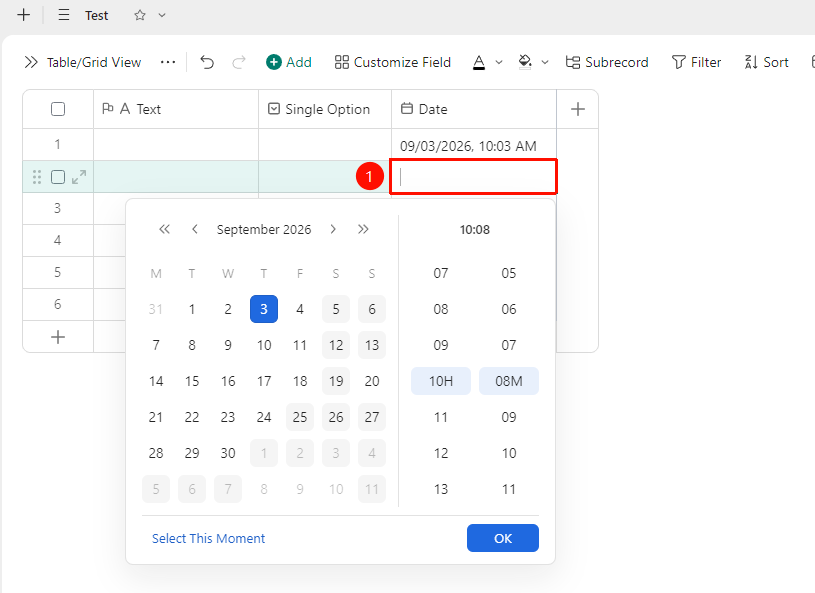
"Target Cell" → Pop-up date picker → Select date
- Click the target cell, and the system will pop up the date picker
- Click the target date in the Calendar panel
- If Show Time is enabled, you also need to set the specific hour and minute via the time slider
Notes
- Among the advanced fields, there are also "Created Time" and "Last Modified Time" automatic fields for tracing record times