Feature Summary
The Follow Document Update feature allows you to receive notifications when a document is changed, keeping you informed of document activity in a timely manner.
Feature Description
| Feature Dimension | Description |
|---|---|
| Membership Restriction | No membership restriction |
| Version Restriction | No version restriction |
Steps
Follow Document Updates
Feature Entry ①
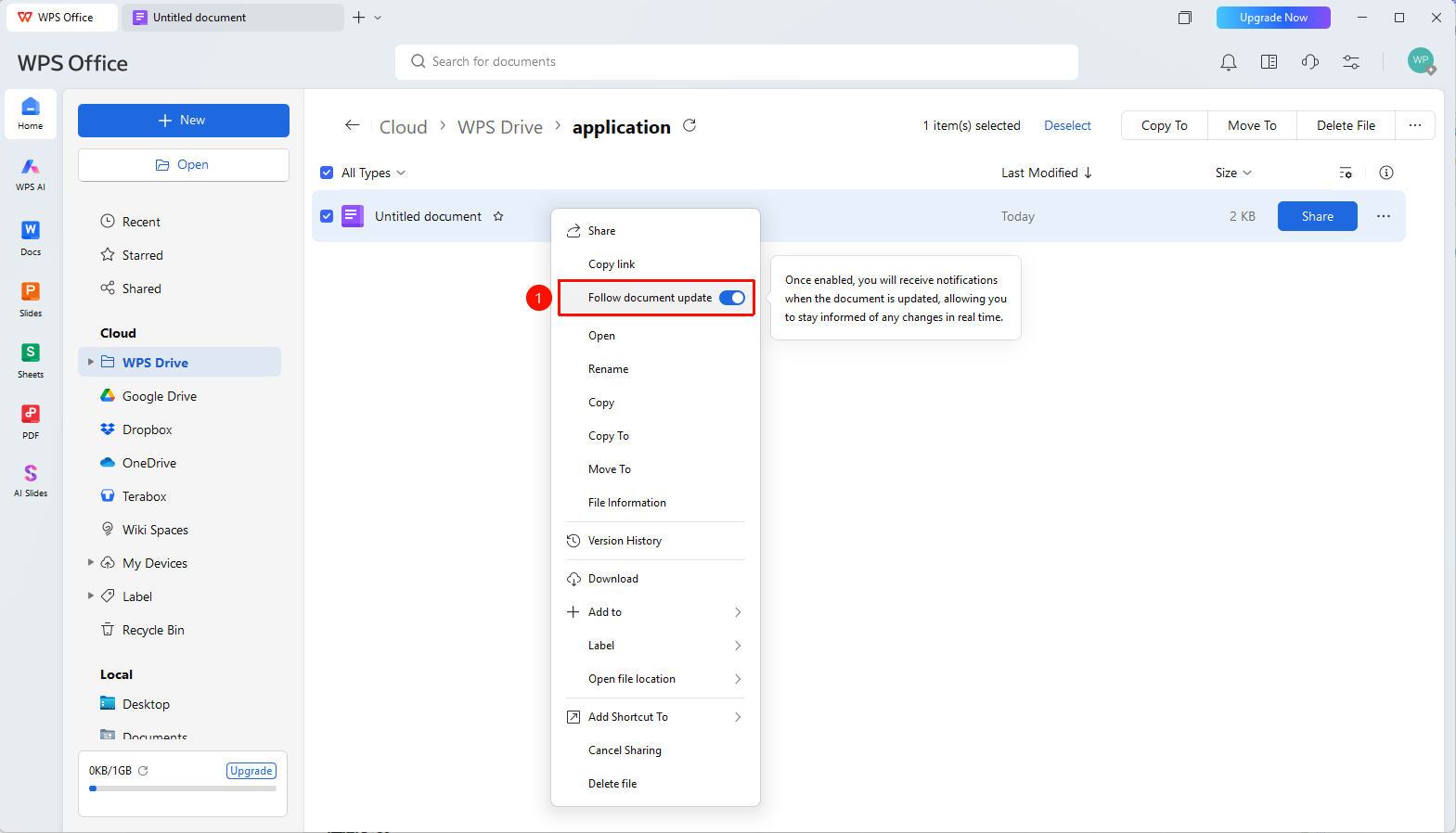
Document right-click menu → 「Follow Document Updates」
- Open WPS software and find the document you want to follow for updates in the homepage document list
- Right-click the document to bring up the document right-click menu
- In the right-click menu, click to open 「Follow Document Updates」
- You will automatically receive notifications when the document is changed
- Click 「Follow Document Updates」 again to turn off notifications
FAQ
Q1: What types of notifications will I receive after following updates?
- Solution: You will receive update notifications such as document content modifications and new version releases.
Q2: How will notifications be sent?
- Solution: Notifications will be sent through the WPS Message Center and can be adjusted in settings.
Notes
- After following, you can view update notifications in the Message Center
- After unfollowing, you can follow again