Feature Summary
The Document Information feature allows you to view detailed information about a cloud document, including sharing settings, version history, creation time, and more.
Feature Description
| Feature Dimension | Description |
|---|---|
| Membership Restriction | No membership restriction |
| Version Restriction | No version restriction |
Operation Steps
View Document Information
Feature Entry
「Right-click Menu」→「File Information」
- Locate the target document in the cloud document list
- Right-click the document
- Select 「File Information」 to open the file information panel on the right
- View the document details in the information panel
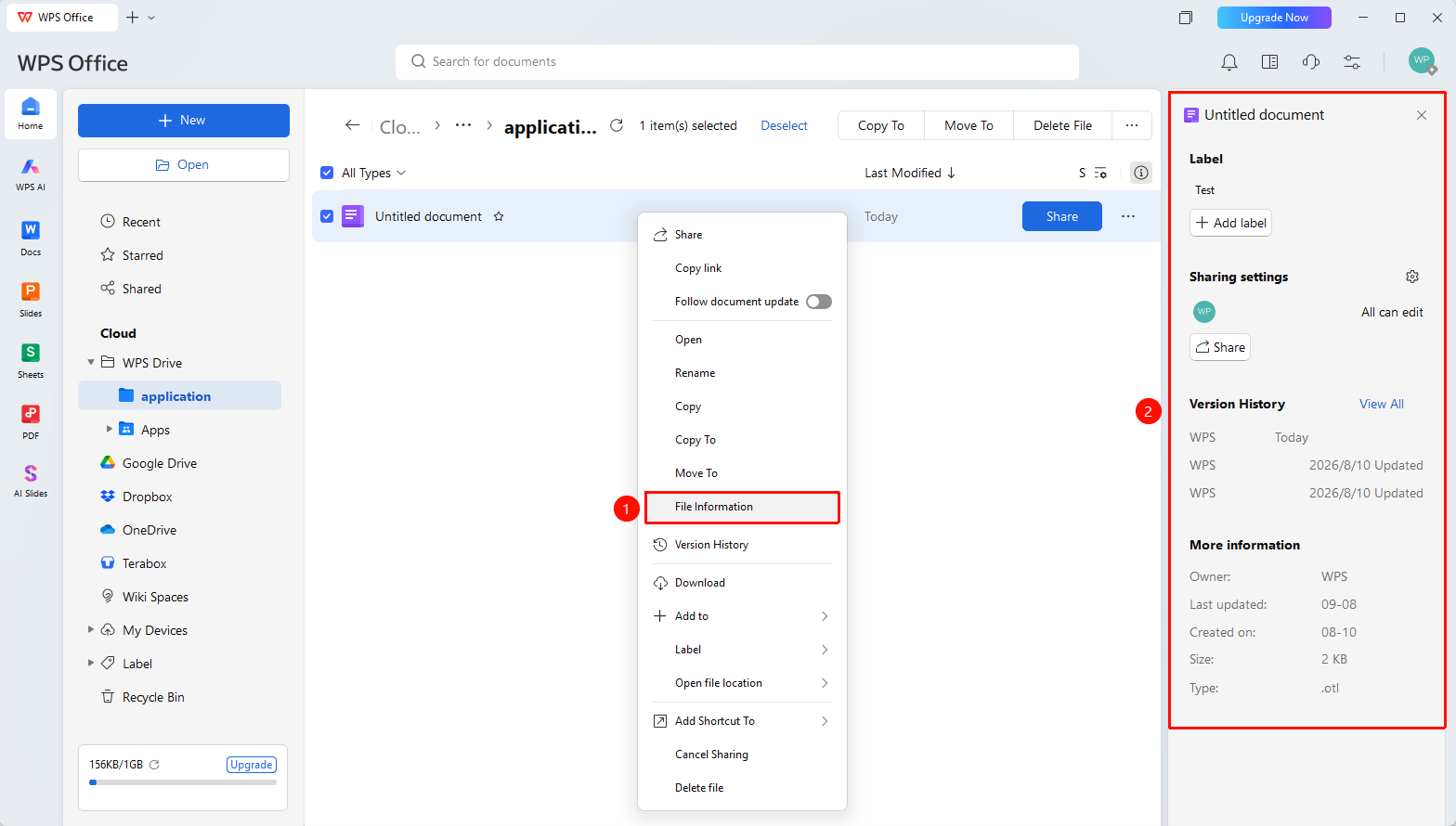
File Information Content
Feature Entry
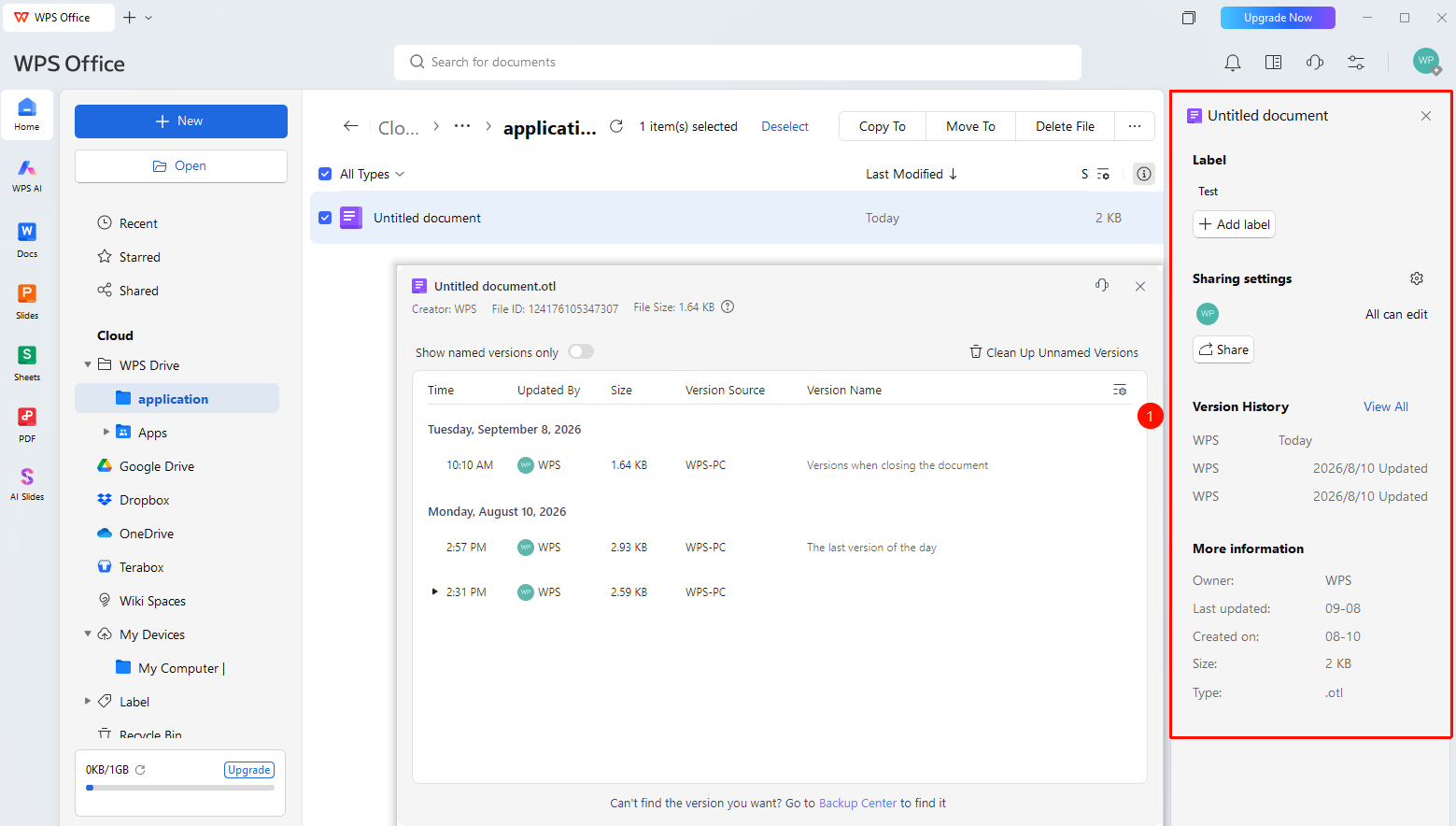
File Information Panel
- The following information can be viewed in the file information panel:
- 「File Name」
- 「Document Tags」 : View/Add document tags
- 「Sharing Settings」 : Configure file sharing options
- 「Version History」 : View file version history
- 「More Information」 : View file owner, last modified time, creation time, file size, file type
FAQ
Q1: What content can be seen in the file information?
- Solution: You can view detailed information such as file size, creation time, modification time, creator, and collaborator list.
Q2: Can I view document information for local files?
- Solution: Yes. Right-click the file →「Properties」to view file information in the local file properties panel. However, please note that this shows the file's local system information, which is not 100% identical to the cloud document information.
Notes
- File information allows you to configure sharing settings and view version history