Feature Summary
Displays all files stored in WPS Cloud Documents, supporting tree directory management and multi-dimensional filtering.
Feature Description
| Feature Dimension | Description |
|---|---|
| Membership Restriction | No membership restriction |
| Version Restriction | No version restriction |
Operation Steps
View Personal Space
Feature Entry
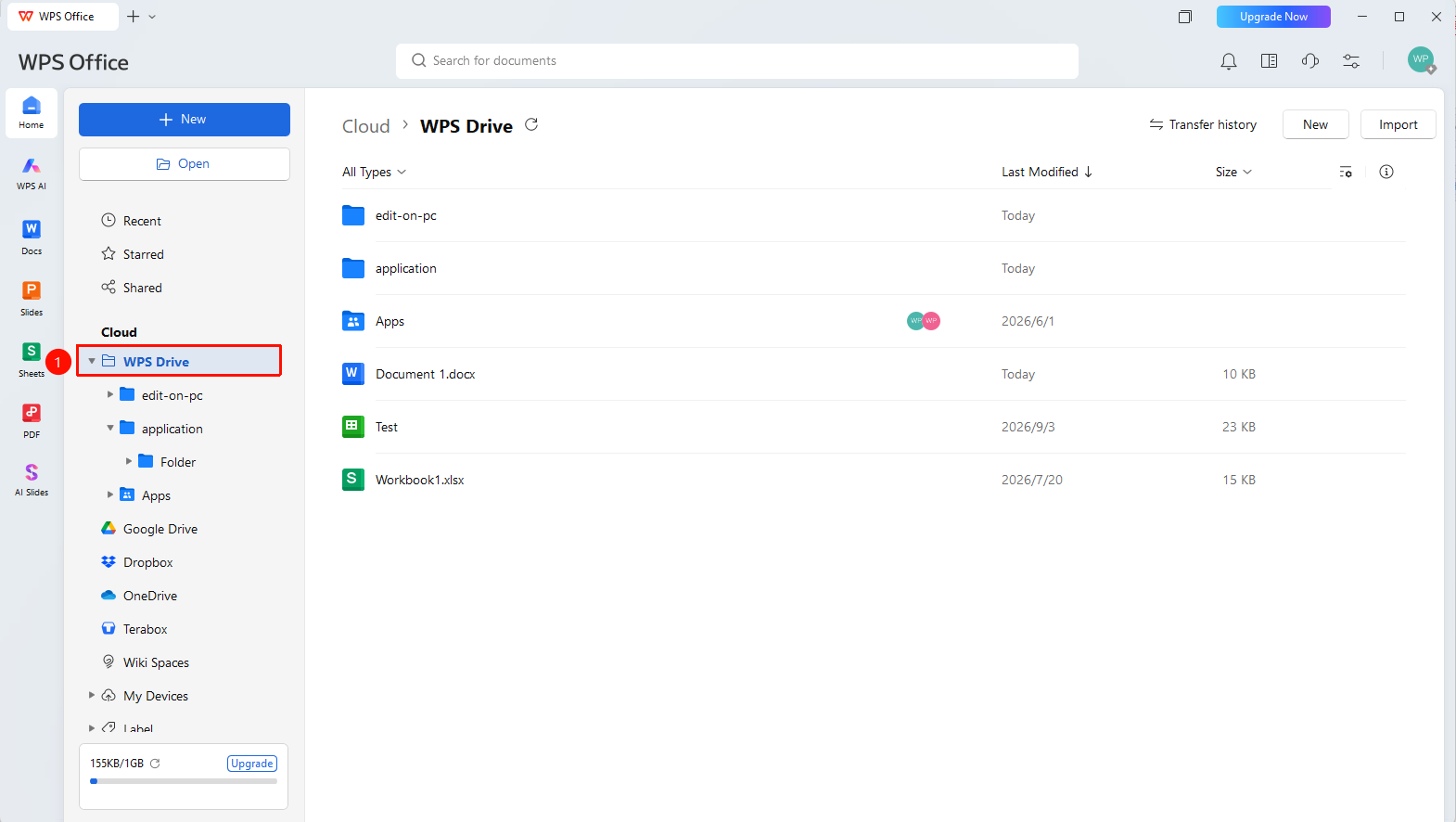
WPS Home left navigation bar → "WPS Drive"
- Open WPS and click the "WPS Drive" tab in the left navigation bar
- You can view all files and folders stored in the cloud
- Click the drop-down indicator of "WPS Drive" in the left navigation bar to expand and view all Drive folders
- Click the drop-down indicator of a folder to gradually expand subfolders/files
Manage Files and Folders
Feature Entry
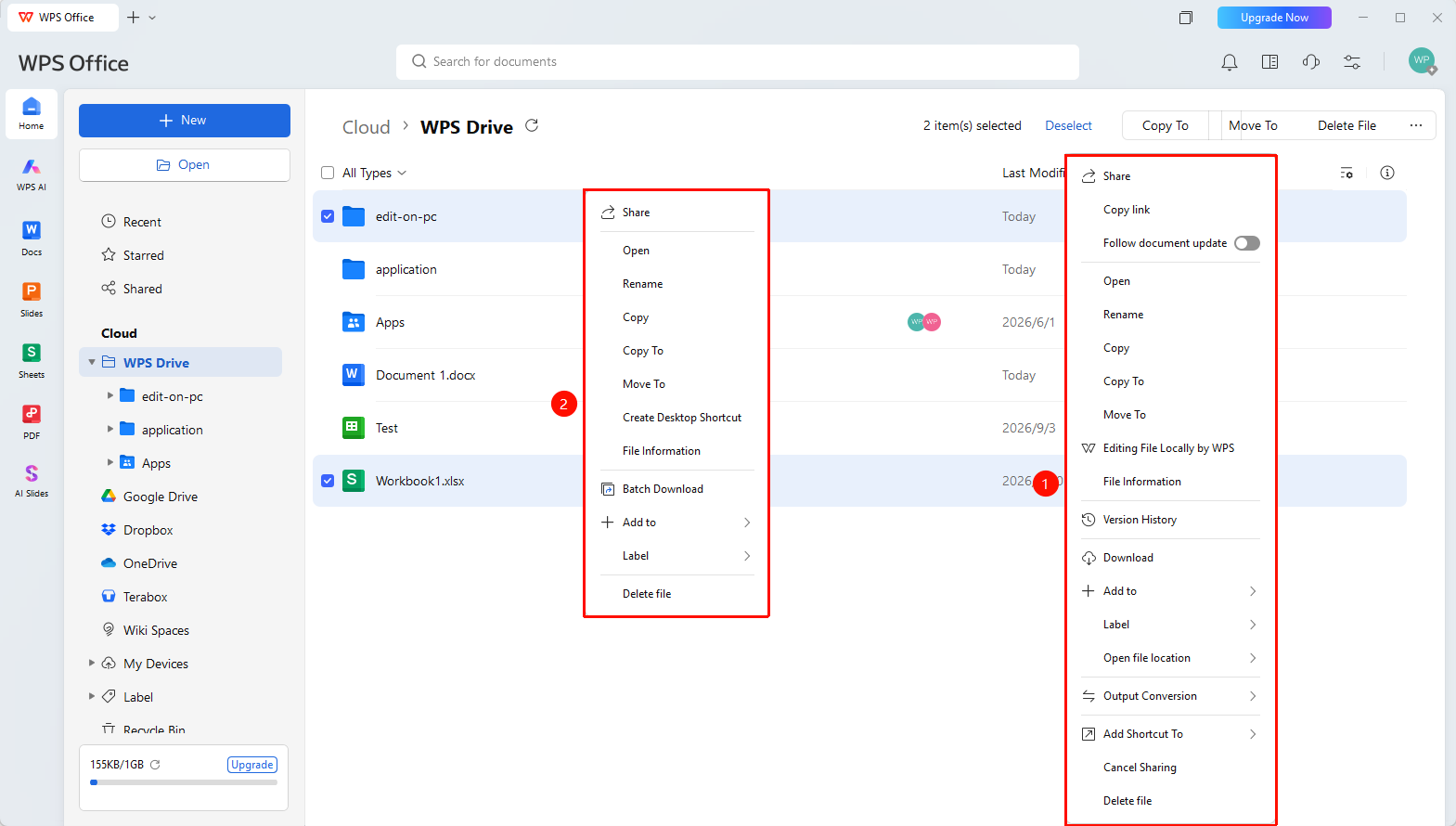
"WPS Drive" → right-click file → management operations
- Right-click a file or folder in the file list
- You can perform operations such as creating a new folder, renaming, moving, copying, and deleting
- Supports sorting and filtering by multiple dimensions such as name and modification time
Personal Space Settings
Feature Entry
Top of the WPS Drive tab page
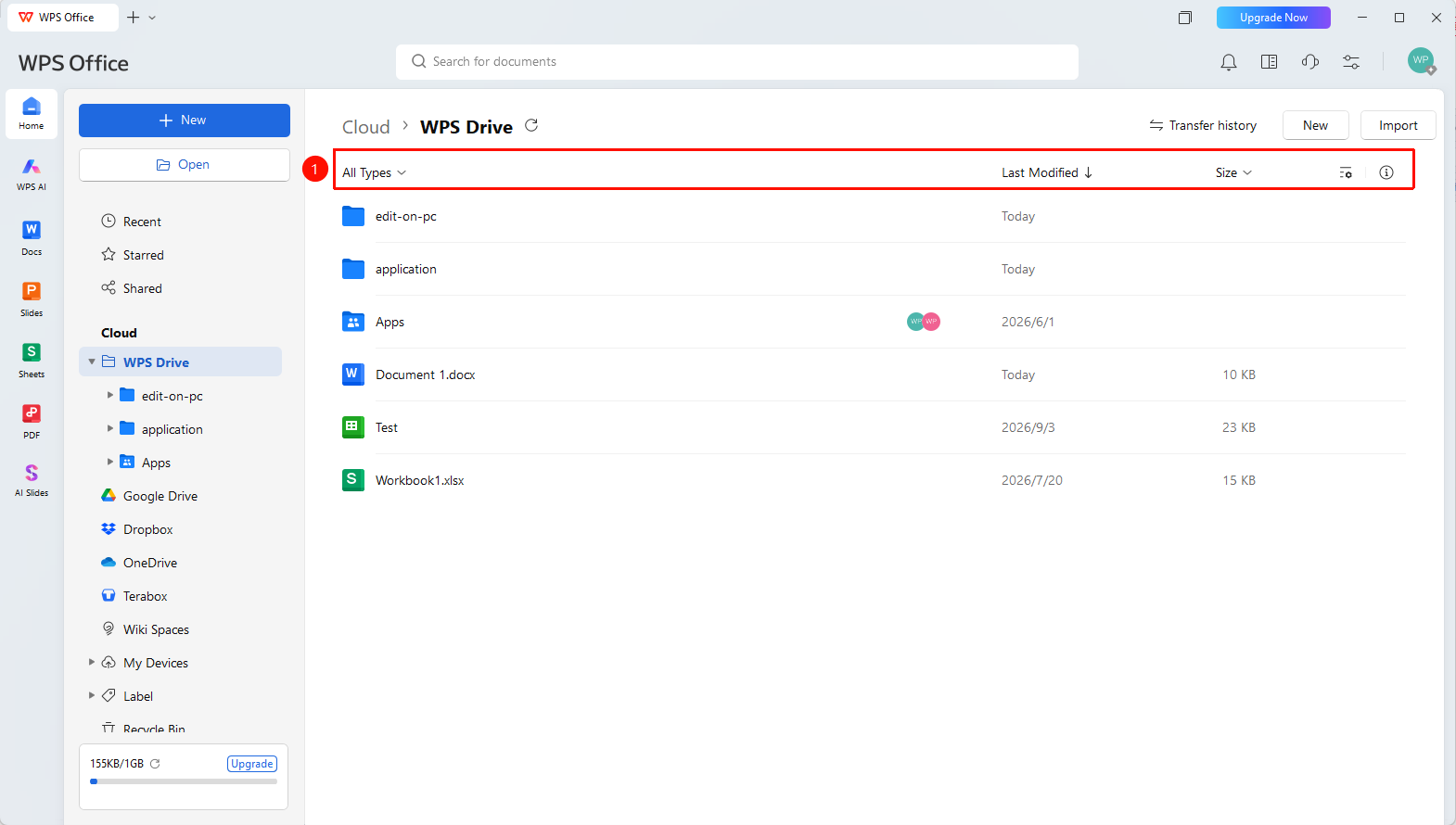
- At the top of WPS Drive, you can select the following setting options:
- "All Types" : Filter Drive files by desired type
- "Size" : Sort Drive files by file size
- "Settings" : Set options for the display list such as sorting, view, and custom list
- "File Info" : View file information of the selected file
New
Feature Entry
Top of the WPS Drive tab page
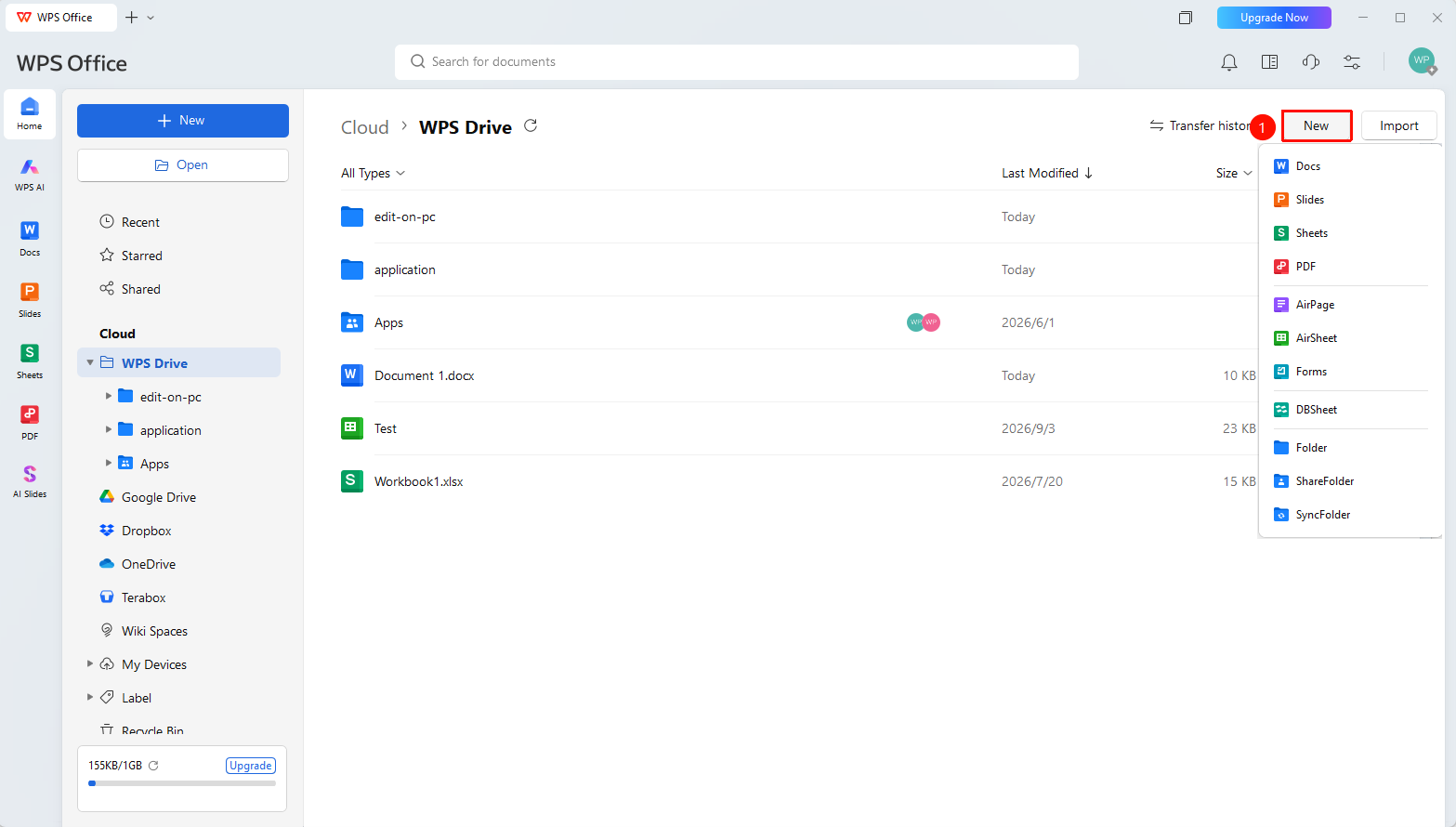
- At the top of WPS Drive, you can click the "New" button to expand the new dropdown menu
- Click the desired file/folder type to quickly create a new file/folder and save it under the "Personal Space" path
Import
Feature Entry
Top of the WPS Drive tab page
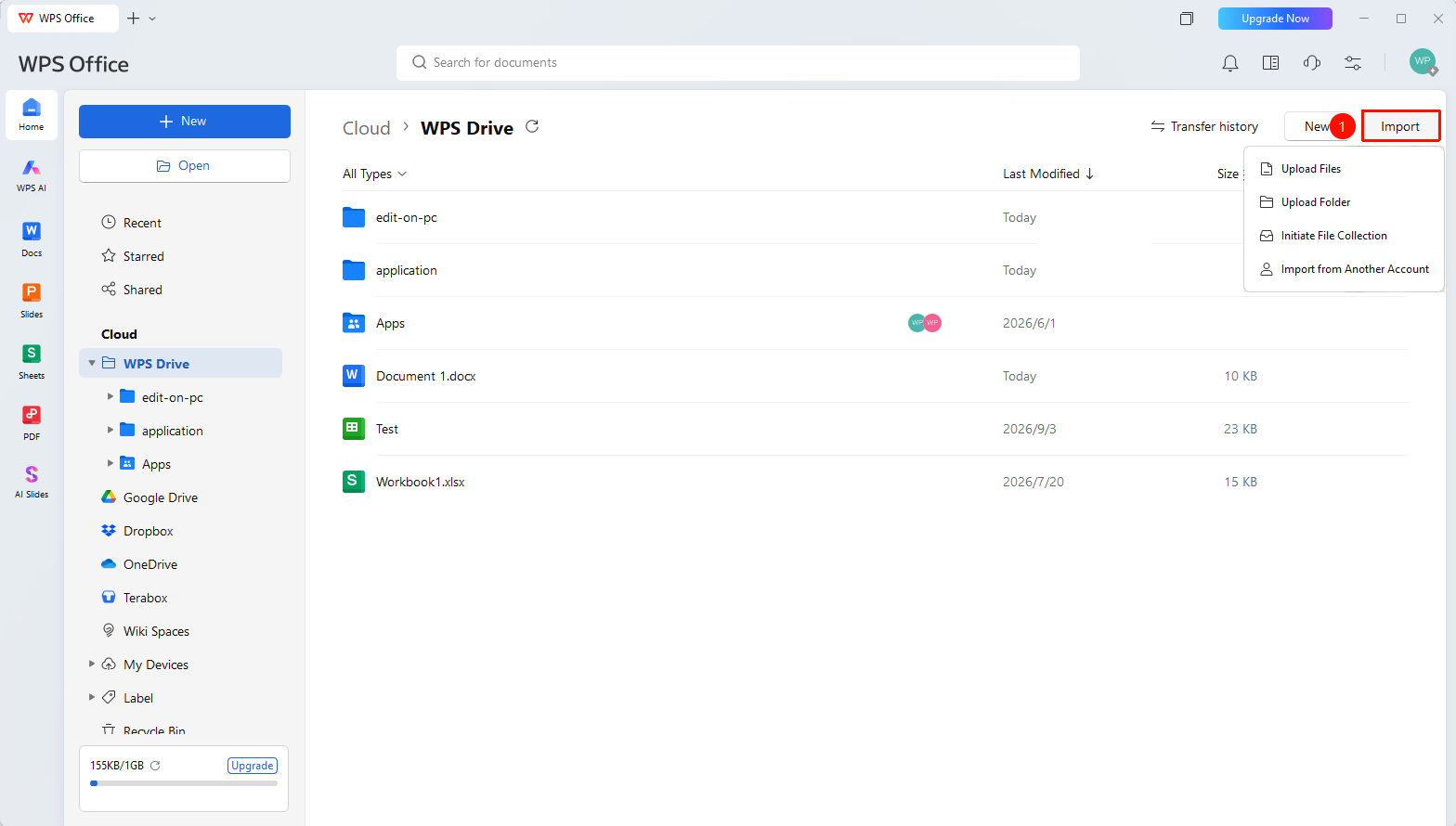
- At the top of Personal Space, you can click the "Import" button to expand the import dropdown menu
- Click the desired import operation to upload/import files to the "Personal Space" path
FAQ
Q1: Where are the files in WPS Drive stored?
- Solution: Files are stored on WPS Cloud servers. Sign in to your account to access them across devices.
Q2: How do I create a folder in WPS Drive?
- Solution: Enter "Personal Space", click "New" → "Folder" , enter a name to create it.
Q3: Shared files/folders I received do not appear in my WPS Drive?
- Solution: The files are shared by another user and stored in the document owner's cloud space. You can try saving the cloud document to your Personal Space, or view the files in the "Shared" tab.
Notes
- WPS Drive supports tree directory structure management
- The file list supports sorting by name, size, and modification time